- You add emails that will be used by customer to send import files via admin panel (Known emails field)
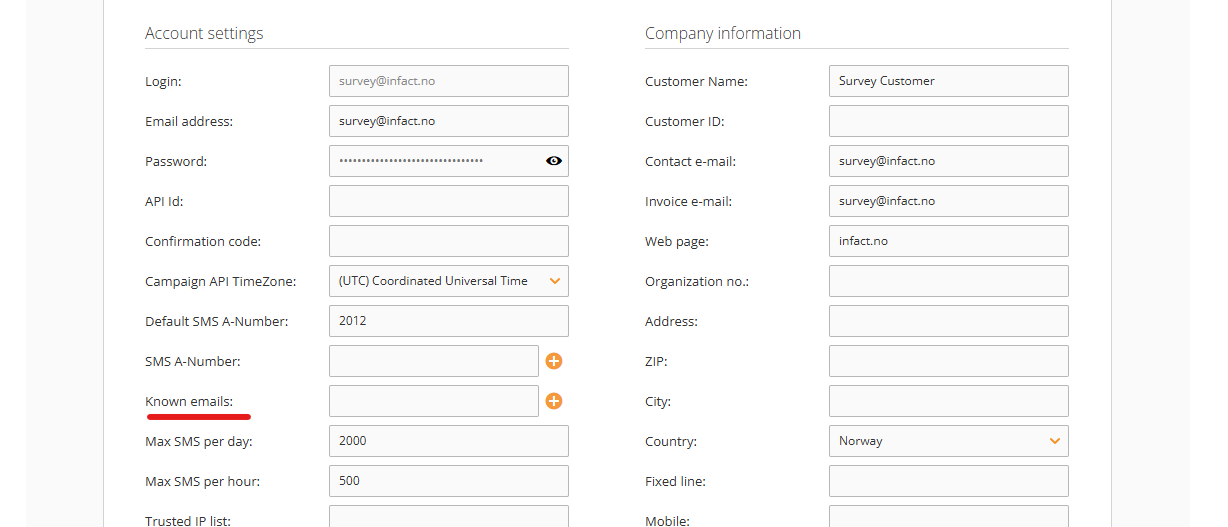
- Customer sends emails with file attachments that contain data to be imported to datasource to the address import@infact.no
- System downloads attachments and saves to file storage
- Customer may have as many known emails as they want;
- One email can be used only once for one customer;
- Customer may send import emails only from known emails, if we receive email from unknown email, system will ignore it, even if it’s customer’s login email;
- Emails are unique through all customers, i.e. one email can’t be used by 2 customers even if their are from the same company;
- File attachment must follow the naming rule: {dsId}_{objectname}[_whatever].{extension}. where dsId is datasource id as decimal integer. Example of valid file names: 25_members.json, 33_showups_somecustomertext.xlsx;
- Currently system supports the following extensions: json, csv, xls, xlsx;
- If file attachment has invalid name or unsupported extension, the file is ignored;
- if the file is under a password, please provide it to us before we set the import settings;