¶ Email Builder: Click-to-email buttons and links
¶ Button
If it's a button, it can either be an external link and you need to add a "mailto:" prefix or choose "click-to-email" button type and no prefix needed.
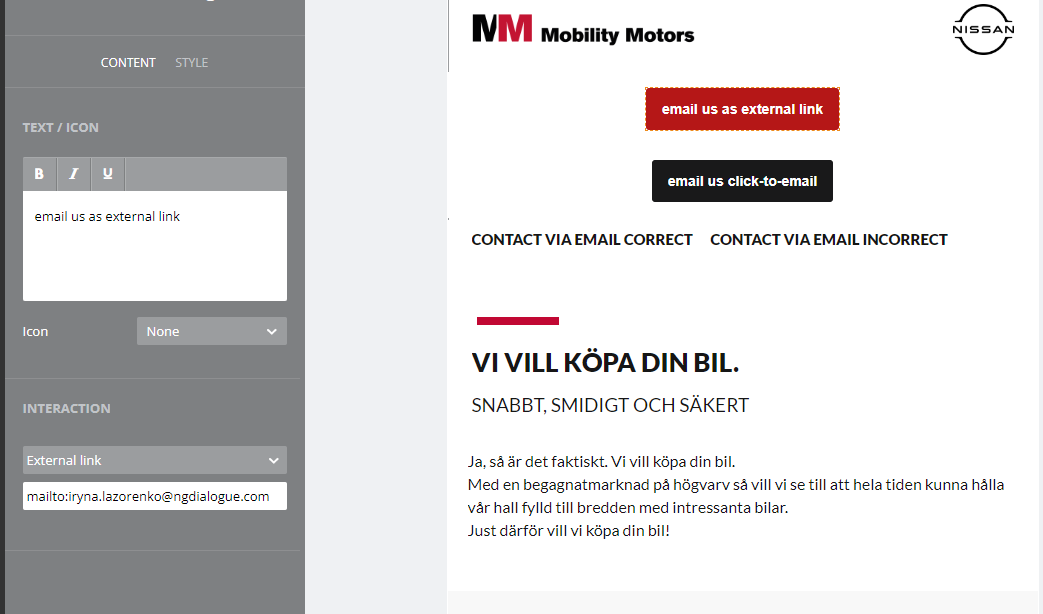
.png)
¶ Link
For text links: you can type the email address and the system prompts you to add the prefix
.png)
.png)
¶ The reasons it may not work
The opening in Chrome as a new tab/window - this can be caused if you set up the button external link type and forget to add the prefix mailto: (the system does not prompts here as we have a specific button type). in case with the links, it happens when you click "cancel" and choose not to add the prefix. and other case - it may be connected to the settings of your device. But I cannot reproduce it as I don't know the settings of your Outlook.