To add pictures to your survey, for example, like shown here you can use an element label.
¶ 1. Upload the pictures
You need to do it to get a link for your picture. You can load it to OneDrive or use our landing pages and upload a picture there. To use a landing page, you just create a landing or use an existing one, click Edit. Then navigate to Extensions and Other Files.
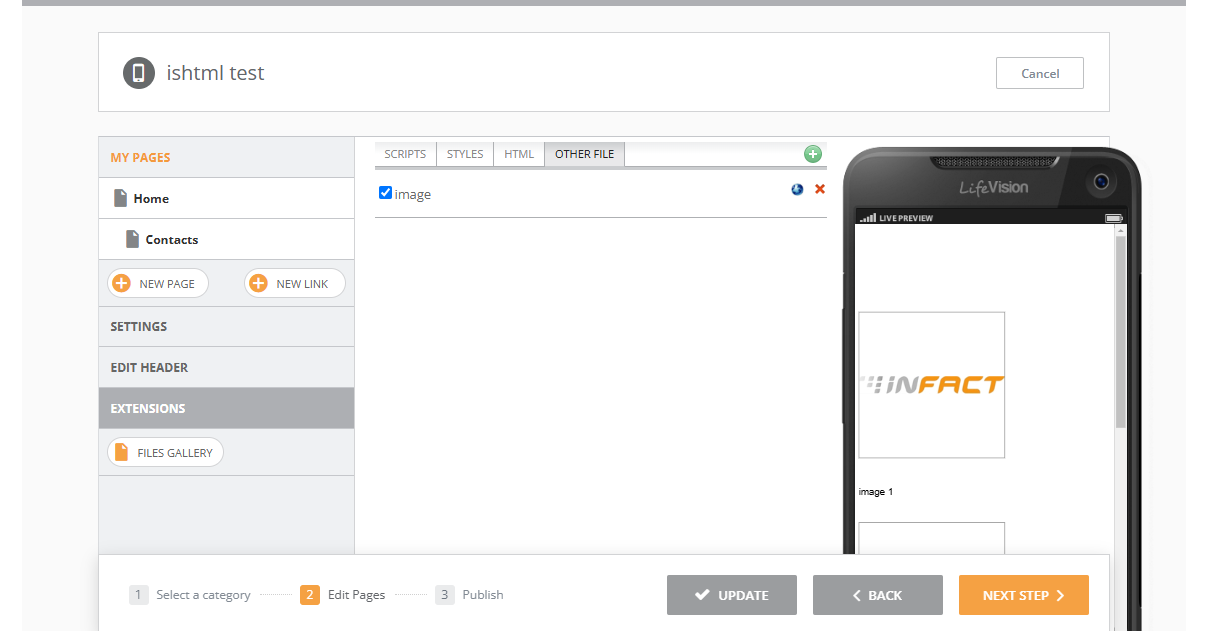
Upload your image here and click on the blue button near the red cross and you will see the link to the picture. Copy this link, you will need to use it later.
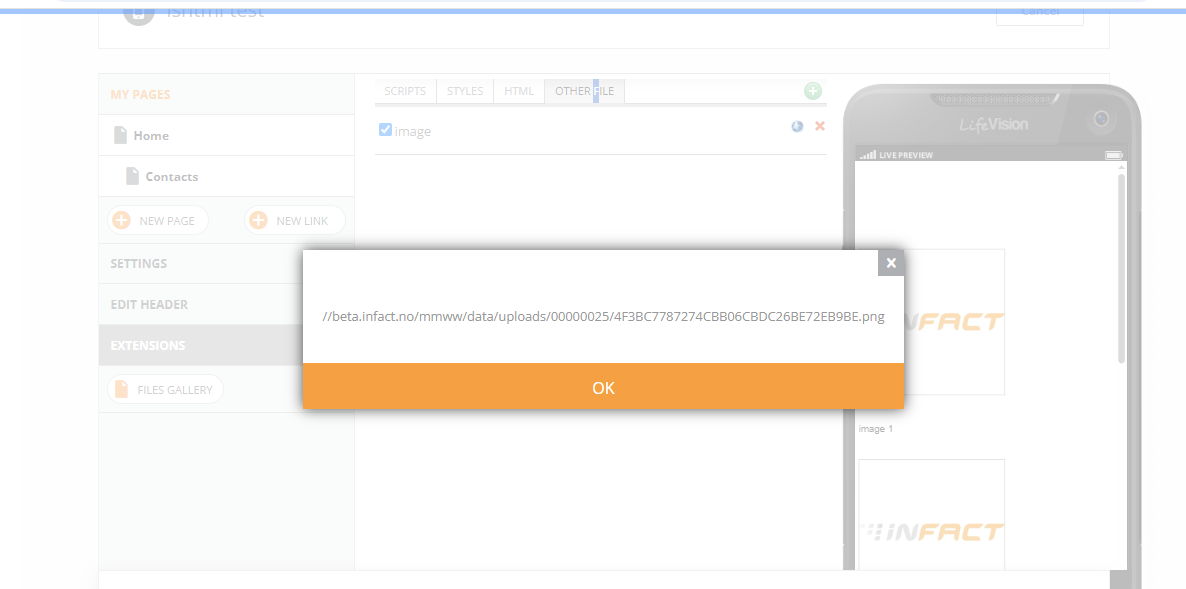
Upload as many images as you need.
¶ 2. Create html link
Insert your link instead the next in red:
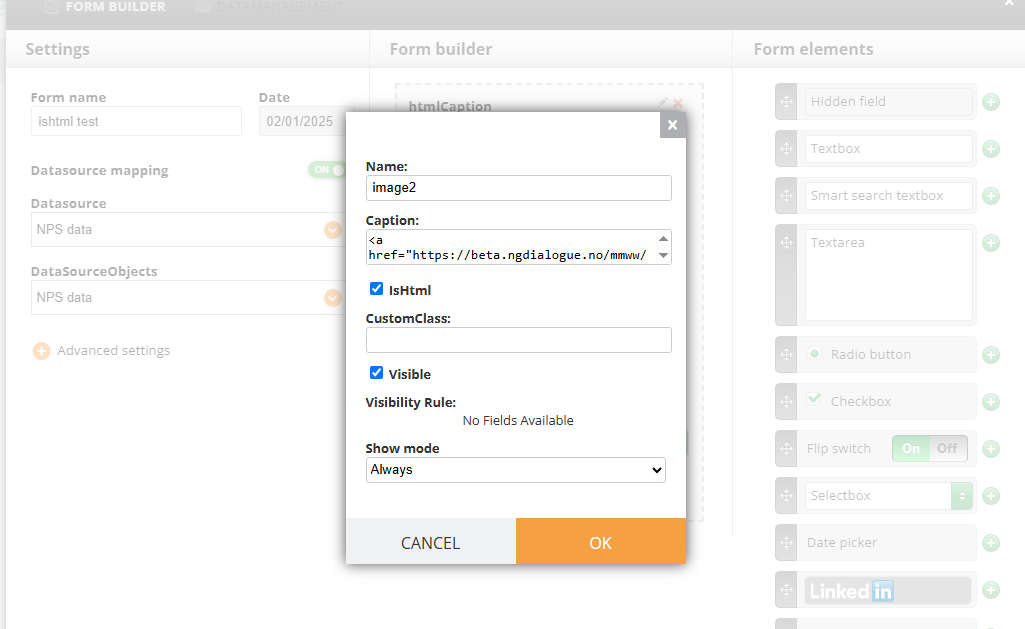
<a href="https://beta.infact.no/mmww/data/uploads/00000025/4F3BC7787274CBB06CBDC26BE72EB9BE.png">
<img src="https://beta.infact.no/mmww/data/uploads/00000025/4F3BC7787274CBB06CBDC26BE72EB9BE.png" alt="Clickable Image" />
</a>
¶ 3. Create a form with labels
When you open a form, add a label element
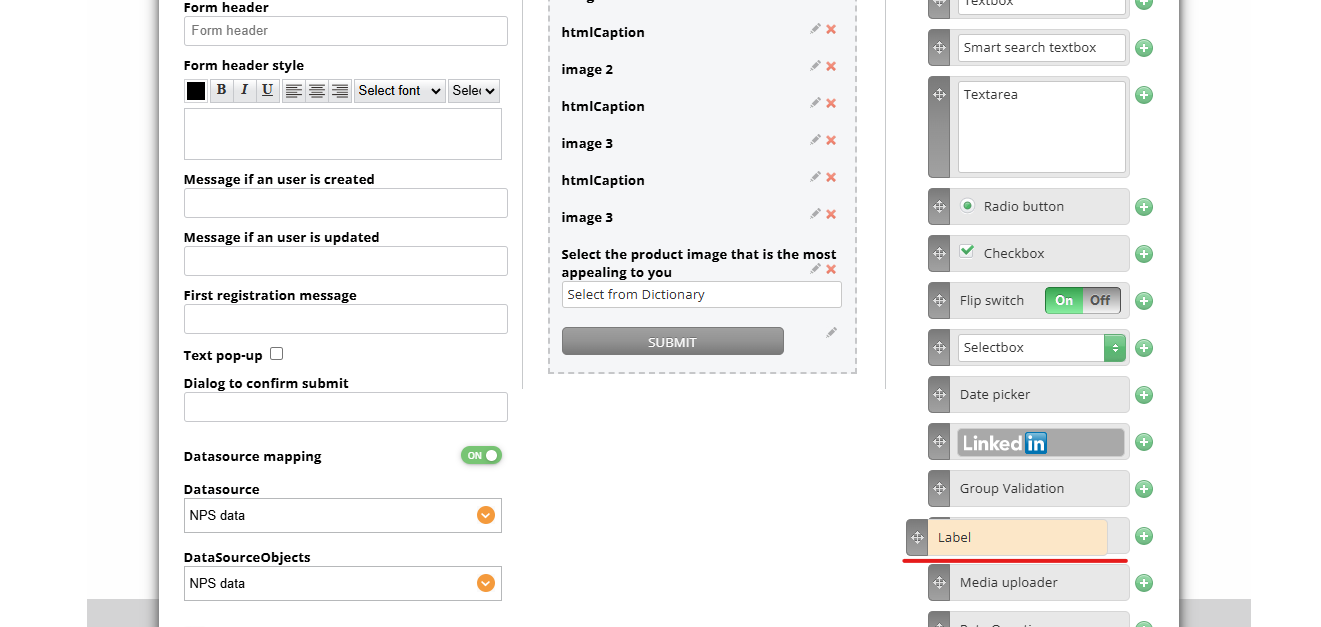
Each label with represent one picture. Enable “IsHtml” for each element and in the caption insert the link you got previously:
Add other elements to the form if needed.