¶ 1. Map the form to Survey datasource
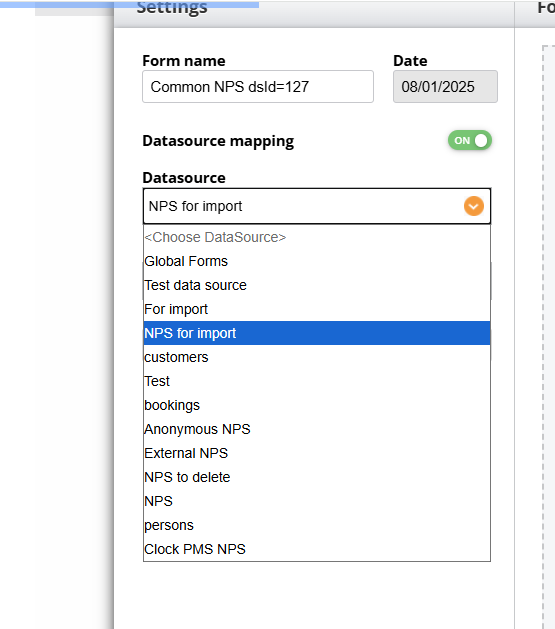
Enable the mapping and select your datasource from the list to make the system automatically add questions from the Dashboard:
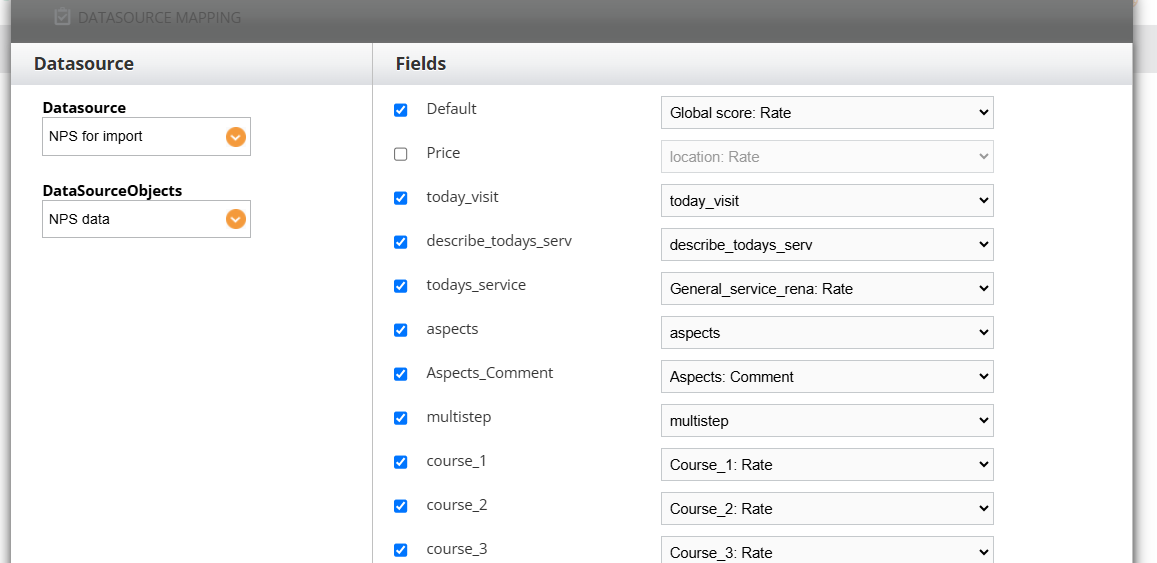
Read more on how to set up Survey.
¶ 2. Enable verification
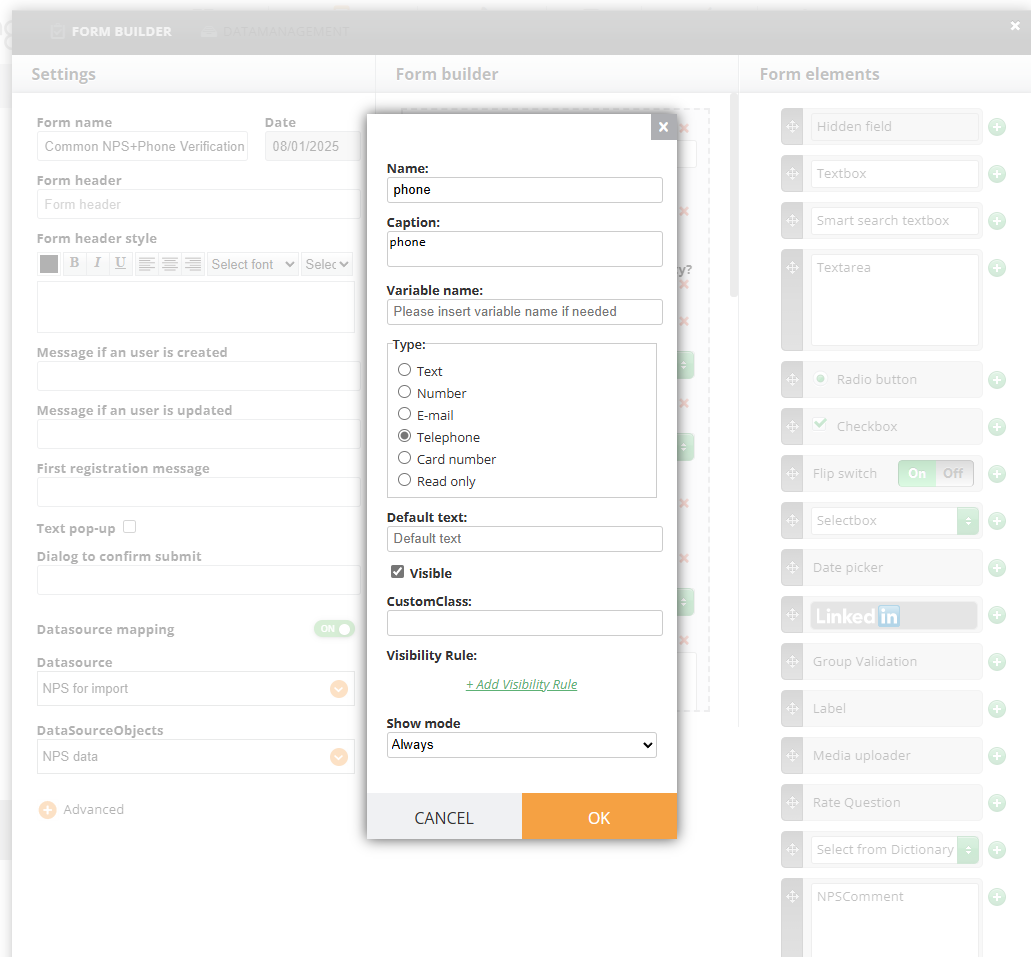
- Add phone or email field depending on what type of verification you need (a code to be sent via phone or email)
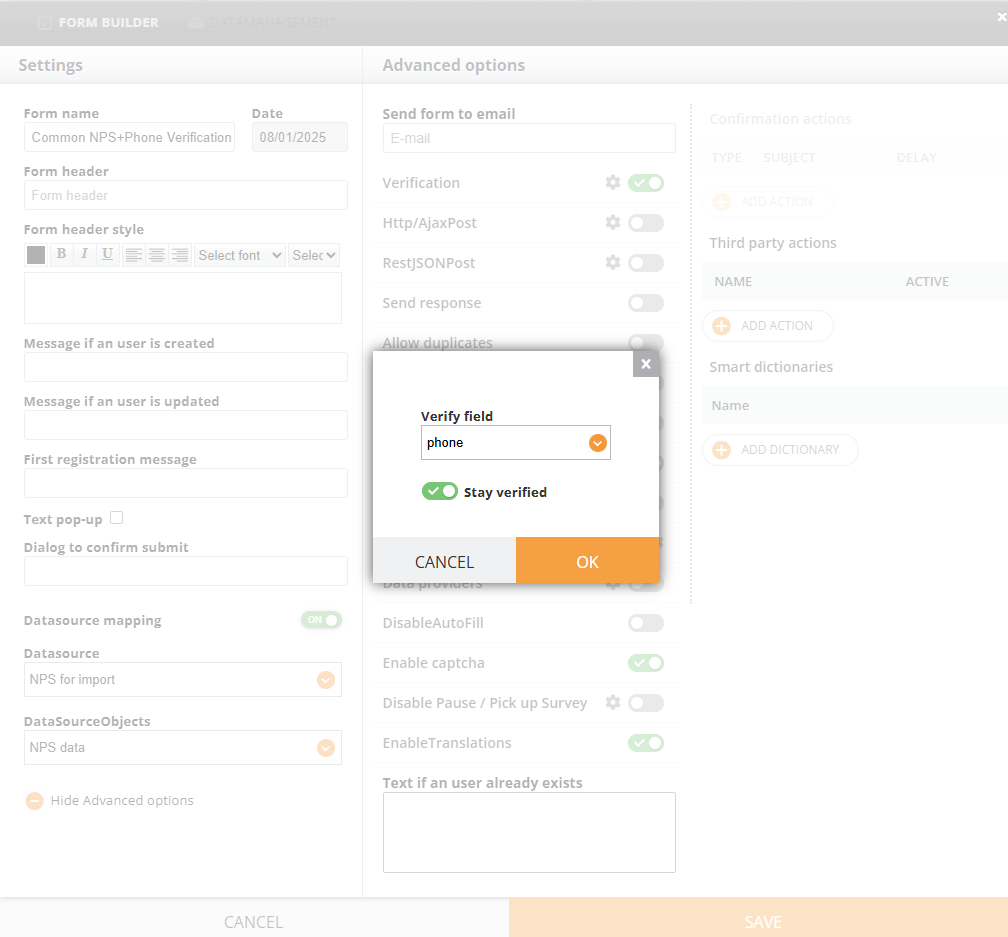
2. Enable Verification in Advanced Settings
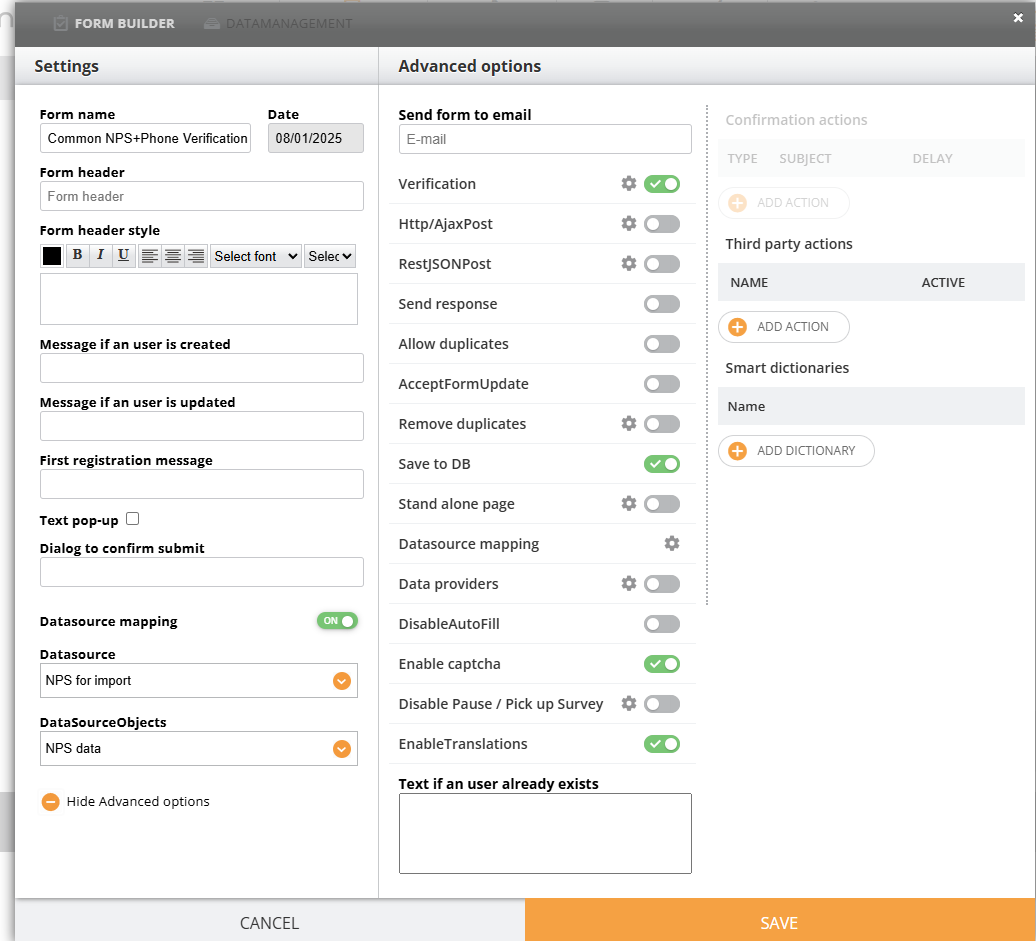
3. Select the field
¶ 3. Send Out Link
Send out a Campaign with a regular link, do not generate memberlink, for example Phone Verification+Common-NPS
¶ 4. Verification
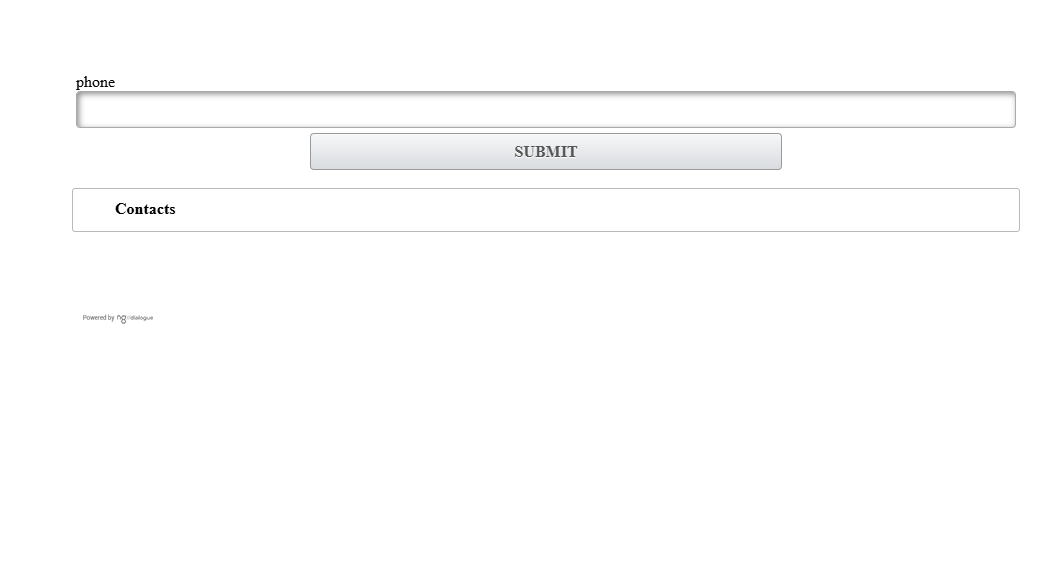
A user will insert the code after they have entered their email or phone, and it will look like this
¶ 5. Provide responses
After a user enters the code, they can see all questions and provide answers.