¶ Rate Question
If you want to set a rating (Likert scale, score) question, you can choose Rate Question. Step-by-step instruction how to set up Dashboard, add questions and map your form questions with your Dashboard questions.
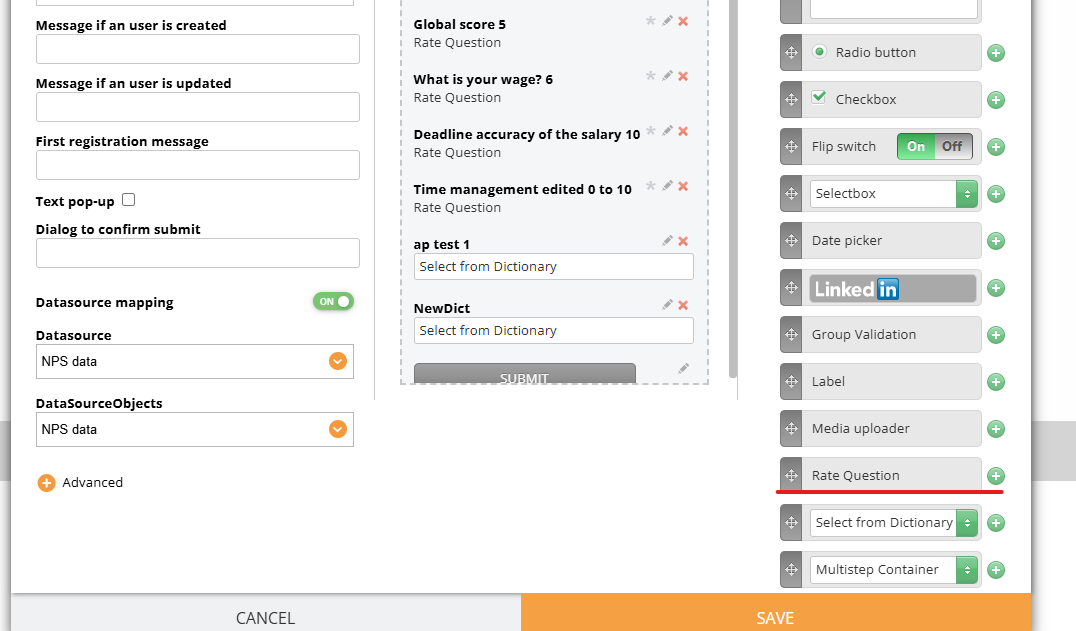
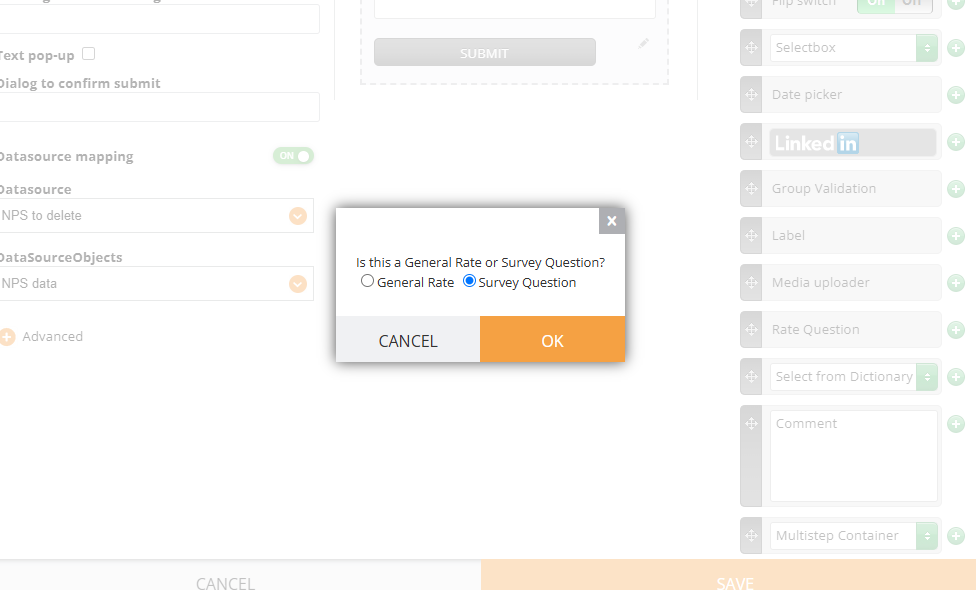
When you select Rate Question, you can choose the subtype. General Rate is used for the surveys with form data collection only (without datasources and mapping) meanwhile Survey Question is used for Surveys (the questions added via Dashboard and then mapped to the form).
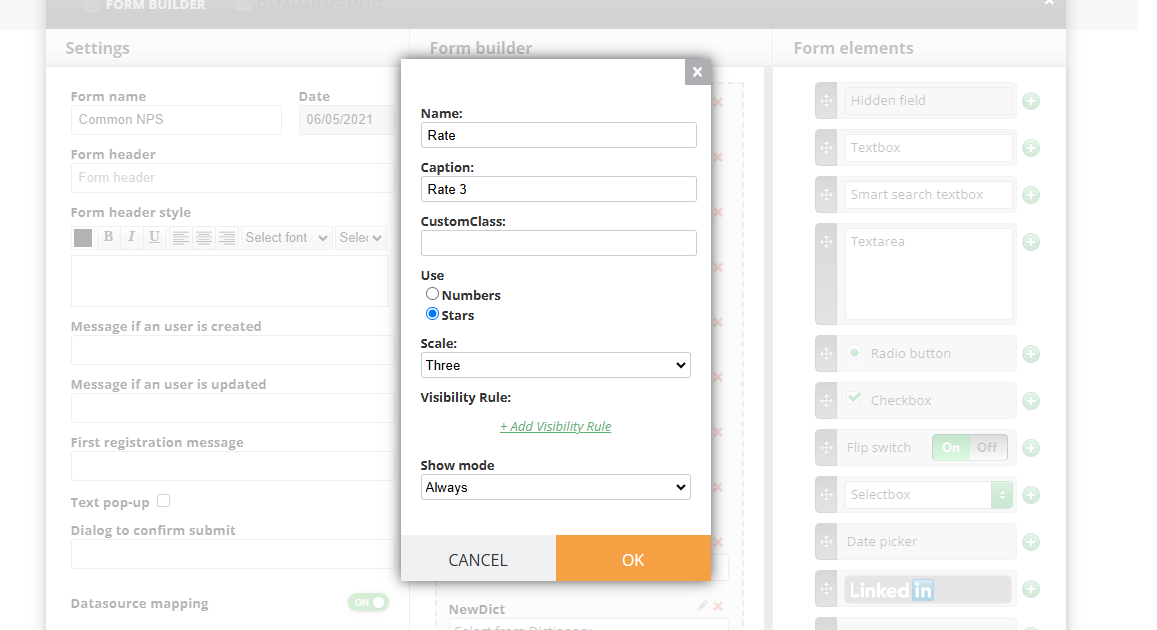
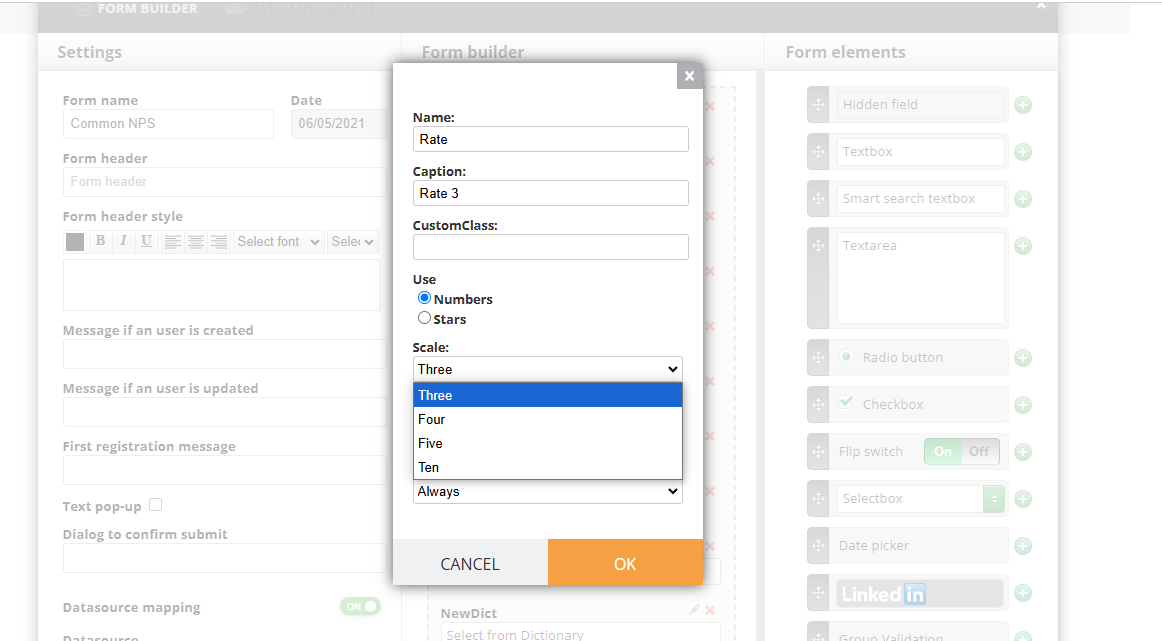
If the General Rate is used, you just add the name (internal), caption (visible to users), select Numbers or Stars and then scale.
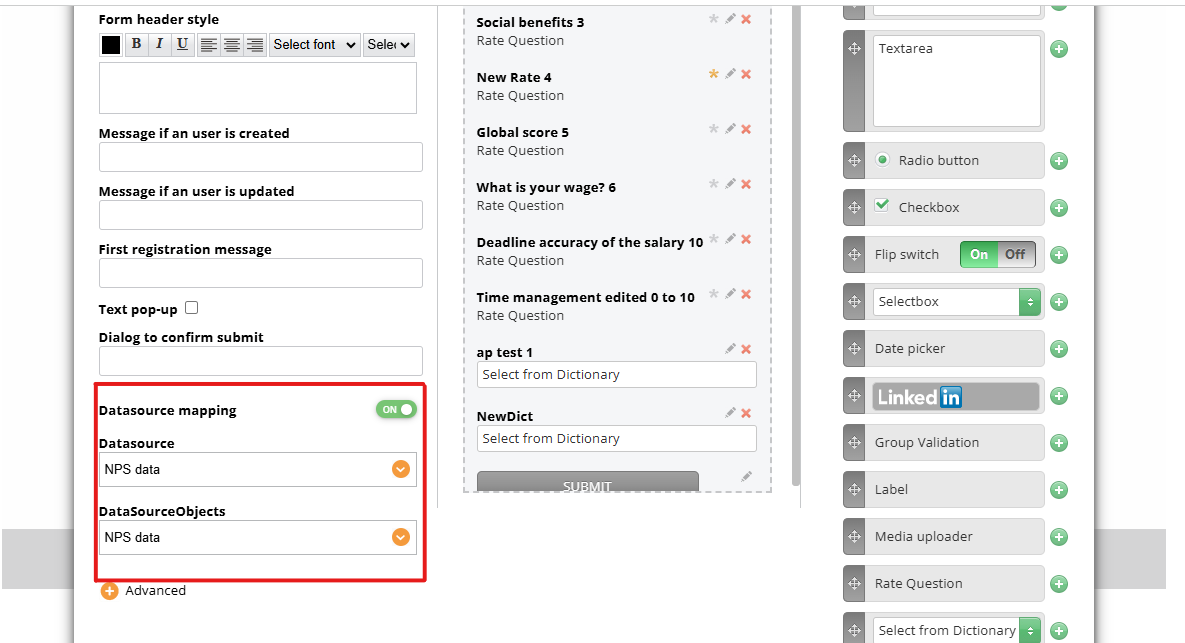
If you use Datasource mapping, use Survey Question. First enabled mapping in the form:
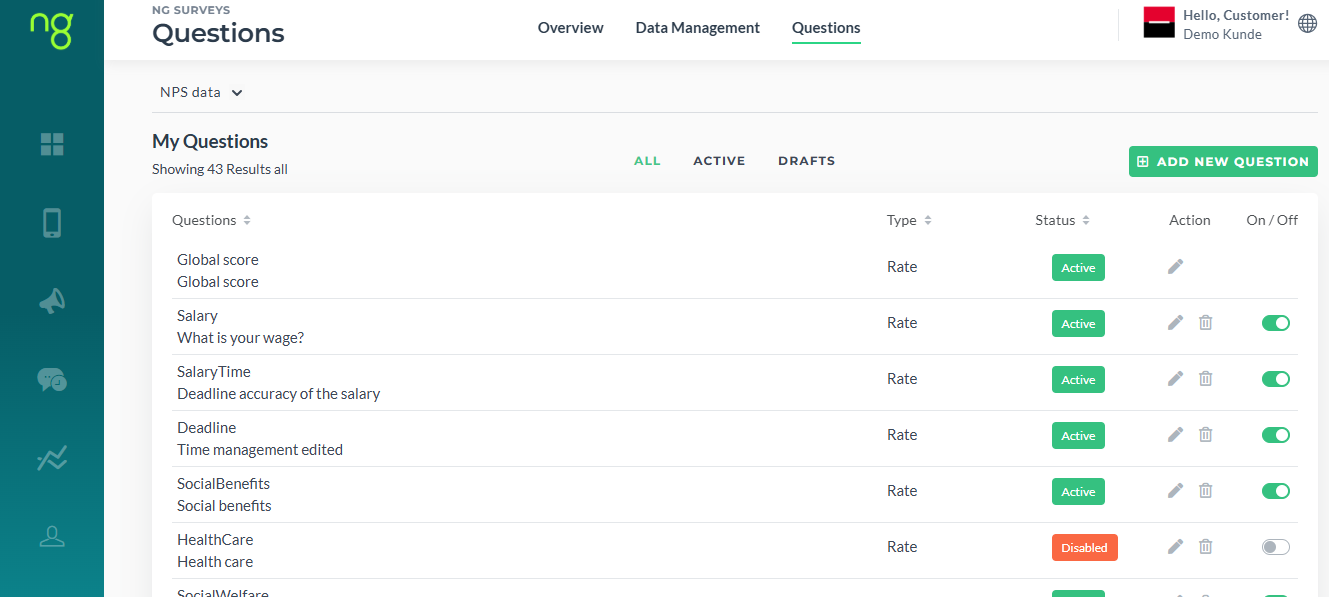
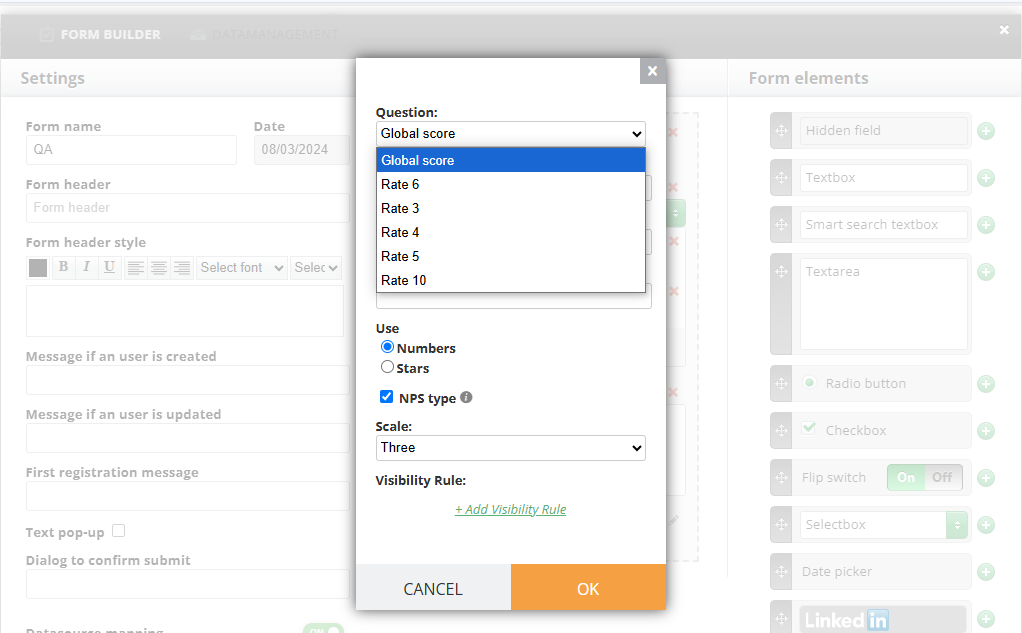
You do not need to manually type in the caption and map each question: simply select it from the list of questions previously added via Dashboard:
¶ NPS Scale Conversion
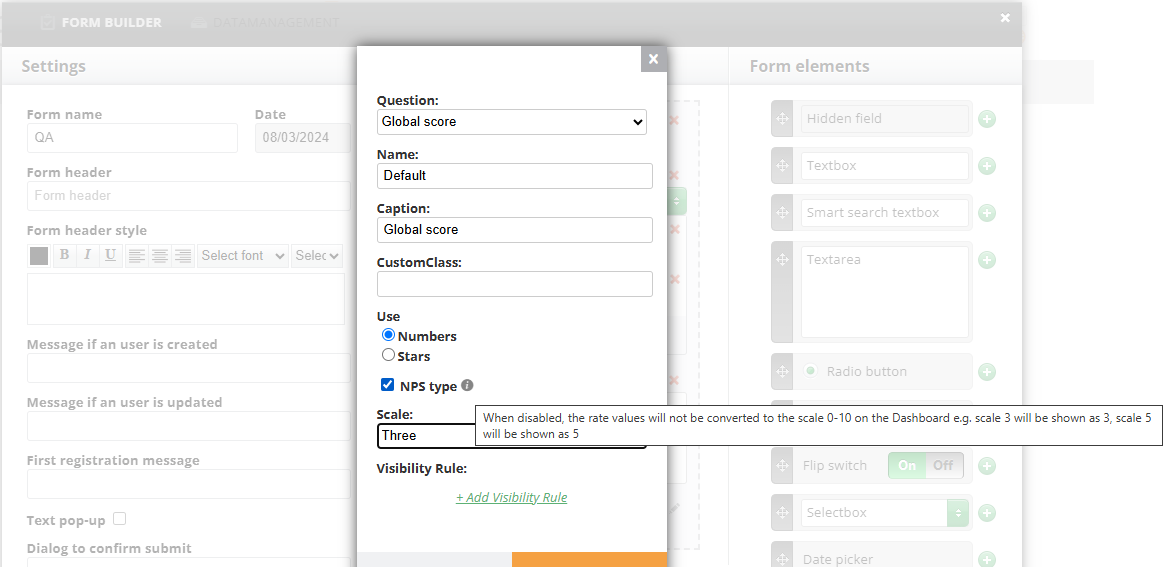
By default, Survey questions are set as NPS type (the checkbox in the screenshot) which will allow all the rates to be converted to 0 from 10 scale on the Dashboard and in data.
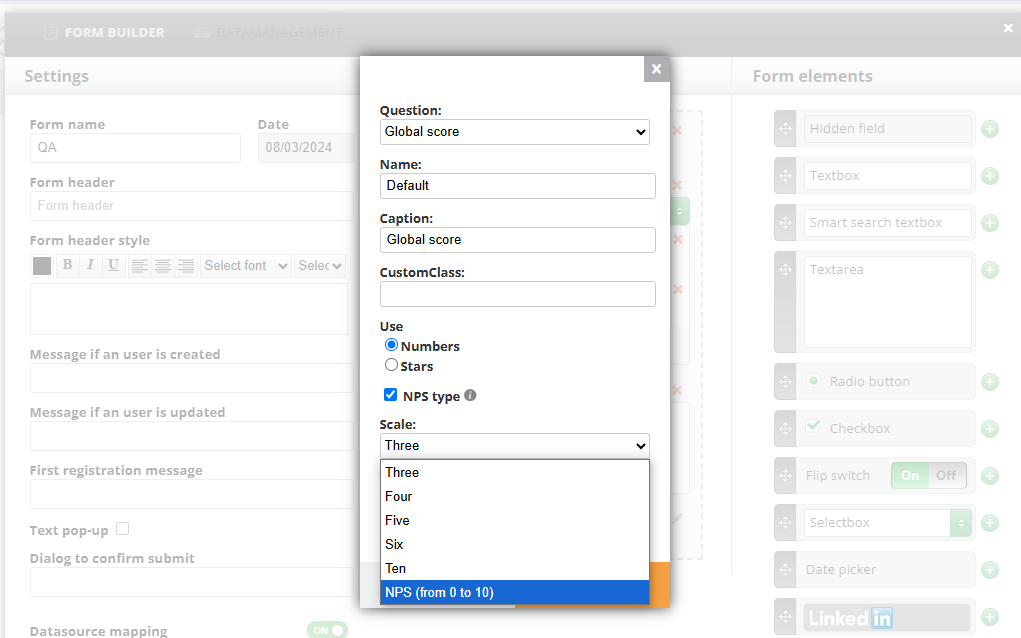
When disabling it, the rates will have the same scale as in the form (3 out of 3, six out of 6)