NB!
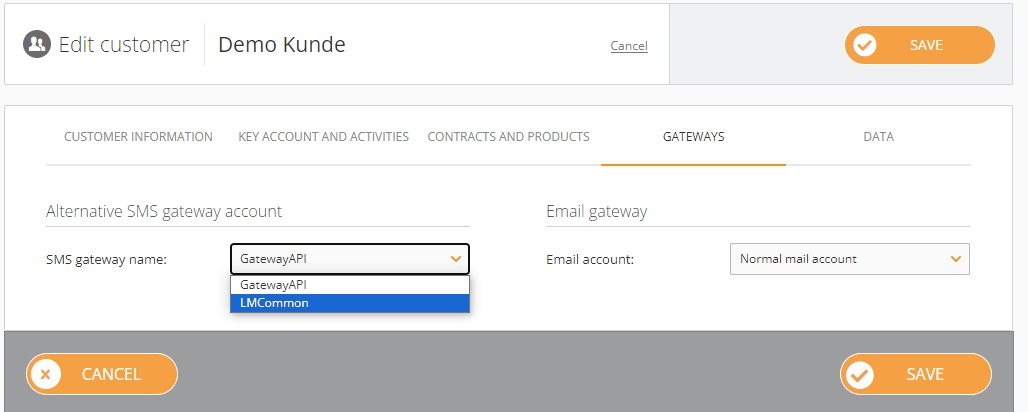
- To have codewords for customers with LMCommon, we need to contact their support team.
- Also, if you created a codeword for testing purposes or have an old one you do not use, please, delete it.
- Currently, providers do not support non-standard characters like Á á, Â â etc.
¶ A-numbers
A-number list for Gateway API can be found in smsgatewaysettings table
Here are the settings for LinkMobility (LMCommon):
{"at", "082822828"},
{"fi", "18333"},
{ "dk", "1919"},
{ "no", "2012"},
{ "se", "72660"}
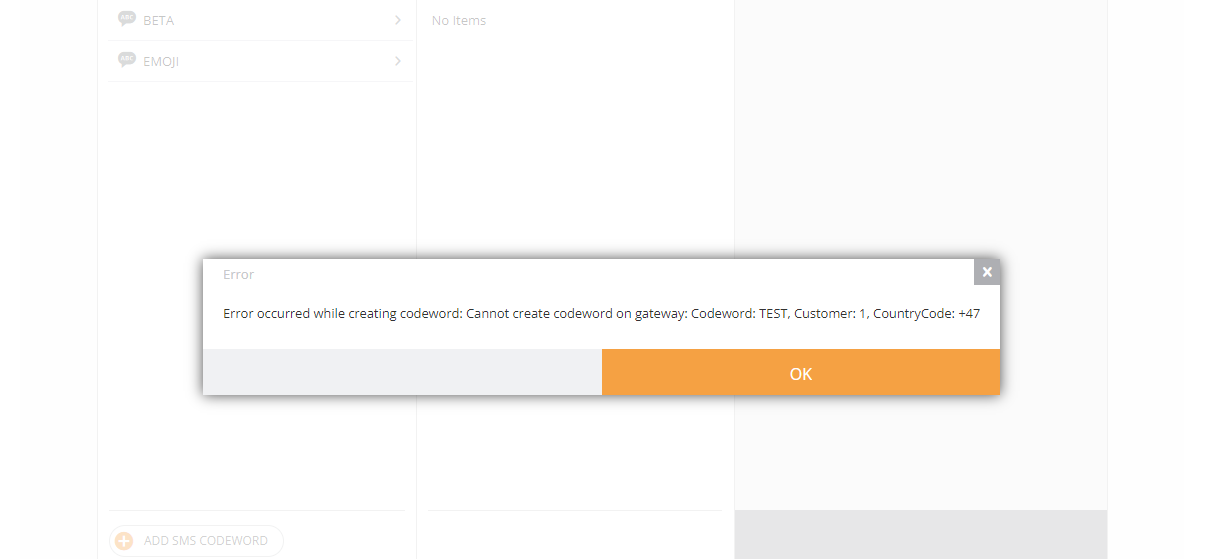
If you cannot create a codeword and receive this error, please try another name:
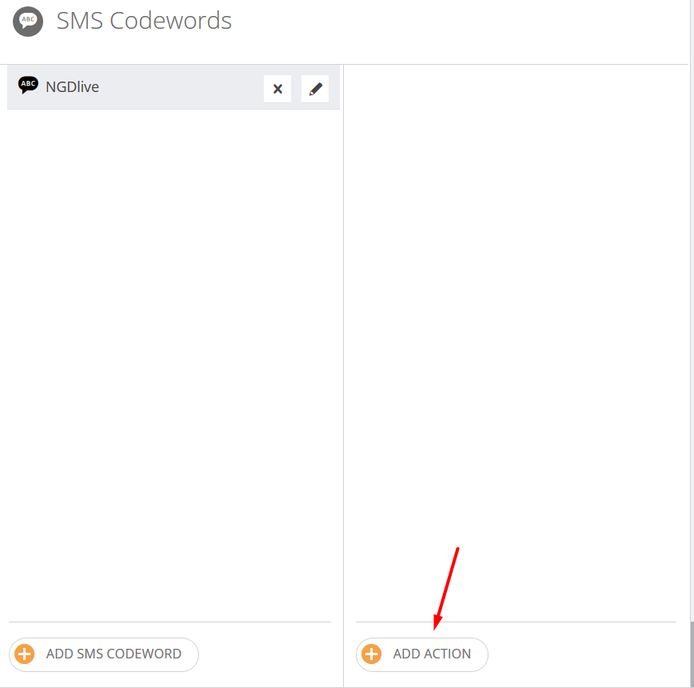
You can set several actions that will be triggered after a codeword is sent by a user.
¶ SMS Reply
Choose a needed option in the popped-up window and fill in the settings of the SMS Reply.
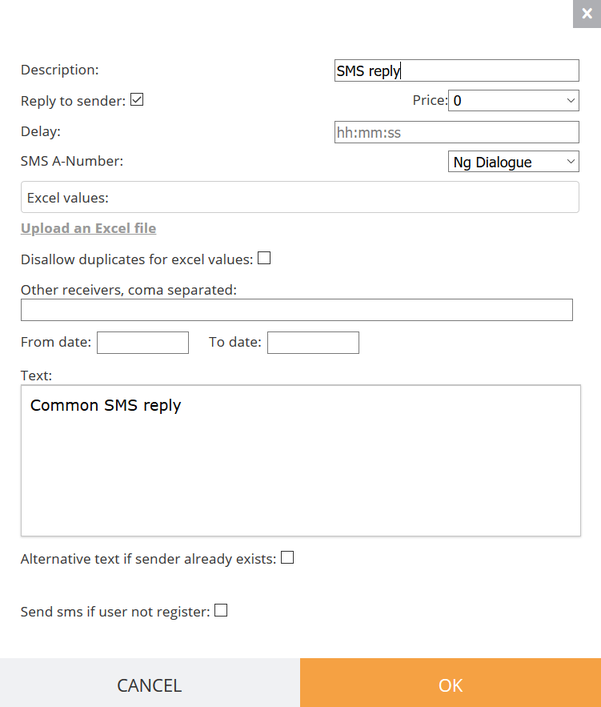
¶ Description contains text that will be shown here:
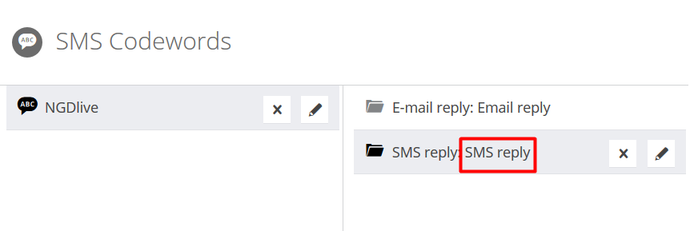
Pay attention to the Reply to the sender - it is checked by default.
You can use this checkbox in case you want to disable the reply but don’t want to delete it. If the Reply to the sender is unchecked, only phone numbers from the Other receivers field get the SMS Reply.
¶ Excel values
You can upload the excel file that contains one column with the list of codes (coupon unique codes for example).
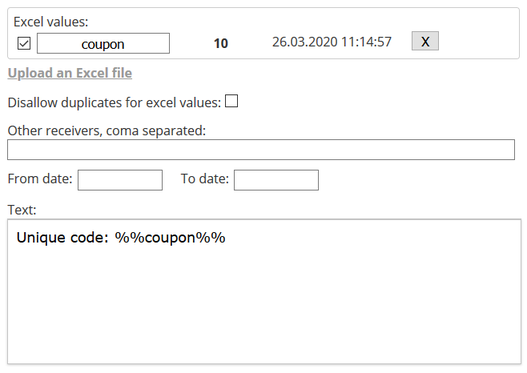
The first row contains the name of the variable
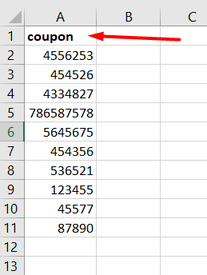
Disallowing duplicates for excel values will help you send only unique codes.
Now you can use variables like this %%coupon%% and users get codes from the excel list.
After codes are run out user gets messages with a hyphen instead of a code. In this example the eleventh person who sends the codeword, will get the following text: “Unique code: -”
¶ You can set up the Delay of your reply. For example, in this case, the customer gets a reply after 1 hour after the codeword is sent.

¶ SMS A-Number contains dropdown with sender’s numbers

From date to date is the range of time which limits the period of reply sent. For example, only those who sent a codeword from 25-Mar-20 to 27-Mar-20 get an SMS reply.
Text - the text of an SMS that the sender of the codeword gets.
You can set another text for an already registered user by checking Alternative text if sender already exists. You should choose the global form that contains registered users and check the field that contains their phone numbers.
For example, for new users you can send link to the registration landing page and for existing users any special offer.
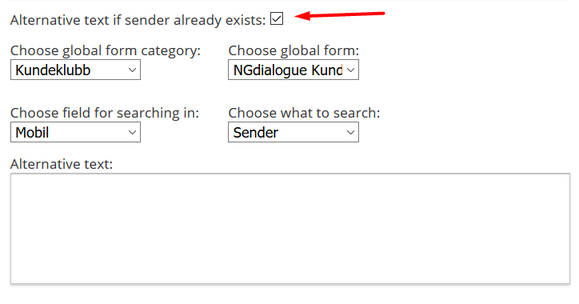
Also, it is possible to search by the text of the reply. You just need to choose the field for searching in and choose what to search.
The same algorithm as in the previous paragraph can be applied to the Send sms if user not register checkbox, but in this case, those who are in the global form are excluded from the sender list.
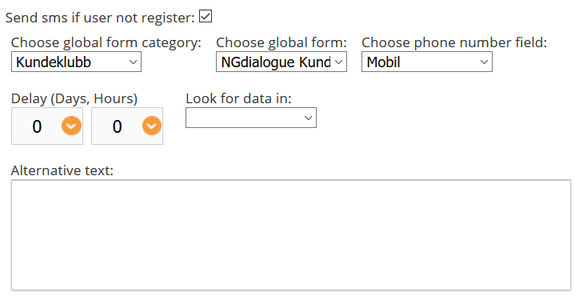
Press OK to save the settings.
¶ Email Reply
Choose the needed option in the following window:
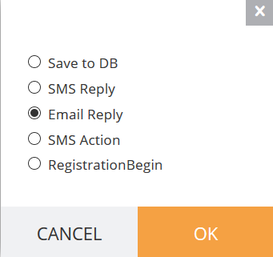
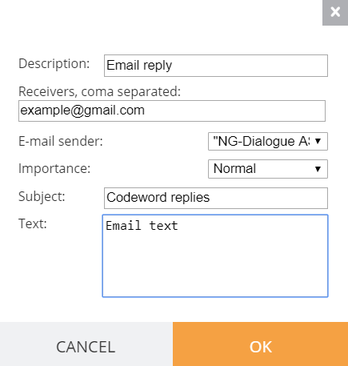
Fill in the form for the email reply:
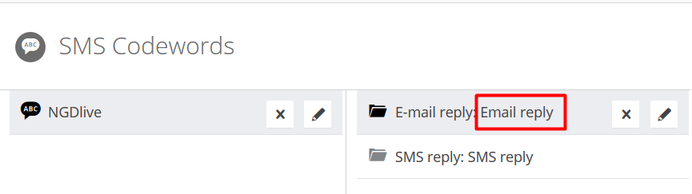
In Description you can fill in any text that will describe the Email reply. The text will be shown here:
Receivers are the mailboxes that will get the email with every codeword action. The email contains the date and time of the codeword’s sending, phone number of the sender, codeword, text of the SMS. Bellow this data there is the text that you have set in the Email reply text.
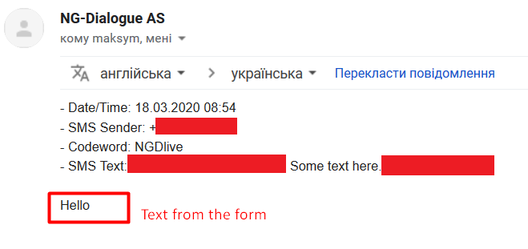
- E-mail sender — a sender that will be shown in mailbox.
- Subject — a subject of the email.
- Text — text that will be below the information about codeword use.
Press OK to save the settings.
¶ Saving to Database
You can collect all users that have sent the codeword to the existing database. Choose this option when creating codeword action:
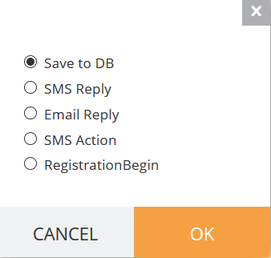
Then choose the database that will store the data collected from users that sent codeword.
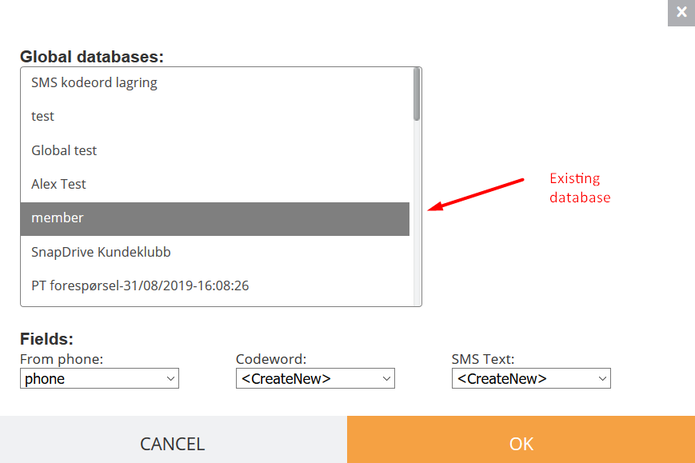
You can choose an existing field to collect data or in case <CreateNew> option is in the existing database, the new fields will be added.
Press OK to save the settings.
¶ Registration Begin
RegistrationBegin is action that allows using a response action of the Global Form that set to collect data of users that sent the codeword.
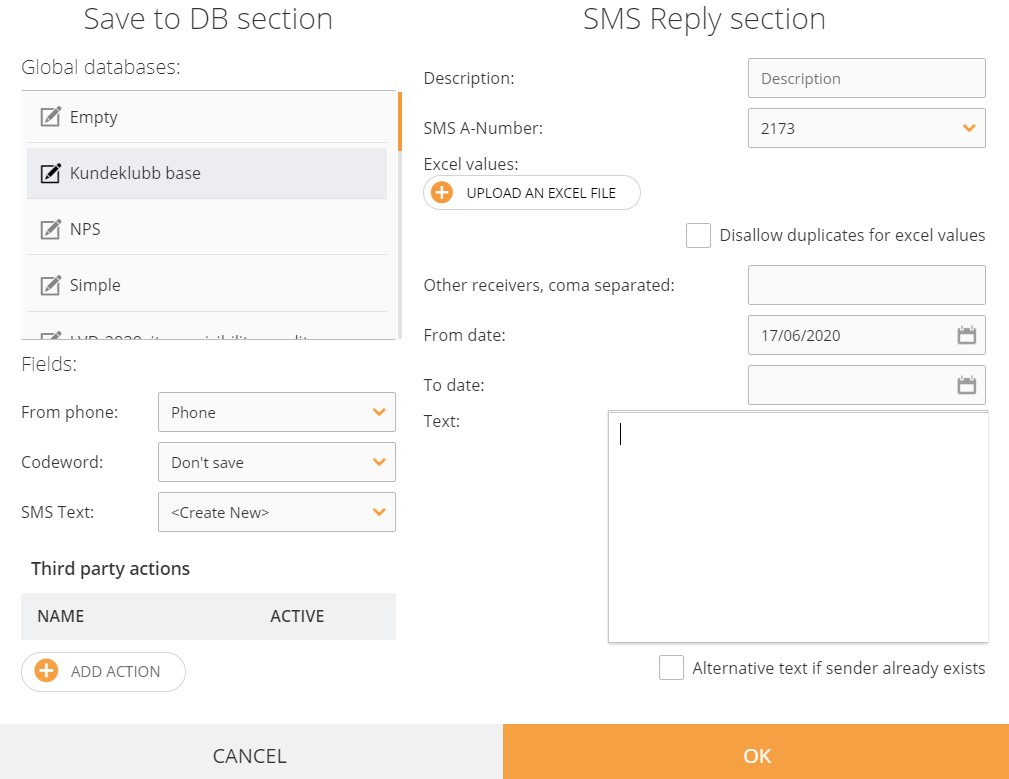
SMS Reply section can be set just as a common SMS Reply. Save to DB section required to choose the global database that will store data of the customers who sent the codeword. In Field's section, you should match the fields of your global database with collected data or you can set the auto-creation of fields in this database.
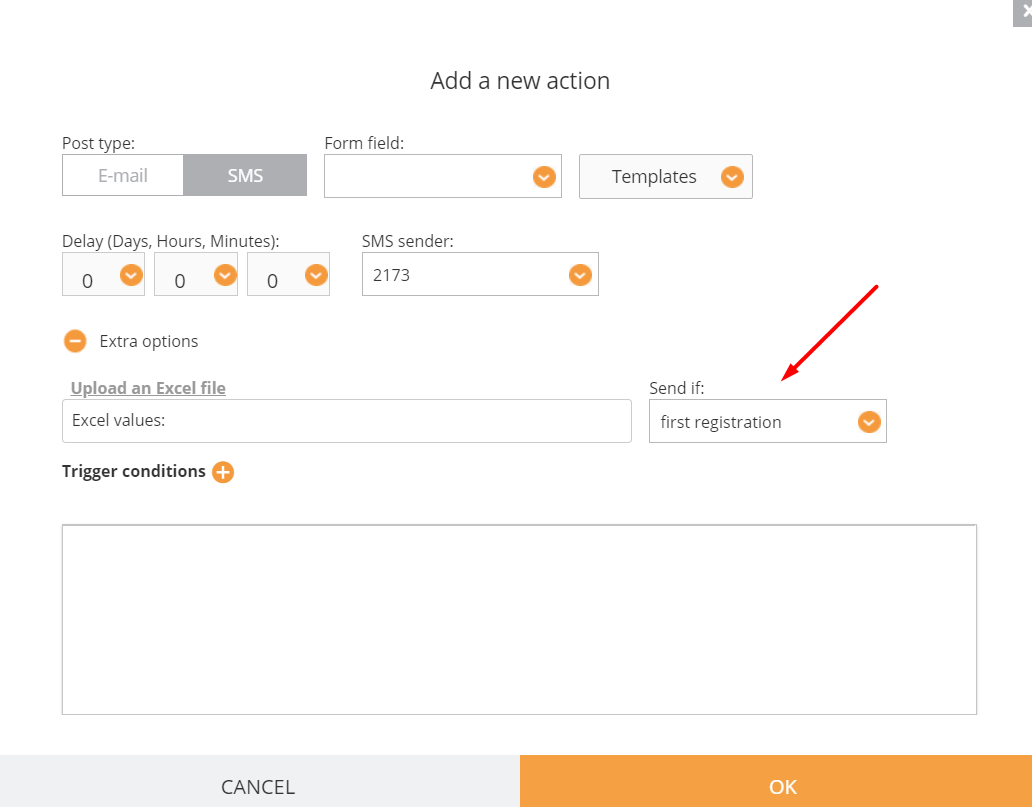
Then in the advanced settings of the Global form that was set as goal global database, you can set Confirmation action with Extra option as shown in the following picture.
If you choose Send if first registration extra option, customer will get the following text after he fills in the global form with this action only in case he has sent the previous codeword.
! Note: If in any of the SMS Reply you want to use memberlink, it should be in square brackets. In the opposite case the link won't be shortened.
We support emojis 💁👌🎍😍
[ https://infact.no/mmww/data/sites/0000003b/index.html?memberlink=%%member%% ]