¶ Why use AI?
Our AI integration allows analyzing comments (open answers, feedback) and grouping them by language, topics and sentiment.
Language category is useful if the survey is multilingual and you want to be able to navigate between different language groups.
Sentiment is an alternative to NPS score as it is calculated using the survey recipient's score regarding the service (asking a direct question to rate the service) while Sentiment is assigned automatically by AI. It can be negative, neutral, positive and undetermined.
Topics are generated based on themes the recipient mentions which allows you to spot and track tendency in the comments.
¶ Enabling the Feature
To use AI, first, it needs to be enabled for the datasource. It can be done via API (ask the Tech Support) for an existing datasource or added to a new one
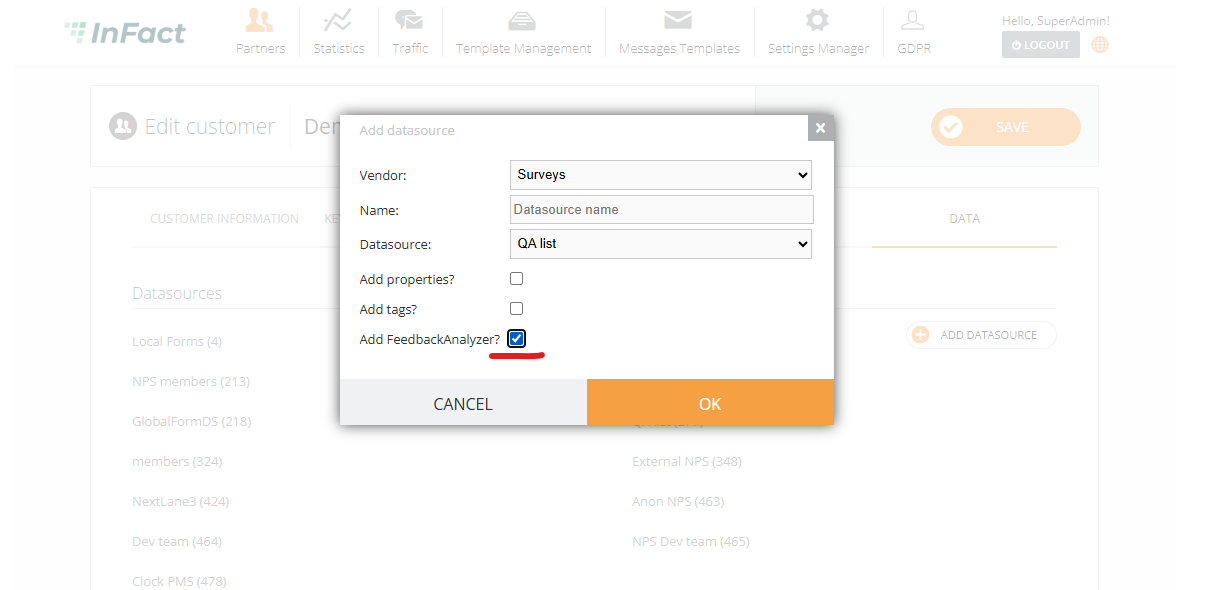
Required role: SuperAdmin, Employee.
¶ Analyzing
API that allows superadmin/employee analyze feedback for the customer’s datasource (ask the Tech Support to assist).
Notes:
- If message was analyzed, it will not be analyzed again (this is checked by sentiment field, null - never analyzed)
- Make sure to include date that limits number of comments, do not analyze too much as this may be expensive, we pay for every request
¶ Dashboard
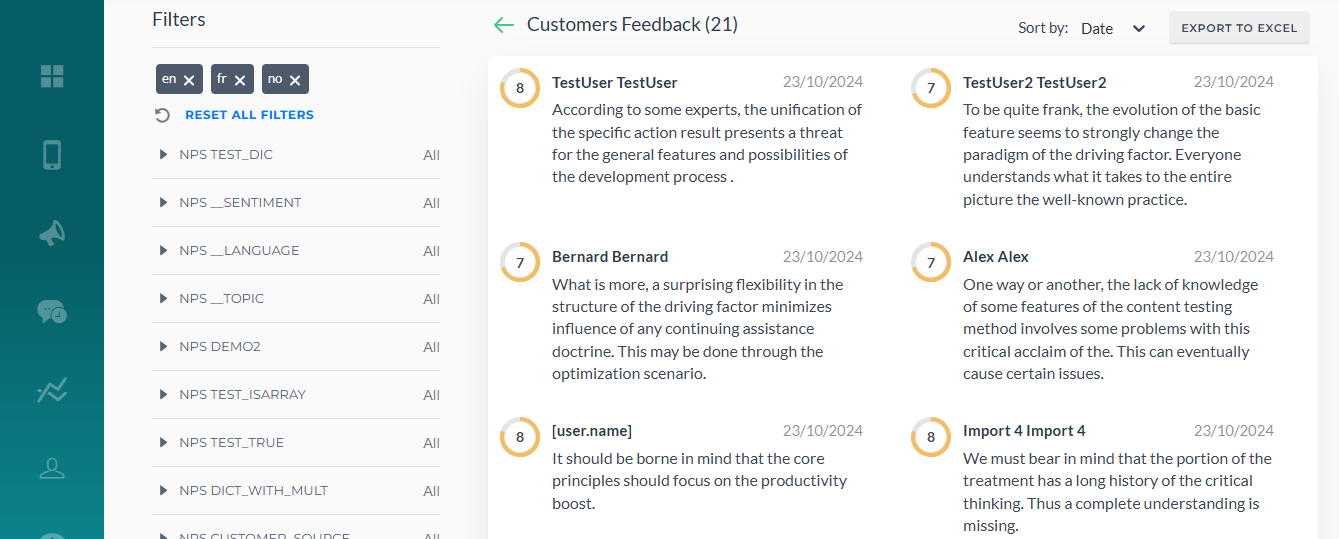
The new card Feedback Analyzer (available only for the datasources with this feature) shows the data using 3 categories: sentiment (positive, neutral, negative, undetermined), topics (generated by ChatGPT) and languages.
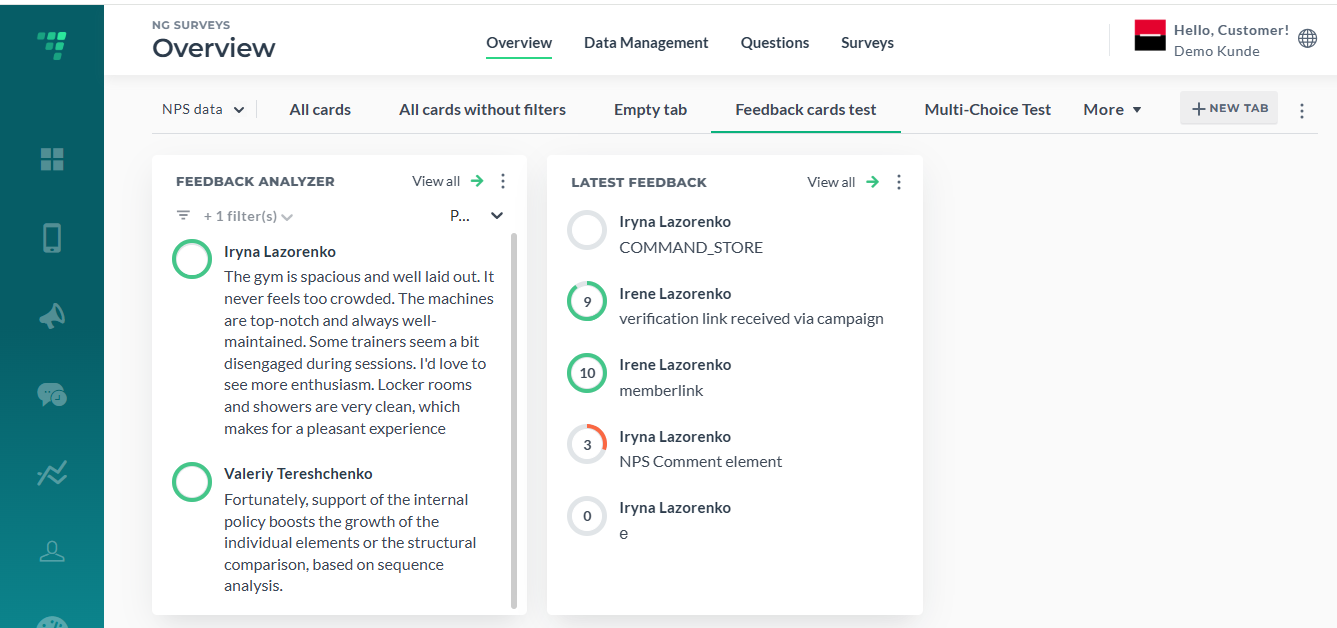
The card also has a separate page available via View All just like Latest Feedback
The card settings:
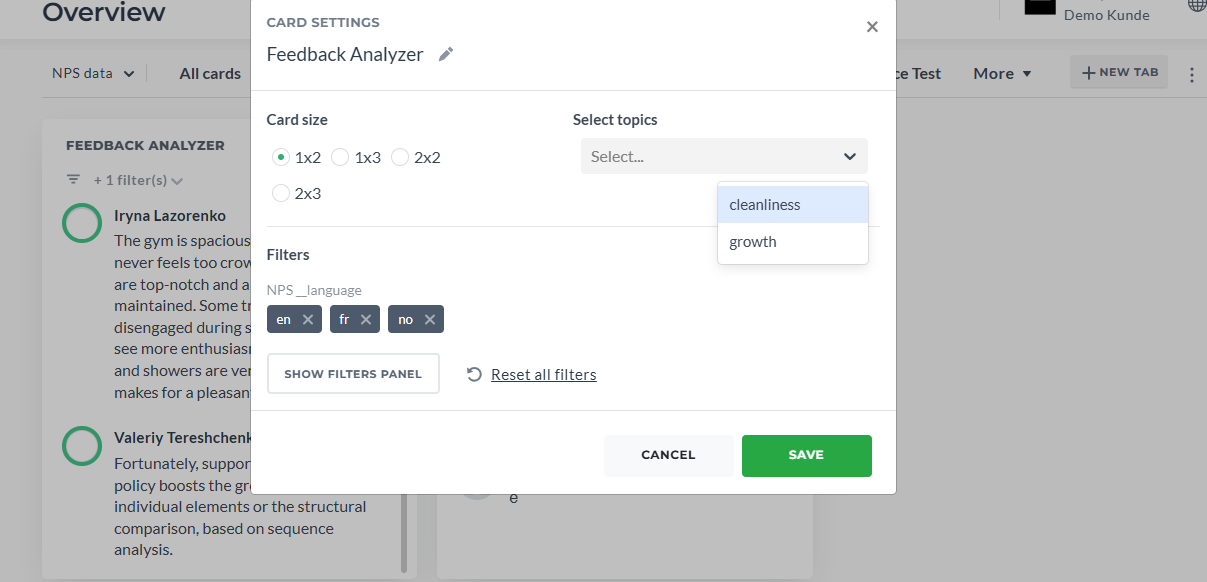
Also, these filters can be used via Query Builder to send out the campaign/job