¶ Additional fields for Bokamera widget
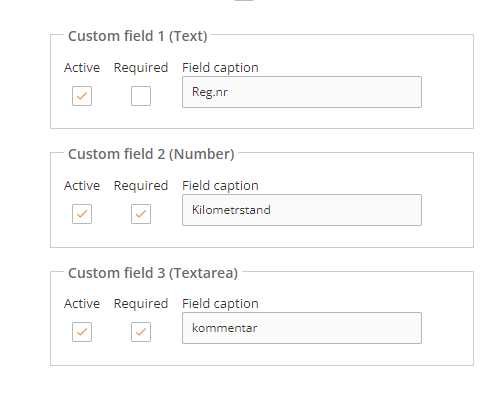
These fields are visible on the widget, saved to the booking log (global form), and available as variables in Form Confirmation Actions.
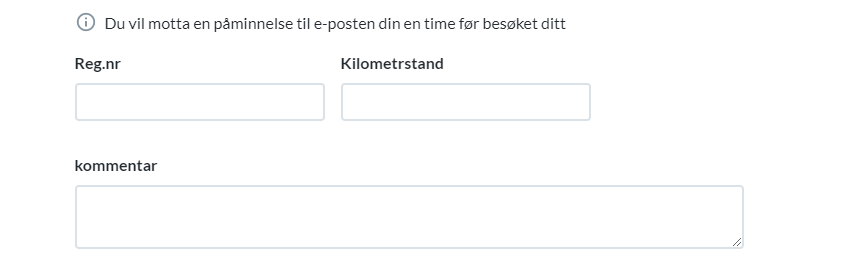
¶ For these changes to be implemented, please, resave the landing page that contains the widget!
¶ How to use the custom fields in the form?
After adding the fields under Admin (step 1), you need to add these fields to the form
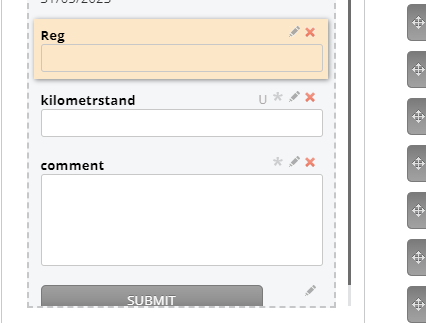
Make sure each filed has the correct type.
Text Field is a textbox, type “Text”.
Number Field is a textbox, type “Number".
And Textarea is a textarea
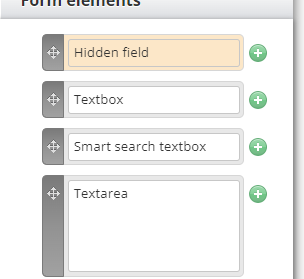
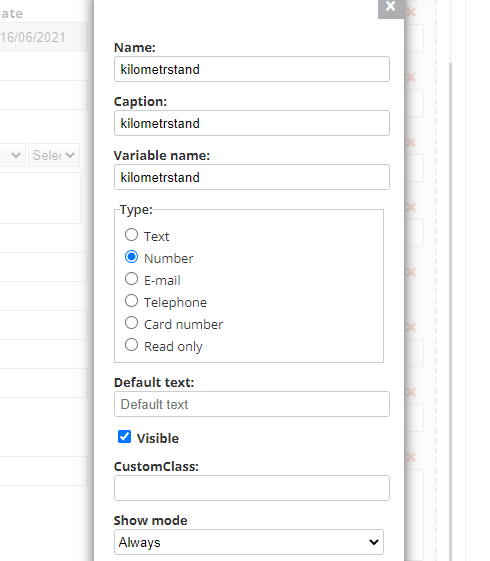
¶ Map the custom fields
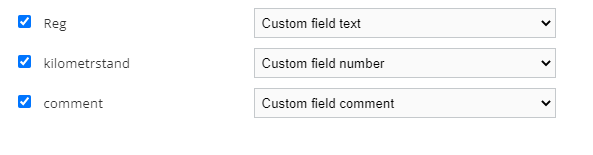
¶ After you've assigned a variable name to the field, it can be used in Confirmation Action
¶ For this fields to be visible in Bokamera Admin
- Visit this page https://admin.bokamera.se/#/custom-fields#BookedEvent
- Add custom fields with the exact same names
CustomFieldText
CustomFieldNumber
CustomFieldComment
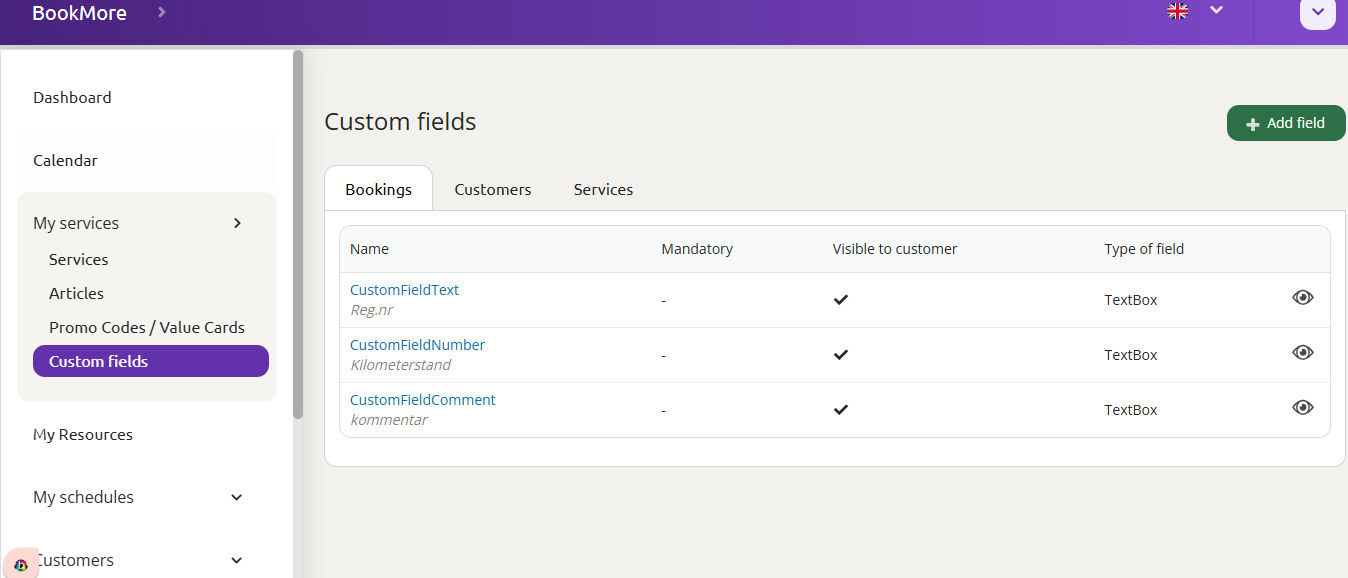
type: TextBox
3. Each field setting are default
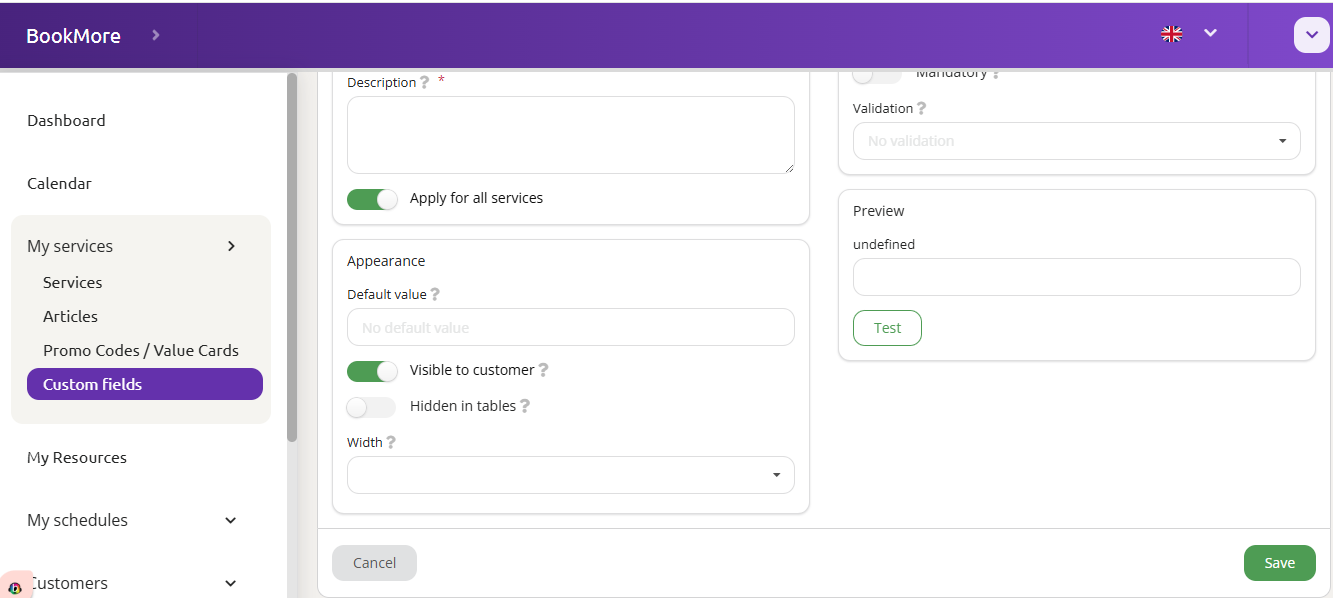
4. Make sure to tick “visible for customer” toggle (see the screenshot above).
5. After that, the fields will be visible not only in the form and send-to-email report, but also in Bokamera admin
¶ Prefill the URL with custom field values
If you already have user's data concerning these additional fields like reg.nr, kilometrage etc., you can add this info to the URL so that when user opens it he does not have to type it again. To do so, please follow the steps.
- Click “insert landing page link”, when it prompts to autofill the landing page, click “cancel” and on the next popup “Do you want to autofill Bokamera in the landing page?", choose this option:
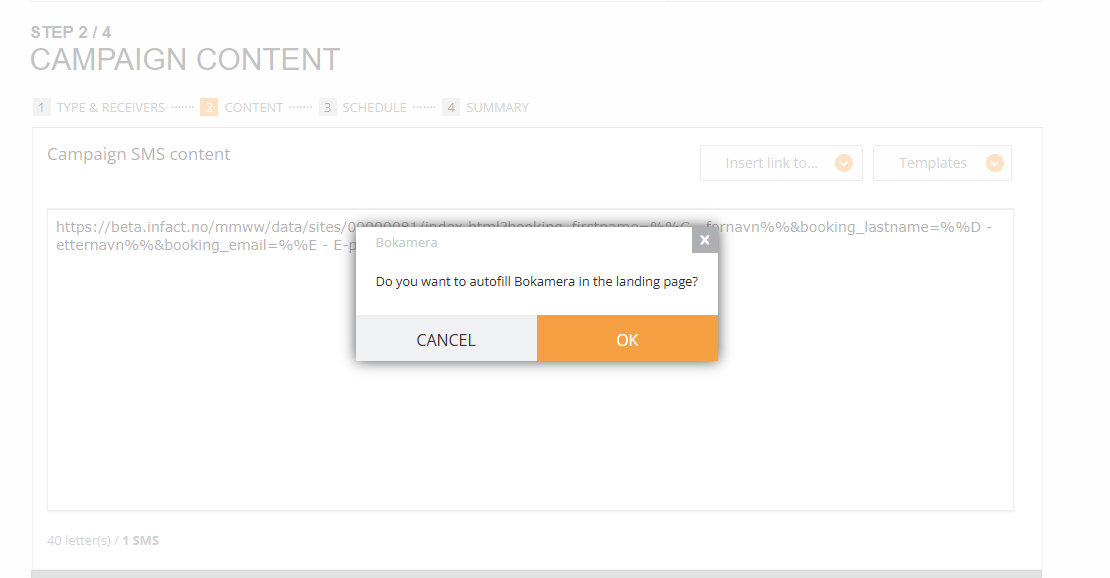
2. The link similar to that will be generated: https://beta.infact.no/mmww/data/sites/00000081/index.html?booking_firstname=%%A - fornavn%%&booking_lastname=%%B - etternavn%%&booking_email=%%C - E-post%%&booking_phone=%%D - Telefon%%
3. Type & symbol and then the value of the custom field you have.
In the system, they are named like this:
booking_customfieldtext
booking_customfieldnumber
booking_customfieldcomment
For example, you need to add custom text (reg.nr). You type https://beta.infact.no/mmww/data/sites/00000081/index.html?booking_firstname=%%A - fornavn%%&booking_lastname=%%B - etternavn%%&booking_email=%%C - E-post%%&booking_phone=%%D - Telefon%%&booking_customfieldtext=
4. Then you start typing % symbol and the system prompts you with the variable from the Excel file:
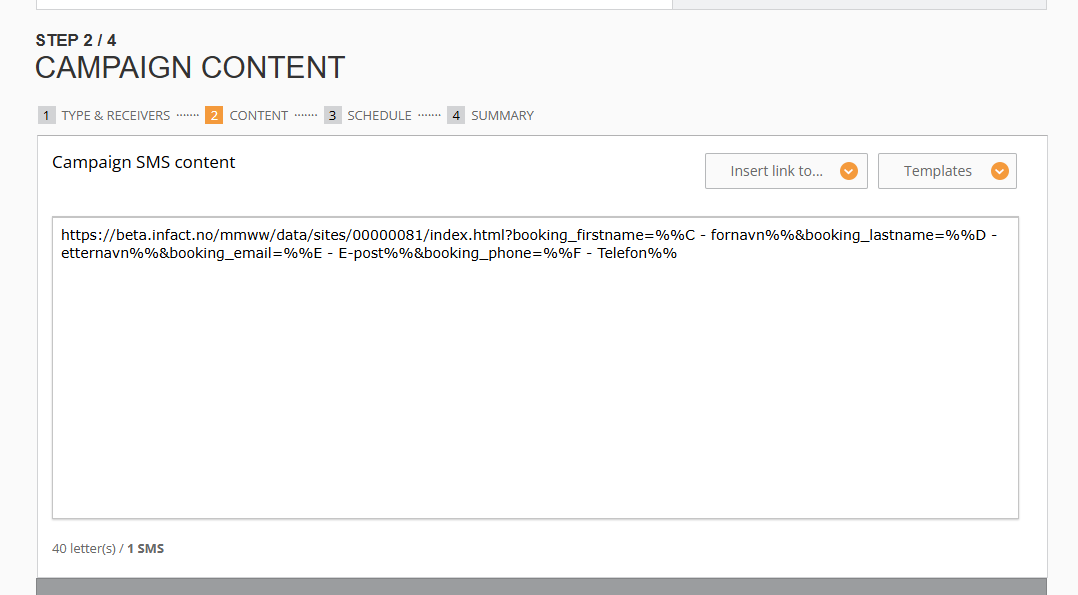
5. The result will be: https://beta.infact.no/mmww/data/sites/00000081/index.html?booking_firstname=%%A - fornavn%%&booking_lastname=%%B - etternavn%%&booking_email=%%C - E-post%%&booking_phone=%%D - Telefon%%&booking_customfieldtext=%%E - Reg%%
6. And if you want to add one more variable, you do the same:
https://beta.infact.no/mmww/data/sites/00000081/index.html?booking_firstname=%%A - fornavn%%&booking_lastname=%%B - etternavn%%&booking_email=%%C - E-post%%&booking_phone=%%D - Telefon%%&booking_customfieldtext=%%E - Reg%%&booking_customfieldnumber=%%F - kilometrstand%%
7. The final result: when a user opens a form, it is prefilled