¶ Intro
If the customers that has a BRP Integration provides you with the info needed to set up the BRP integration (login, password, templates' IDs), you can set it up via Customer Page under Admin/Employee account. Here is a guide how to do it.
Also, the customer has requested to set up an integration but didn't provide any info, please, contact the BRP Support Team via this address support@brpsystems.se requesting this:
Could you please setup a basic integration for %%Customer Name%% (%%country%%).
%%Module type%%
Module type could be basic or retention
¶ 1. Log in under your employee account
¶ 2. Go to DATA section
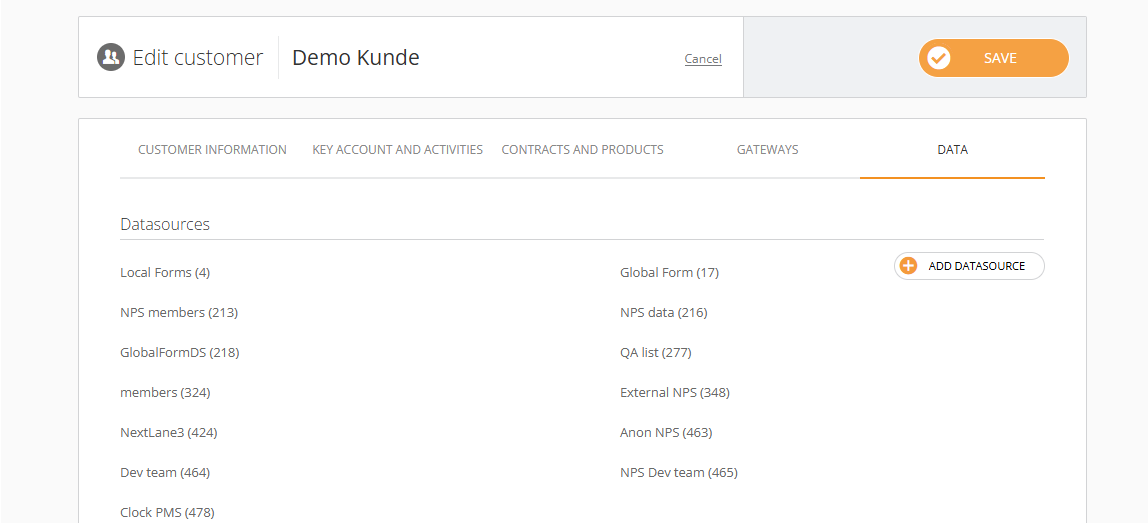
¶ 3. Add Datasource and choose BRP
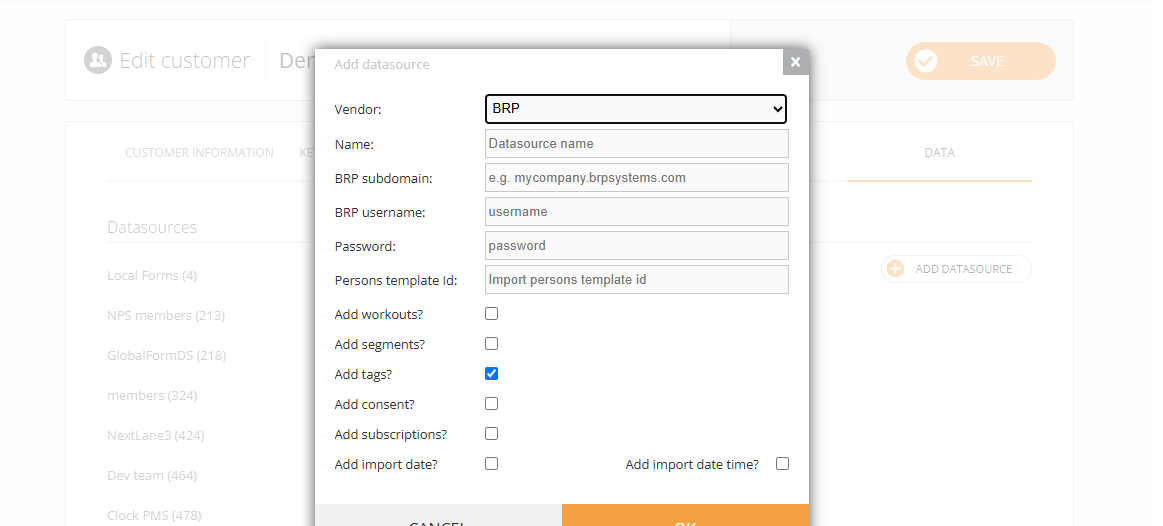
¶ Enter the data
¶ Persons import only
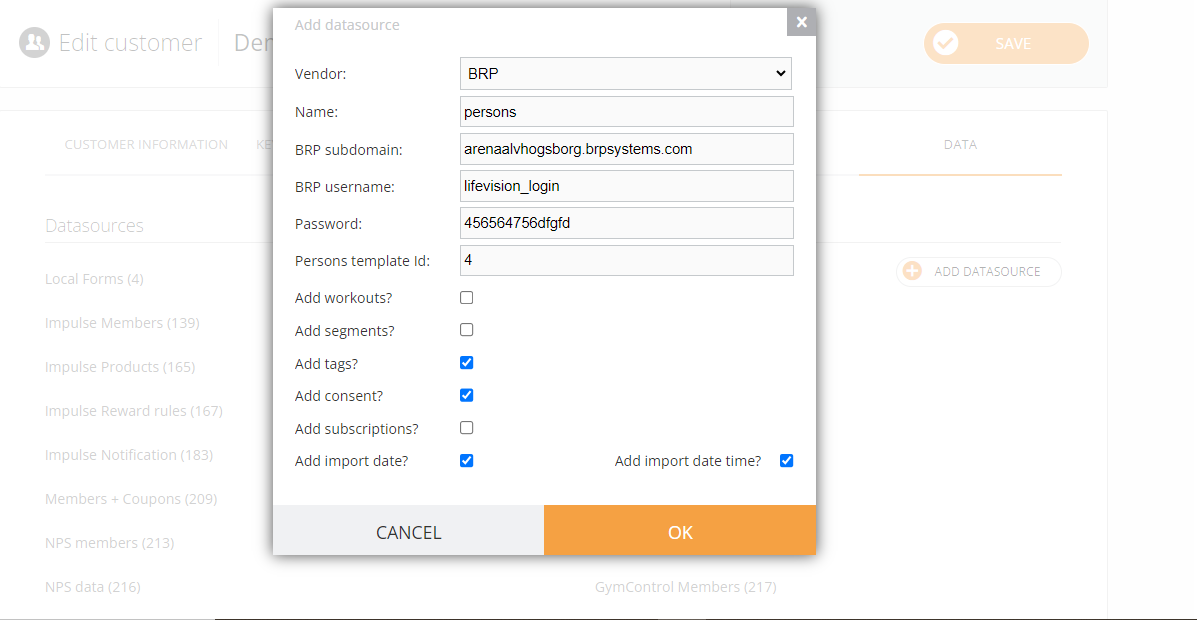
¶ Persons and Segments
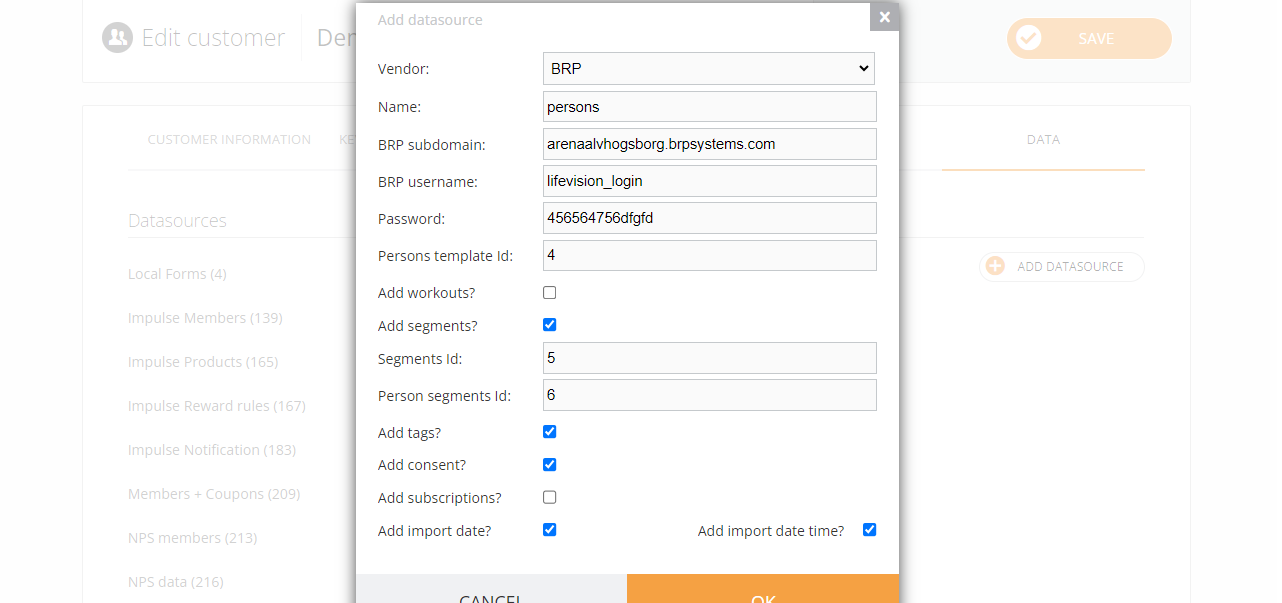
- name can be anything like persons or Loyalty club;
- BRP subdomain is the link provided in the BRP's documentation. For example, you use “arenaalvhogsborg.brpsystems.com” from the link https://arenaalvhogsborg.brpsystems.com/brponline/external/documentation/api3?key=###################
- BRP username — the username (Användarnamn) provided by the BRP support team;
- BRP password — the password (Lösenord) provided by the BRP support team;
- NGDialogue default template ID — means persons template id from the screenshot;
- Add workouts (groupactivities) — add if the template id is provided, by default it's disabled;
- ActiveSegmentsInCustomerRetention ID — means segments template id from the screenshot;
- PersonsInSegmentInCustomerRetention ID — means person segments template id from the screenshot;
- Add subscriptions — no unless otherwise instructed (this segment is in development);
- Add consent — always added unless otherwise instructed;
- Add import date — always added unless otherwise instructed;
- Add import time — always added unless otherwise instructed;
- Add tags — always added unless otherwise instructed;
¶ NB
- After the datasource is created and we set up the integration, we won't be able to see the data right away as we perform the import at night. So you want either to wait till the next day or notify the tech team and the import will be done today.
- If the next day after you've set up the integration, you do not see data like persons, workouts, please tag us on Slack. If there are persons but no segments, you need to contact the BRP support team.
- Also, if the integration has been created previously but there is a need to add new modules, please contact the tech team members via Slack.
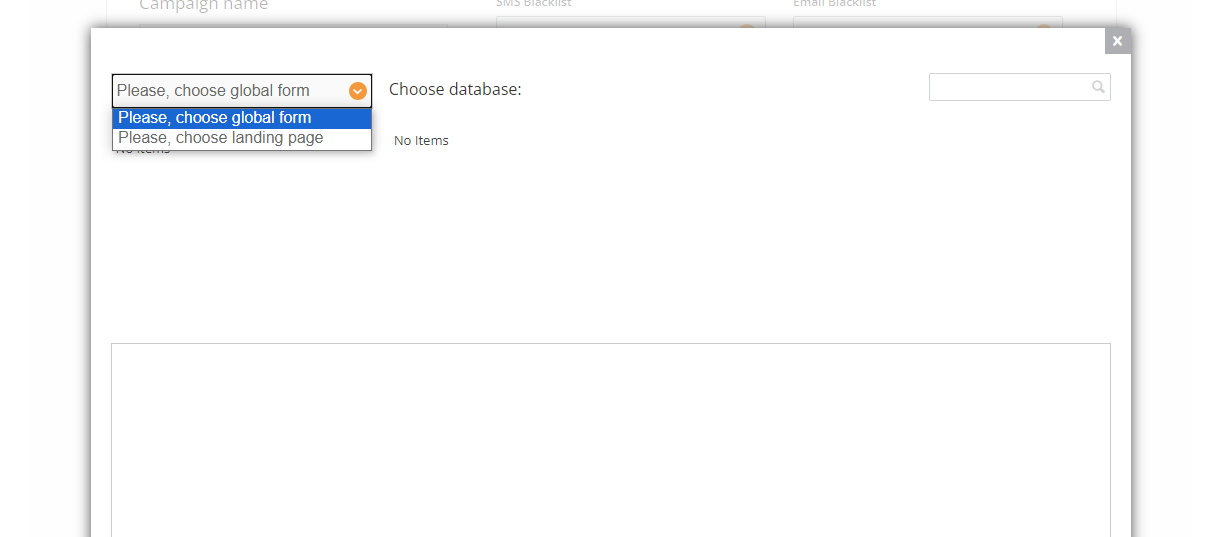
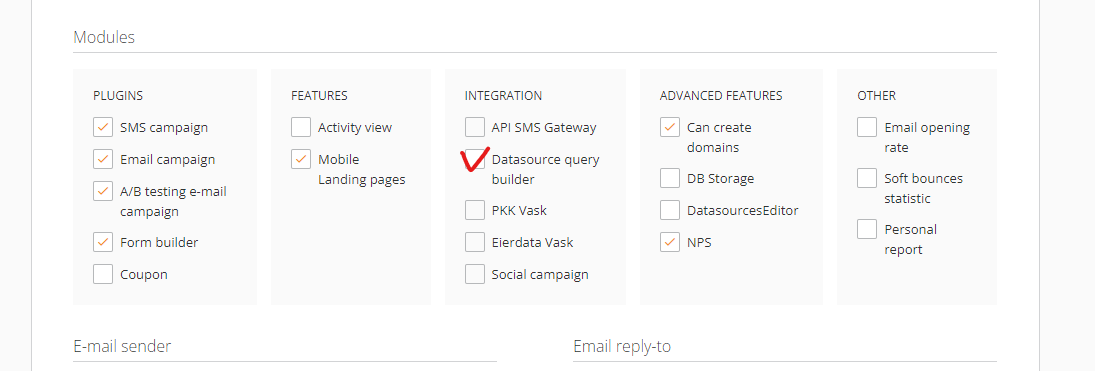
- If you do not see your datasource, this means the Datasource Query Builder feature was not enabled
You can enable it here, being logged in underthe Employee account and reload the page under Customer to see the changes:
¶ NPS Dashboard's Latest Feedback Card has user.name
If Dashboard's Latest Feedback Card does not have the names of recipients, only user.name, please contact Tech Support to fix it.