¶ Setting up the BlackList
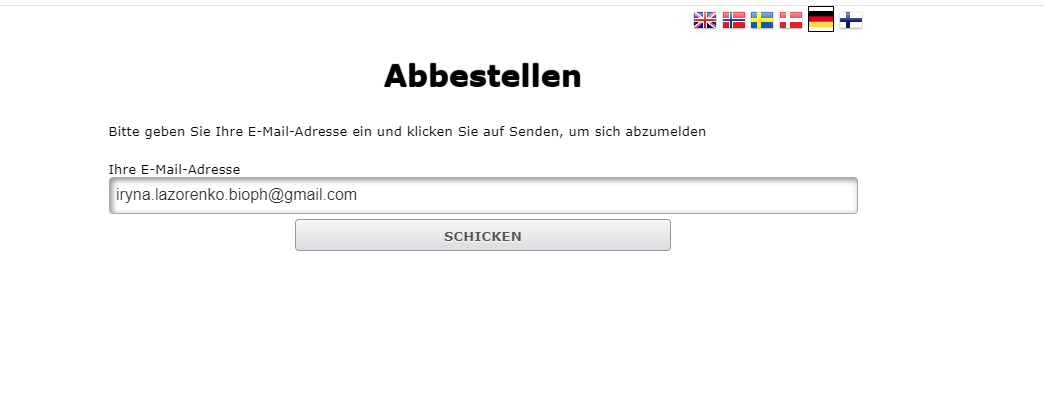
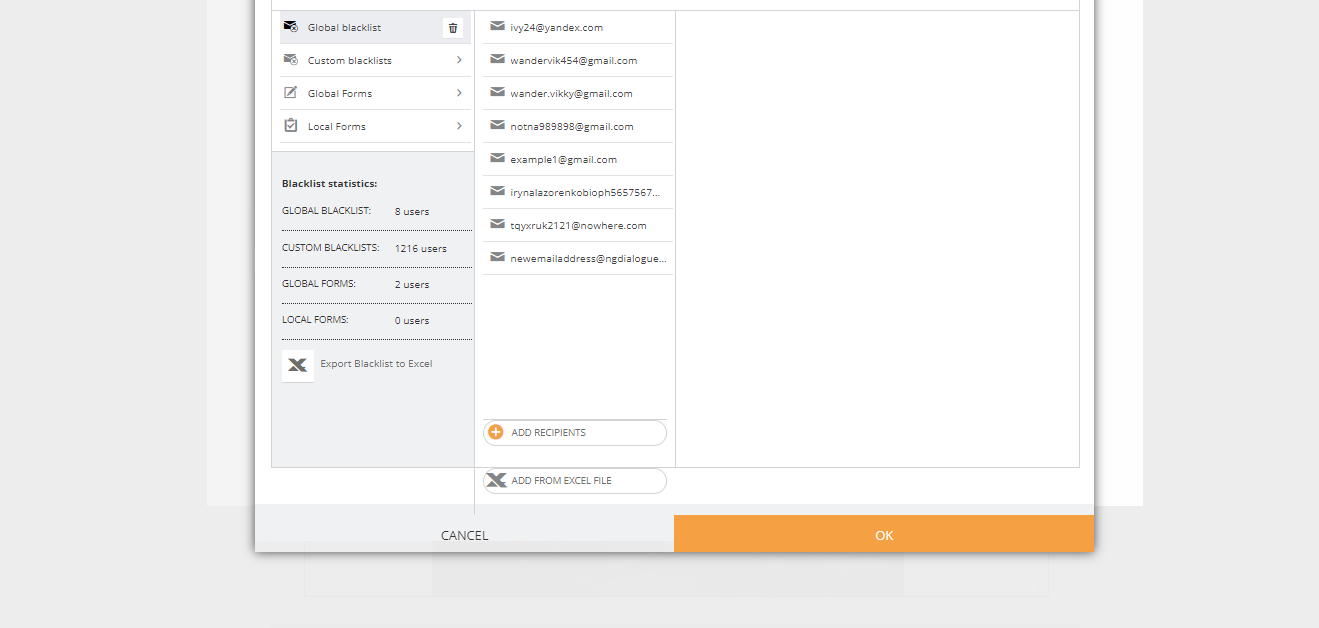
You can either use Global Blacklist (in this case, the email address will be blacklisted throughout Infact) or add a custom blacklist. Once the recipient clicks Unsubscribe and enters their email, they will be removed from the mailing. Read more about blacklists.
¶ Adding Unsubscribe Link via Email Builder
- Open Email Builder
- Add Text Block and click Edit
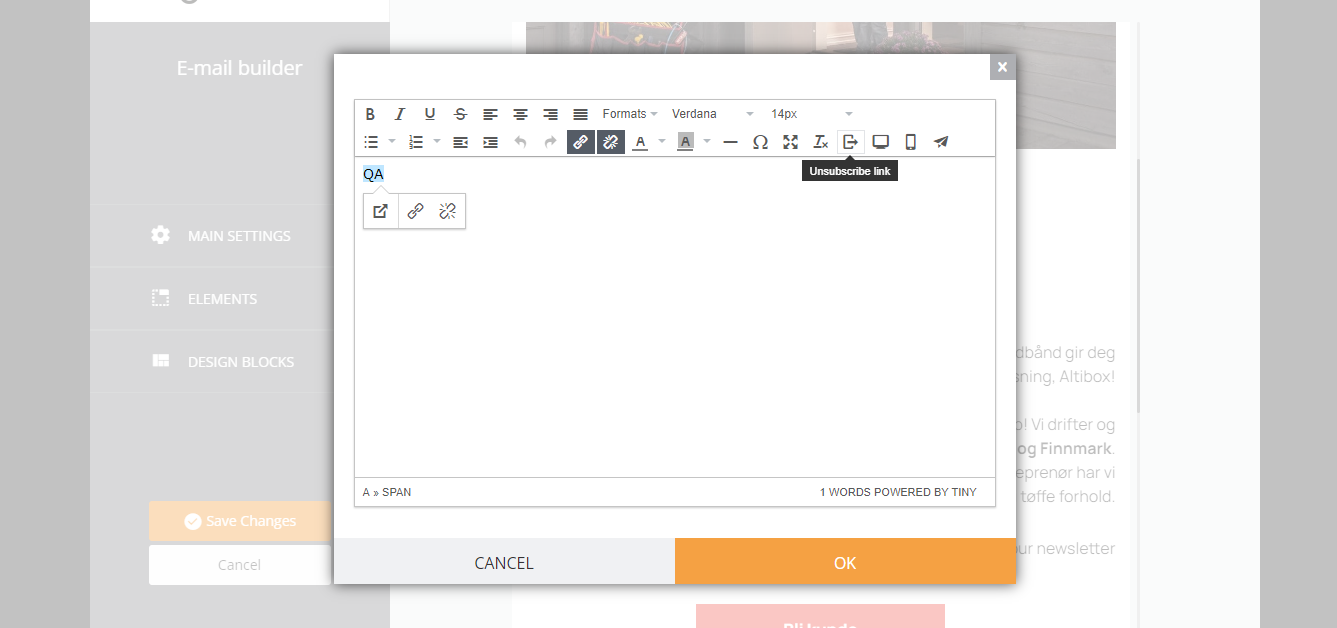
- You will see this text window, click Unsubscribe Link as shown in the screenshot:
4. After clicking it, you are prompted to choose the blacklist. Click on it (global, custom, global form) and click OK
4. When clicking the link like that, recipient will see this page
Languages available for now: English, Norwegian, Swedish, Danish, German, Finnish.