The blacklist for your campaign can be chosen on the first page:
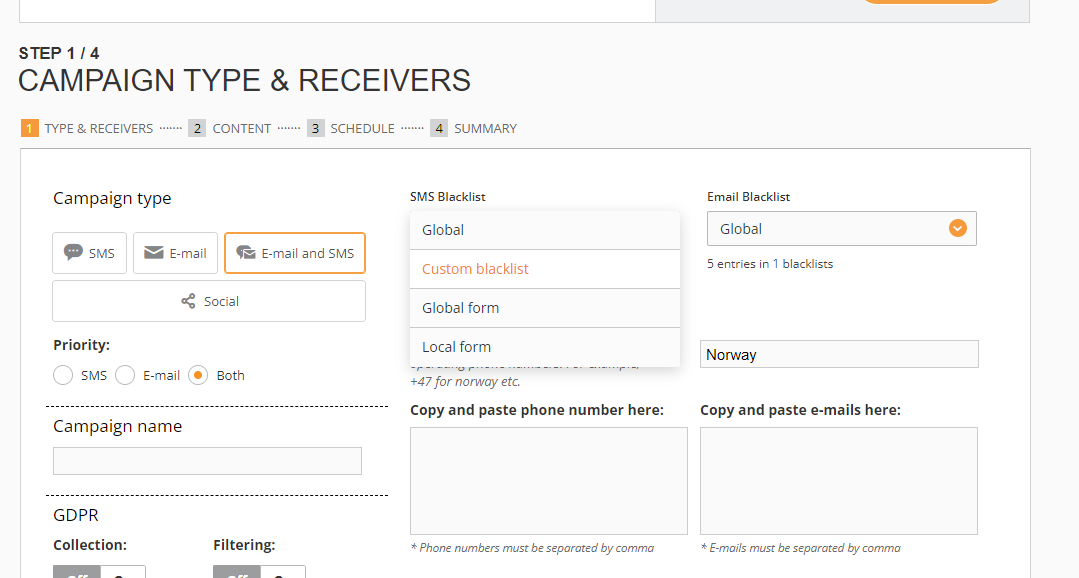
Depending on the campaign type, there could be SMS, Email, or SMS and Email blacklists applied.
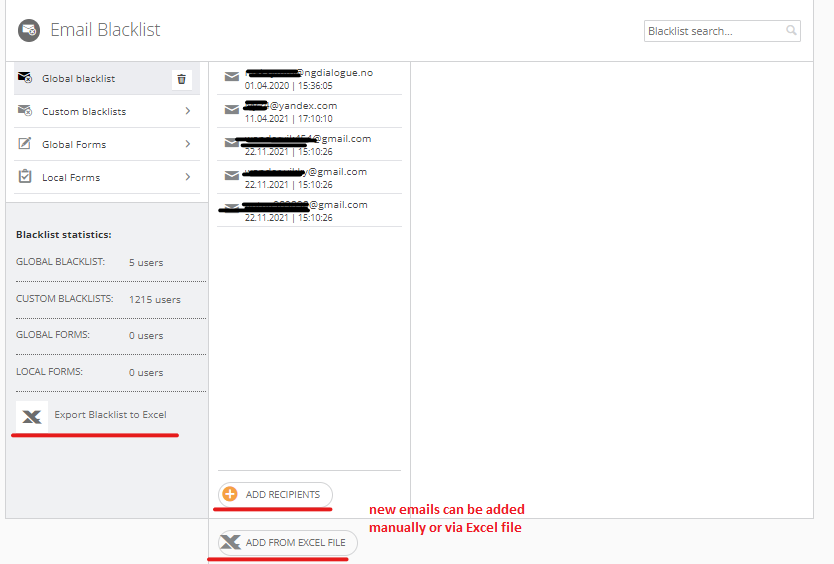
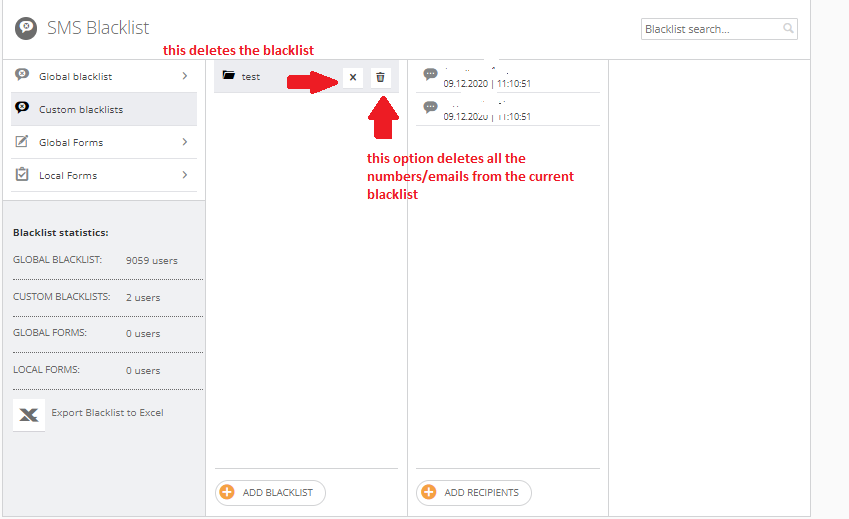
A blacklist should be created prior to a campaign. 3 types of blacklists will be discussed: Global, Custom, and Global form blacklists.
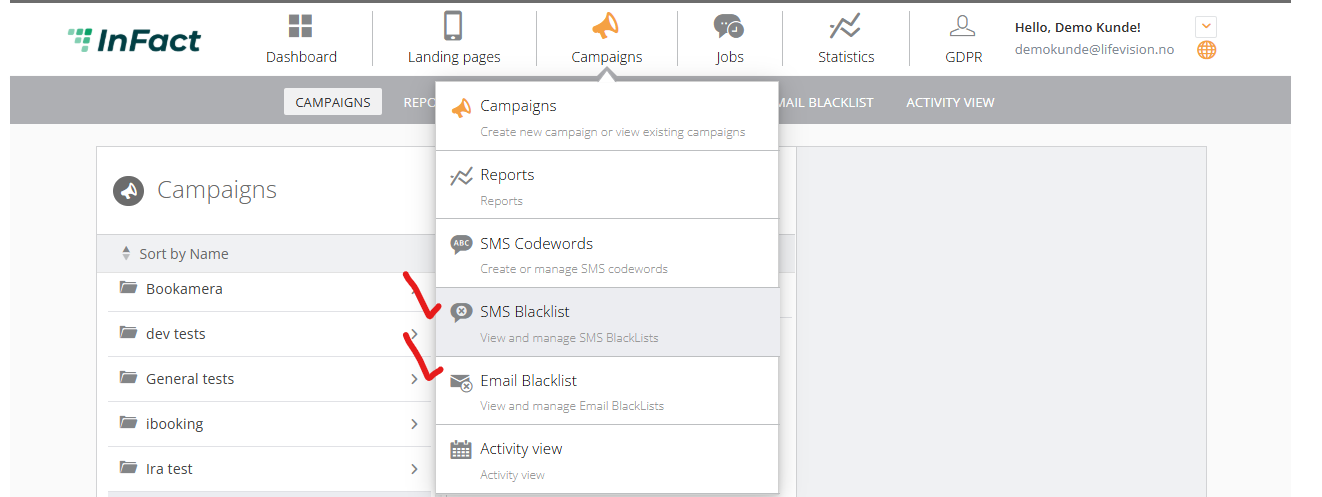
To create any of them, you have to hover over the Campaigns tab and look for SMS or Email blacklists.
¶ Global blacklist
It is a blacklist shared for all customers within one Partner
¶ Custom blacklist
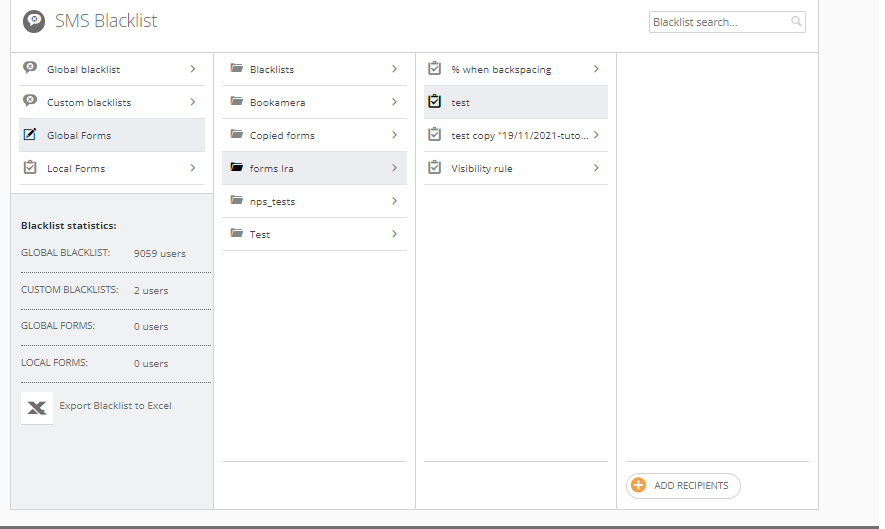
¶ Global form as a blacklist
Global forms can be used a datasource, too. So we can add any contact information to the form and use it as a blacklist.
¶ Deleting records from blacklists
If the blacklist is too long and you cannot find records and delete them, you can ask to delete them via API in Slack #support_help
¶ How to let recipients add themselves to blacklist?
Add Unsubscribe link to a campaign, an article on how to do that.