Visibility Rules is the system that allows setting up question routing. There are several elements to which the visibility rule can be applied.
¶ Checkbox
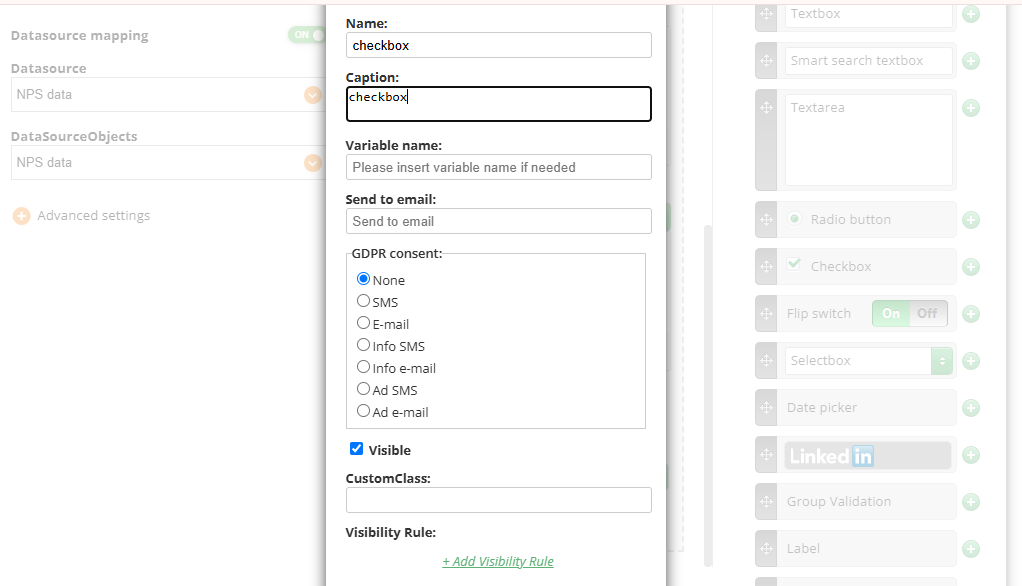
Create a checkbox as pictured in the screenshot:
Create an element and make it visible depending on this checkbox:
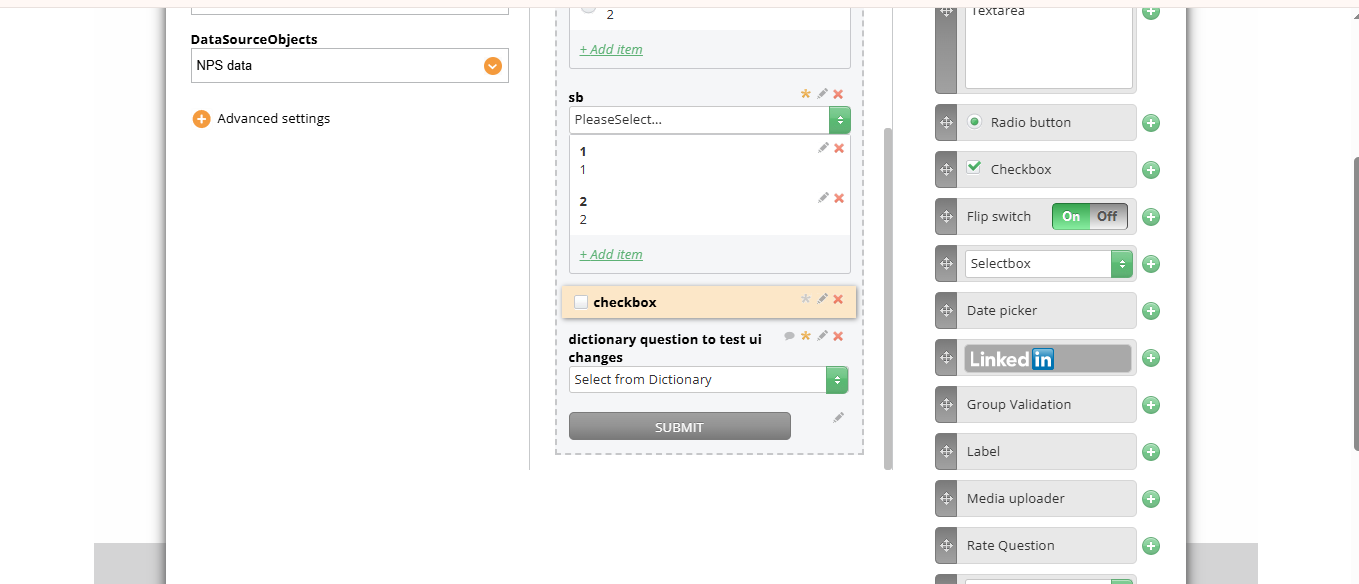
In this example, you get an email field that appears only in case the checkbox is checked.
¶ Radio button
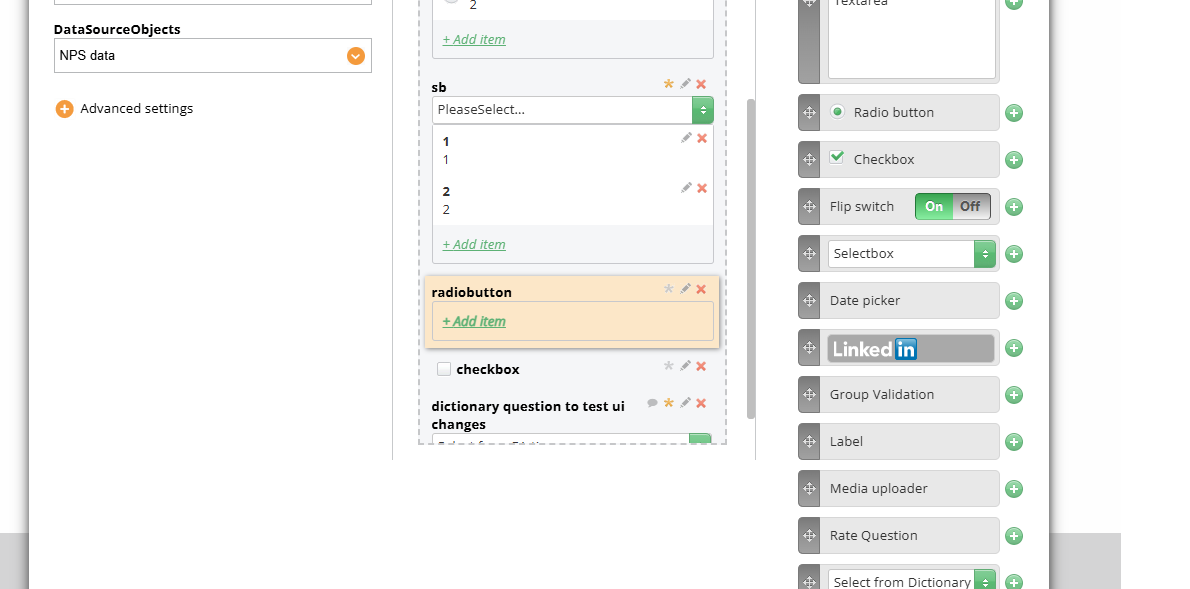
Create a radio button:
Create two elements and make them visible depending on this radio button:
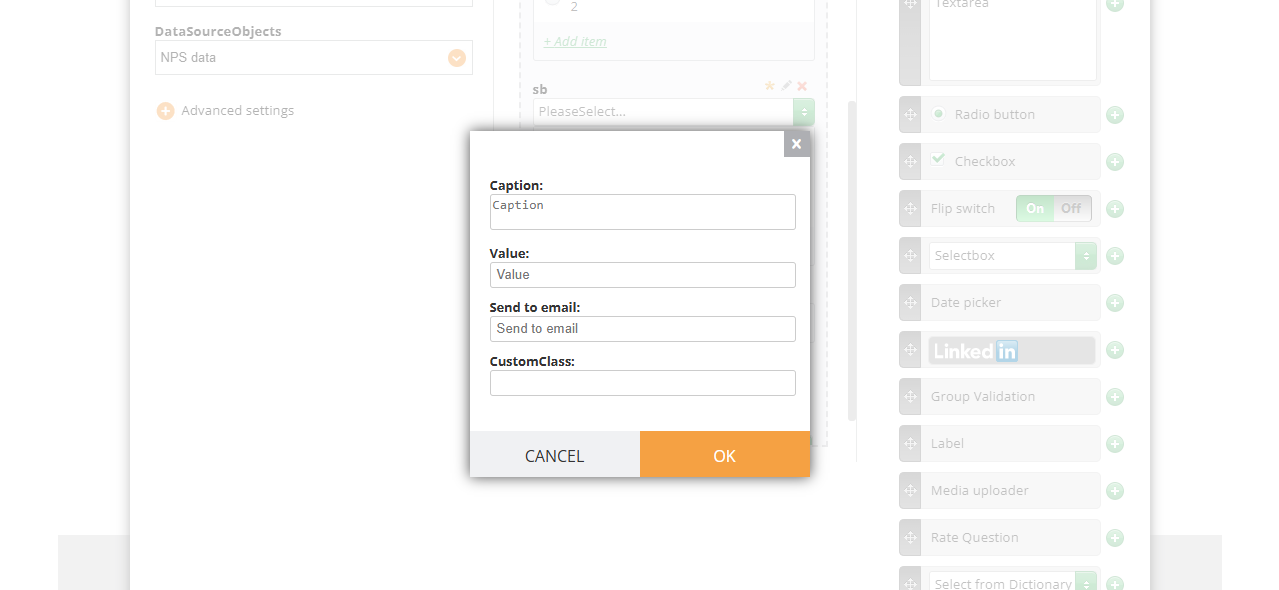
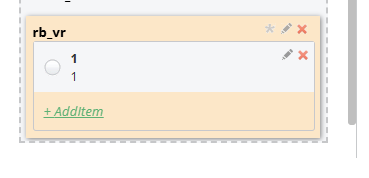
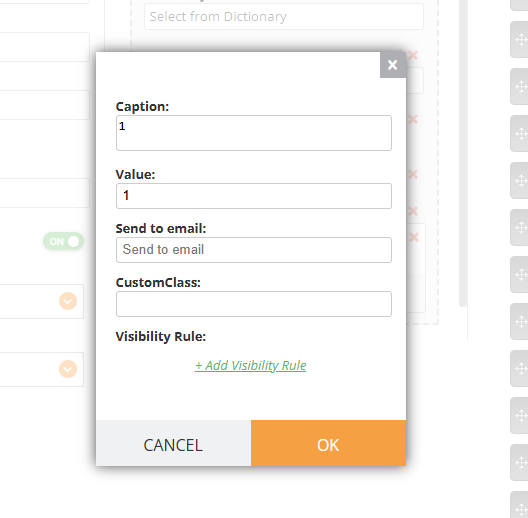
If you need to not only apply Visibility Rule to the whole Radio Button element but to the options (show Option 1, Option 2, Option 3 or show Option 5 and Option 6 depending on the previous selection), you can apply Visibility Rules to them by adding an option and then clicking Edit and VR are available
¶ Selectbox
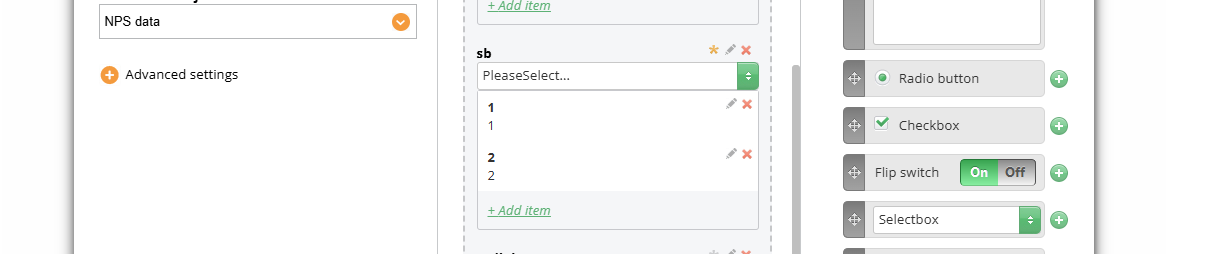
Selectbox can be set with the same method as a radio button can
Notes
- Requirements of fields are not checked in case this field is hidden
- You can apply as many visibility rules as you want using and/or logic
- You can use RequireValidationRules to make the field required in case checkbox/radio button/selectbox is checked
The most common example of using visibility rules is Survey form.
¶ Rates
Visibility rules can be applied to the rate question, using the same logic.
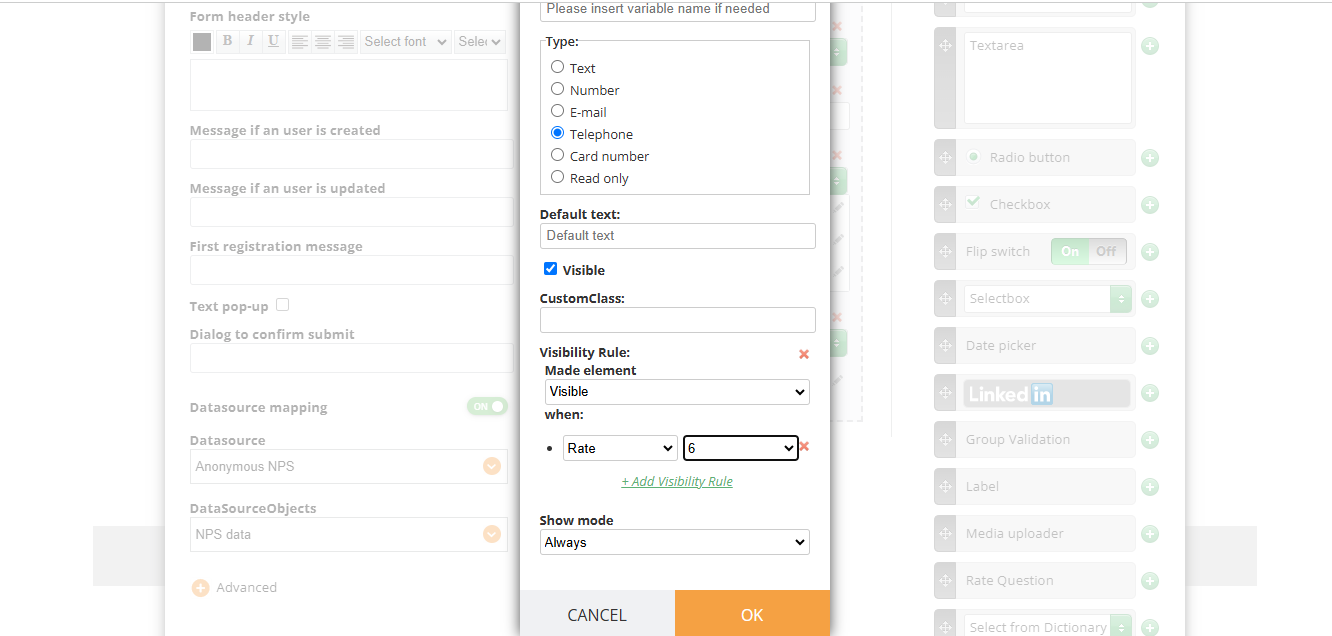
You can make a rate question visible if you set up a rule for it like shown in the screenshot:
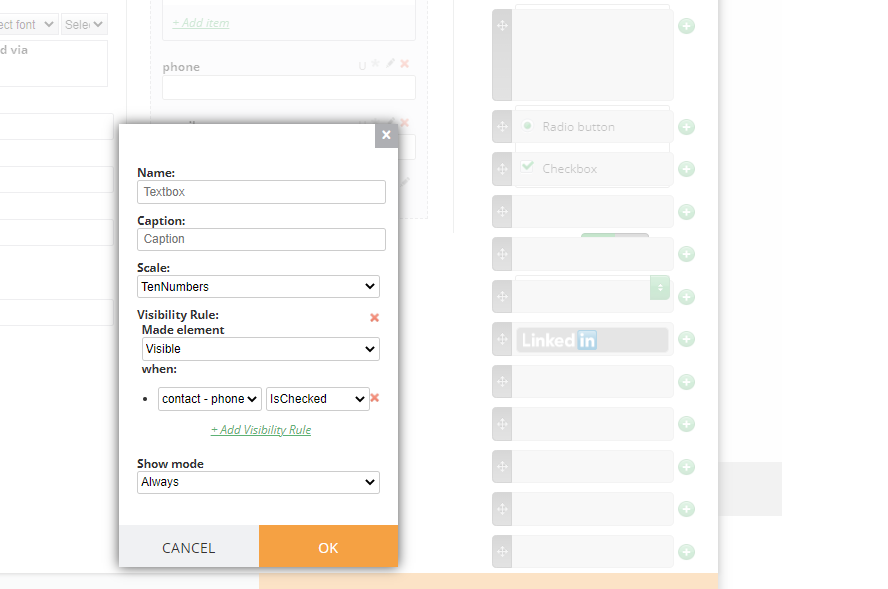
Also, other questions can have visibility rules set for rate question(s). If your rate question is an NPS type, the visibility rule will have Critics, Neutrals and Promoters groups
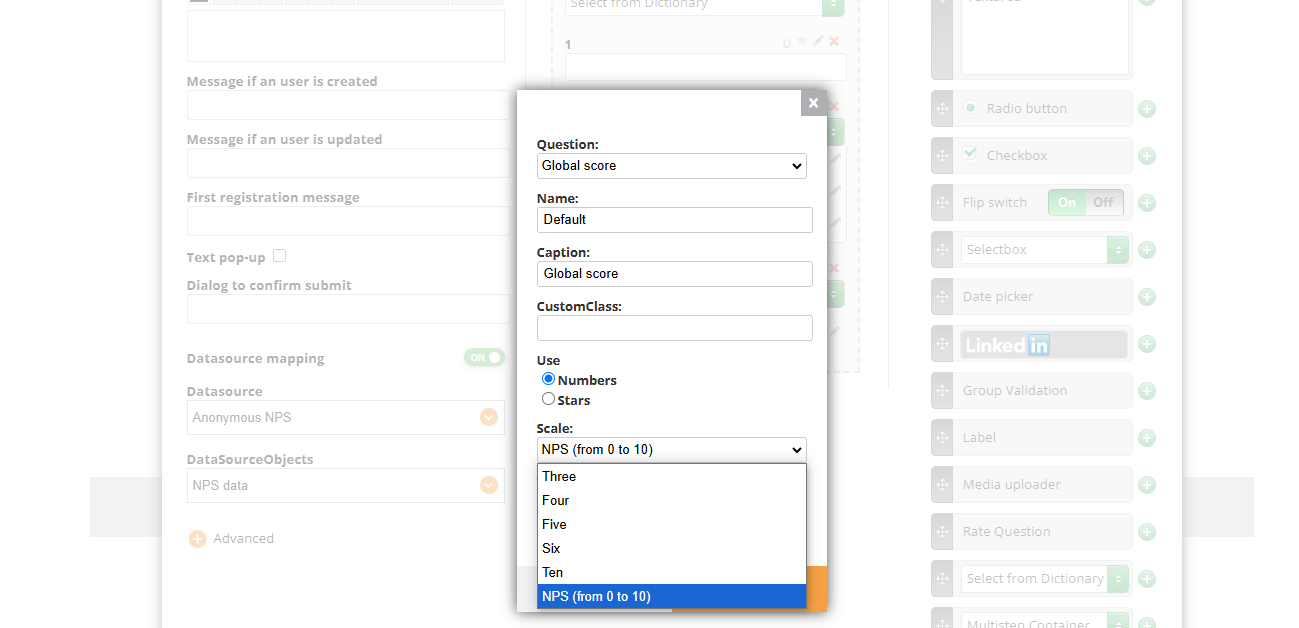
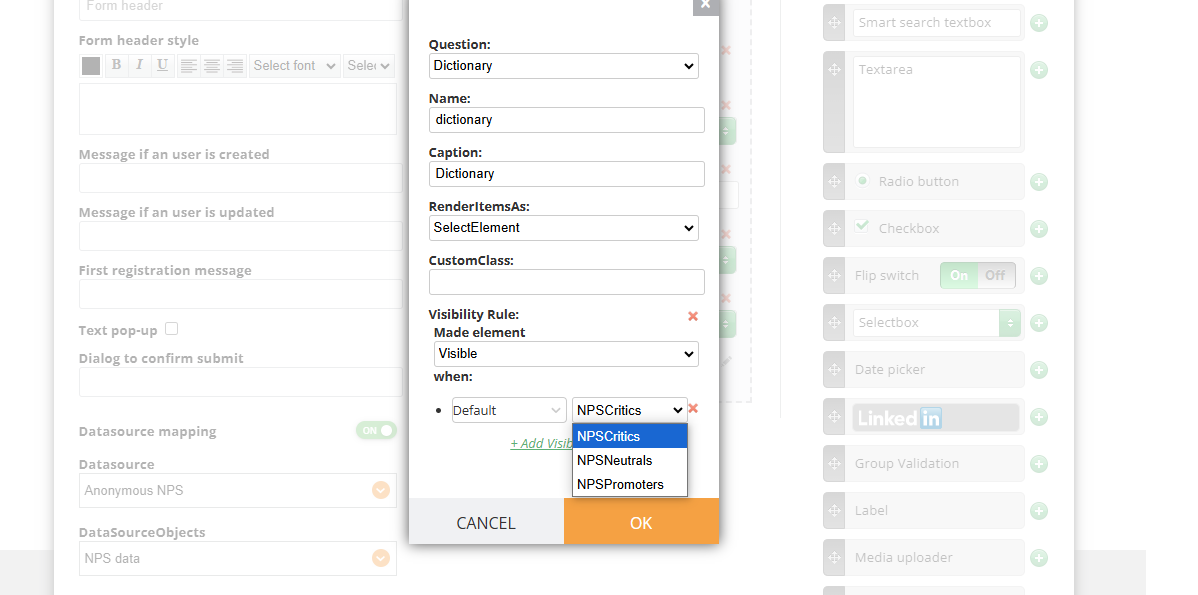
If it's not an NPS type and uses any other scale, the Visibility rule will use the exact numbers
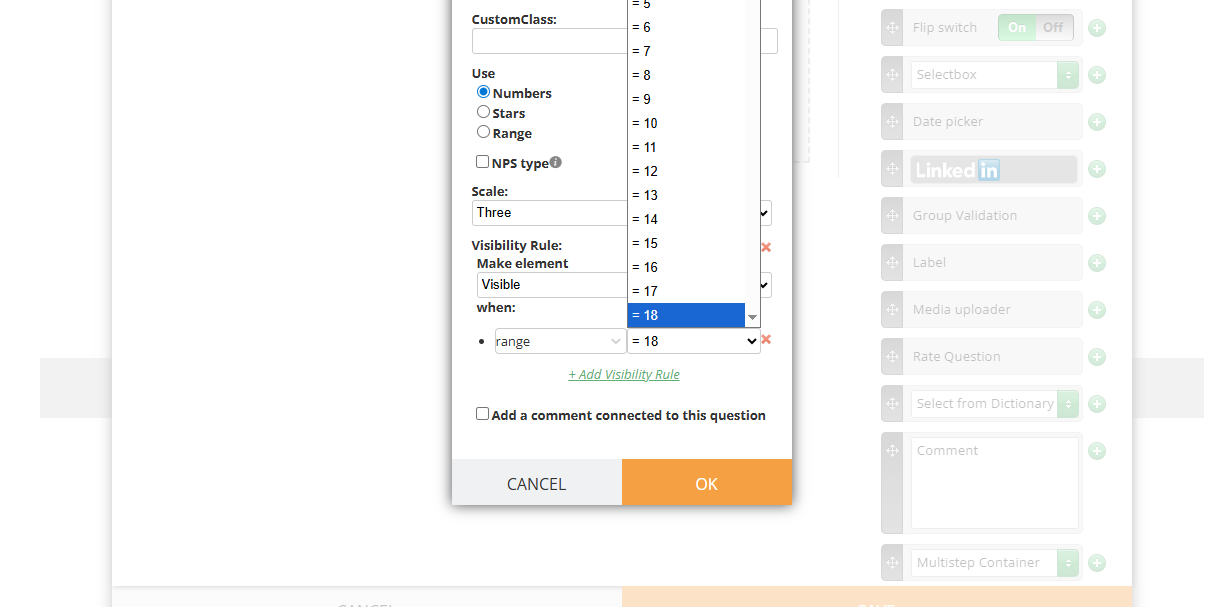
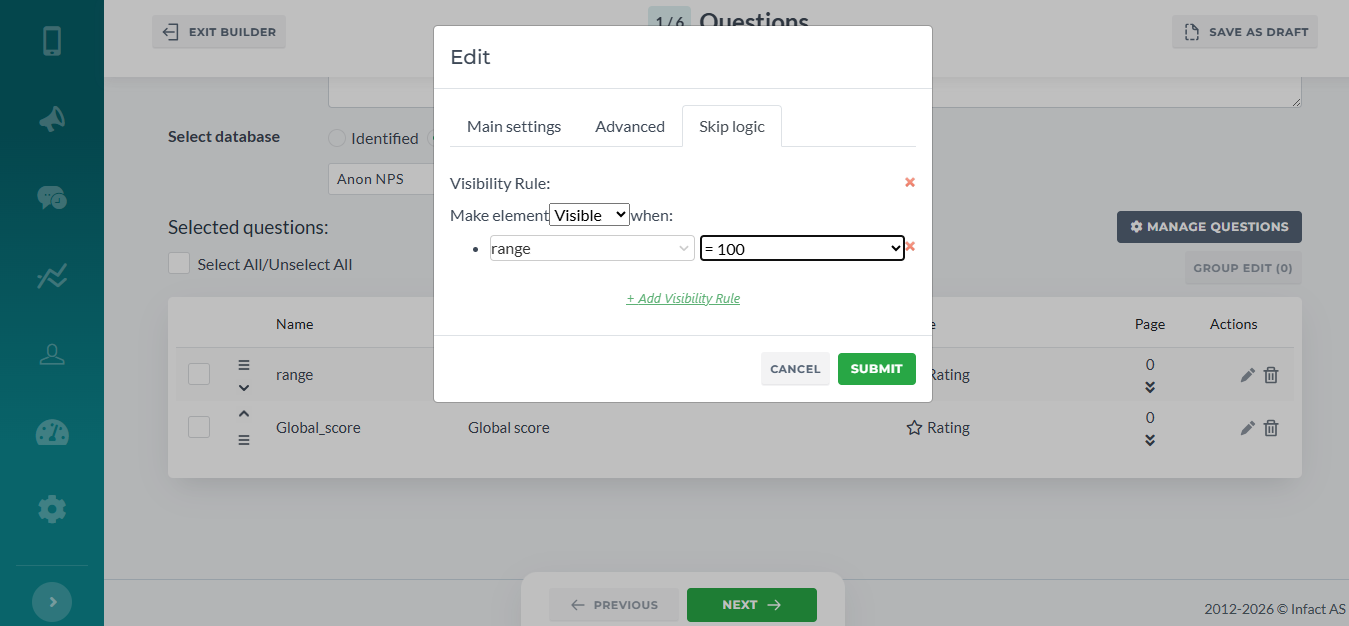
If the Rate is a range subtype, the visibility rules work with the actual values as well:
¶ Select From Dictionary
The Visibility rules can be applied on the SelectFromDictionary from any other question. For example, make the SelectFromDictionary visible when Rate is 1
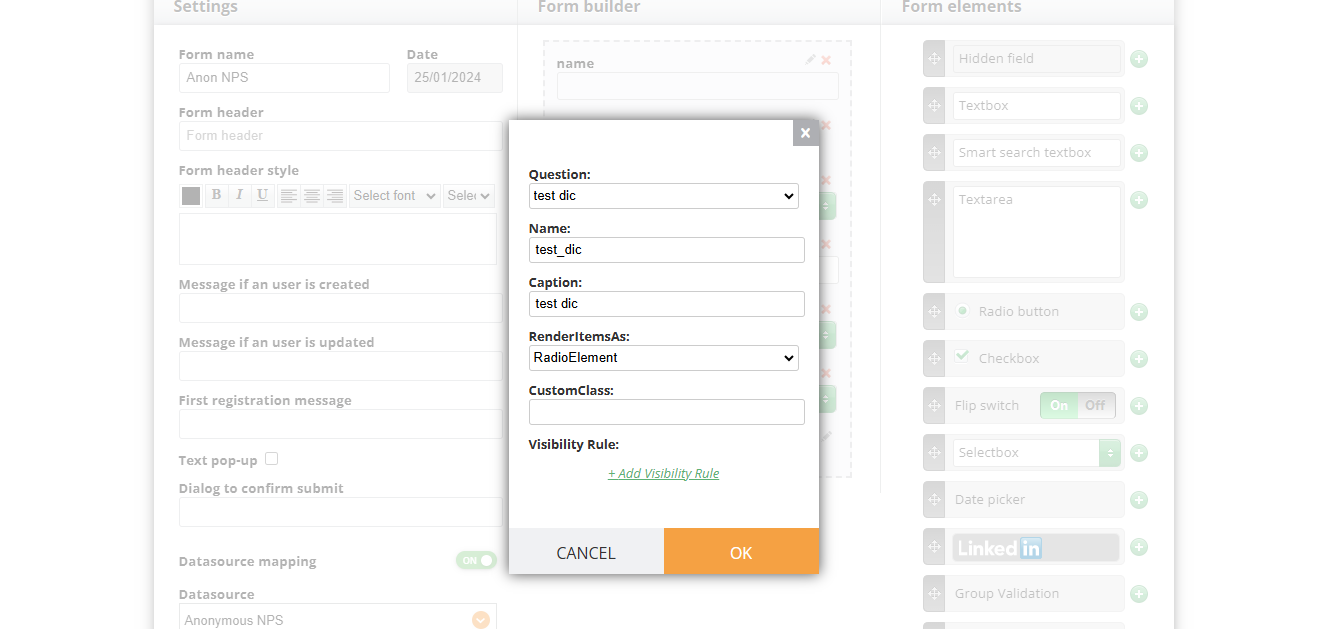
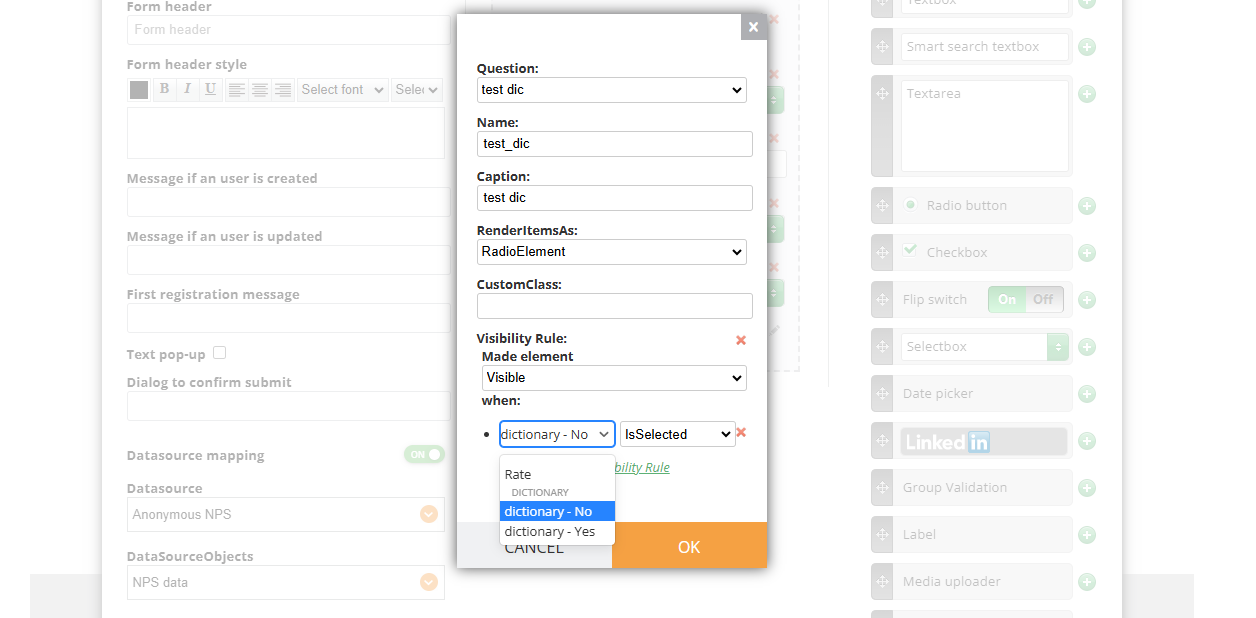
From a SelectFromDictionary's options. For example, show Rate 2 if SelectFromDictionary is No
As well as on the SelectFromDictionary's options themselves.
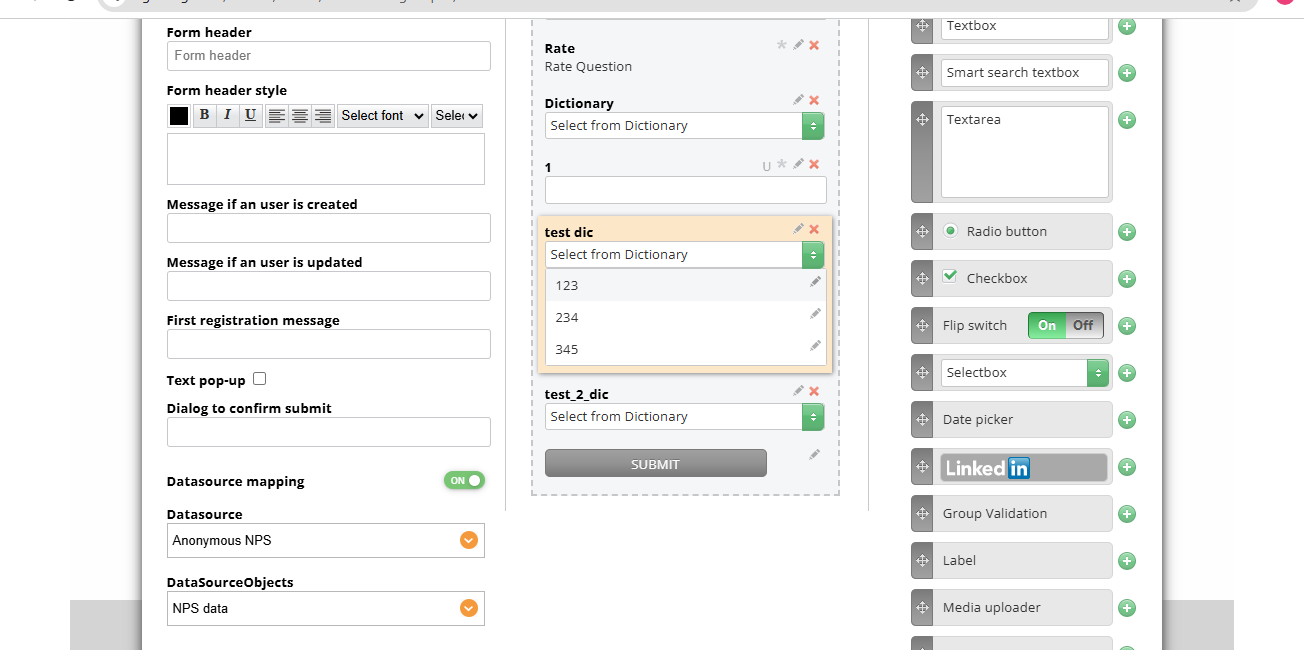
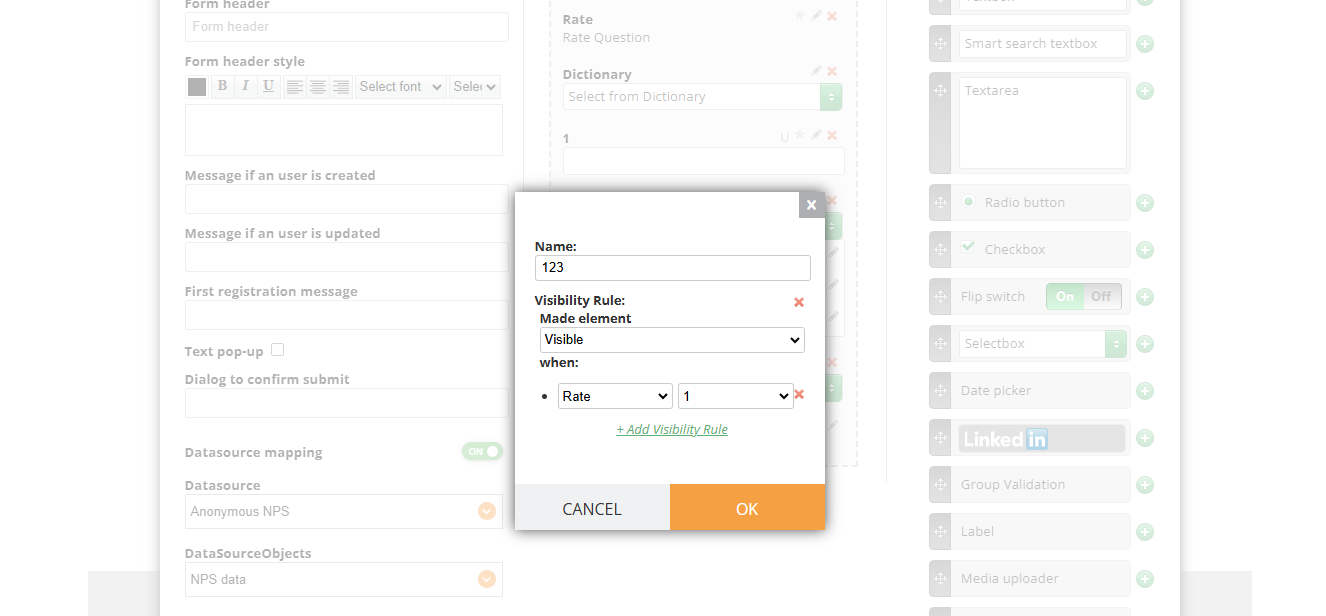
Depending on the previous choices, the respondent can see different sets of options. For example, if Rate is 1, see options 1, 2, 3. If Rate is not 1, see options 4, 5, 6.
¶ Comments
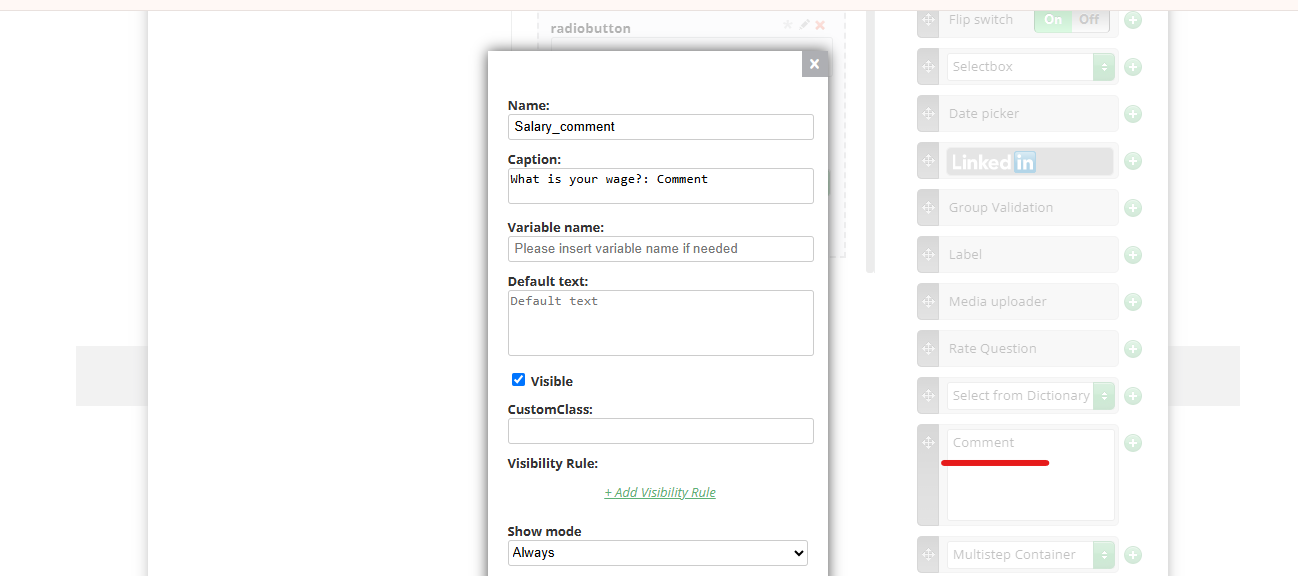
Comment element can use Visibility Rules as well:
¶ OR / AND
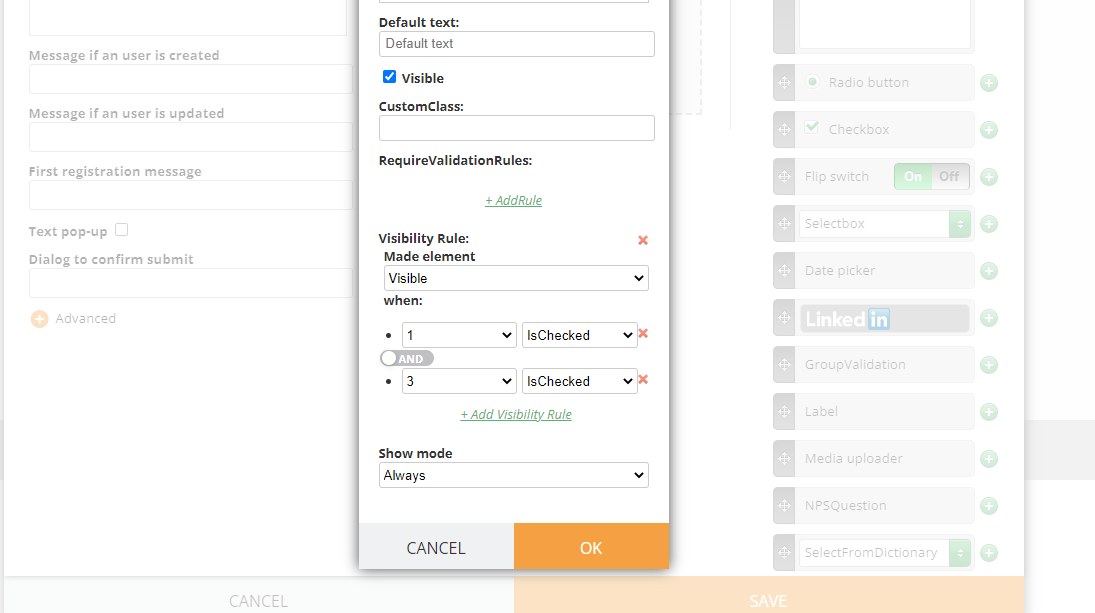
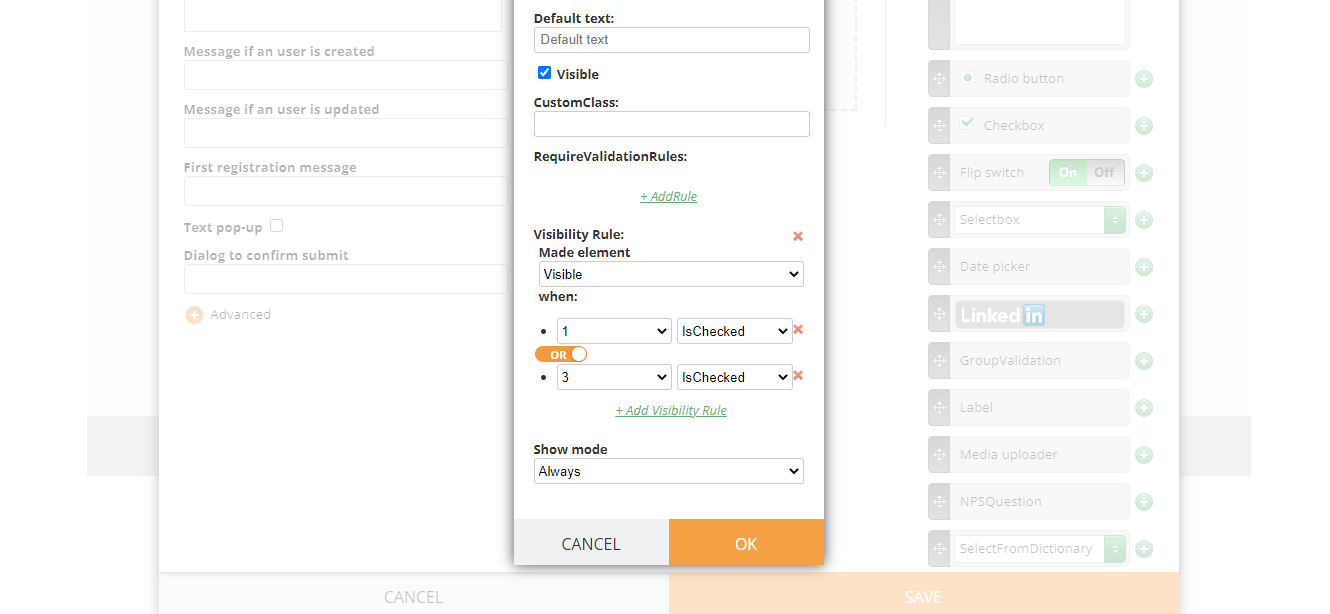
Please see that visibility rules can be used with two conditions:
AND / OR
And means that to see a certain element, the recipient must check all listed element. While “OR” means that to see the element, the recipient may tick all of them or at least one.
¶ NB
For a visibility rule to work, the element have to be in the correct order. If the element 1 influences the visibility of the element 2, you must not place the element 2 before the element 1.