¶ Ways to send out Survey
¶ 1. Direct campaign
Landing page with NG survey can be sent to the registered users using the memberlink:
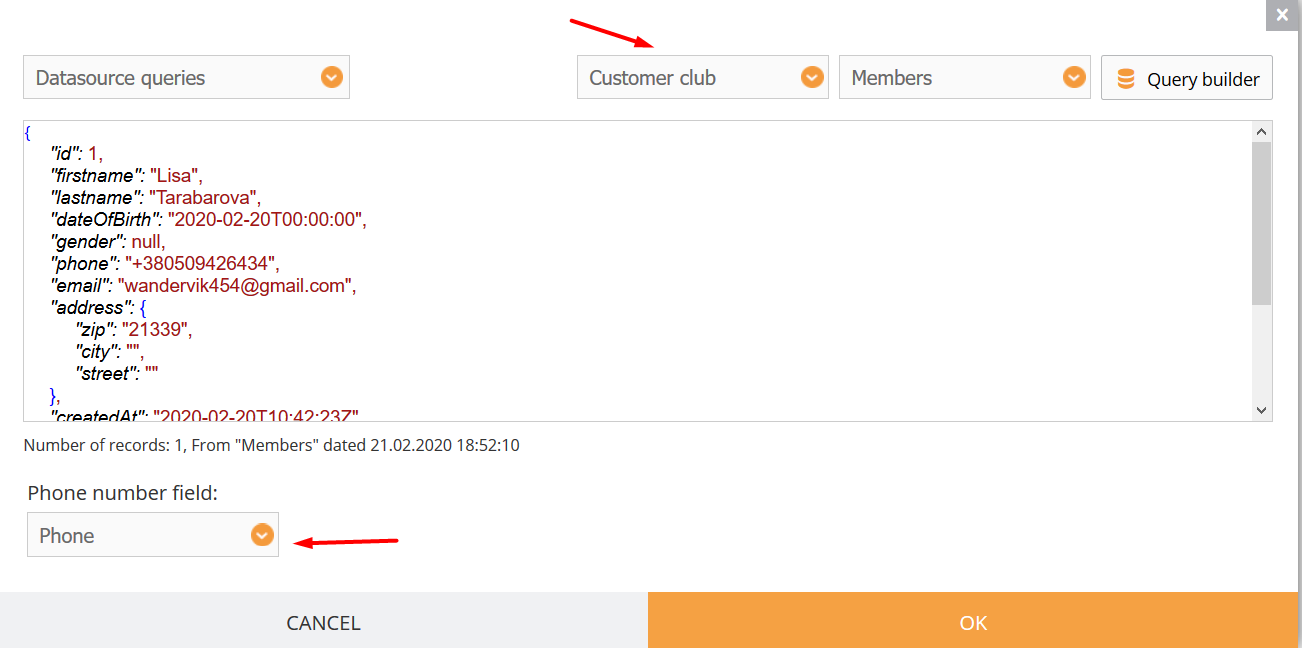
Set the campaign with data from the database
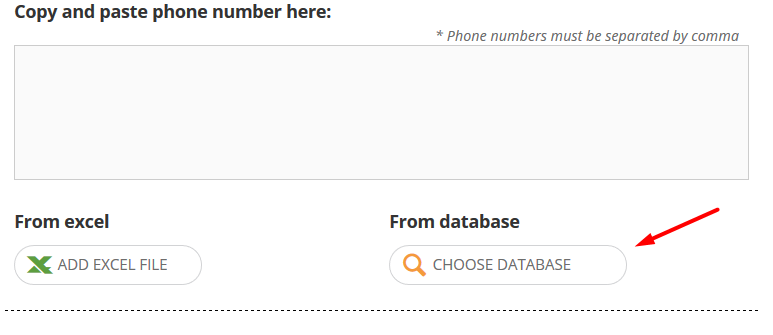
Choose datasourse that stores data of registered users and import data using the query builder.
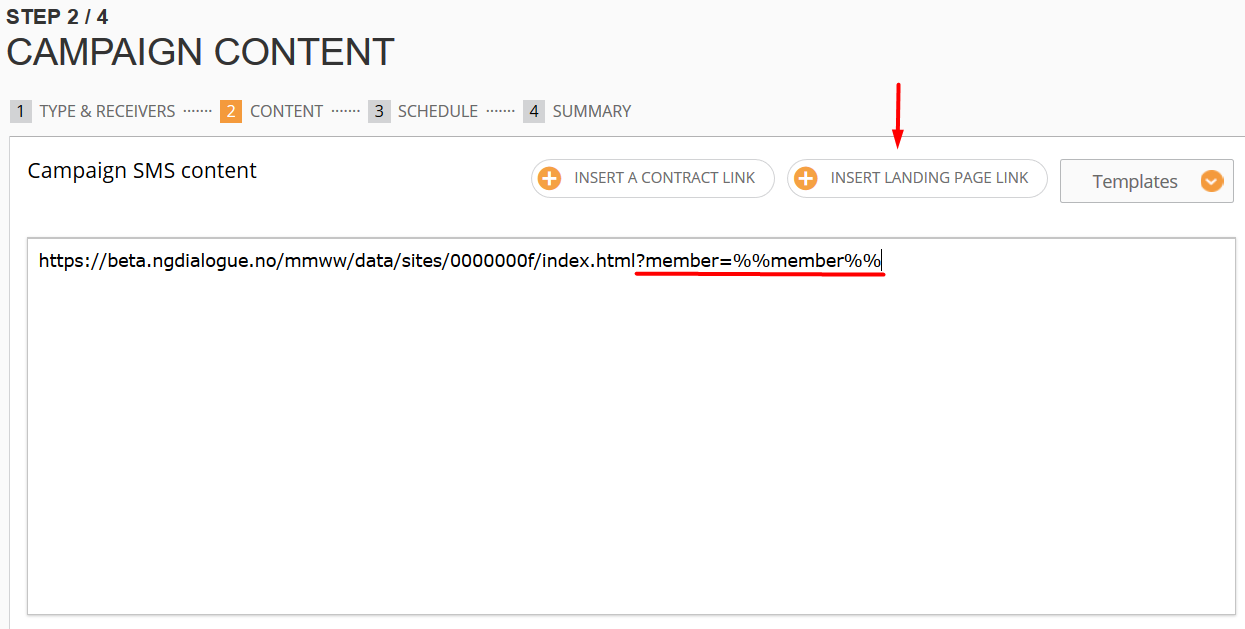
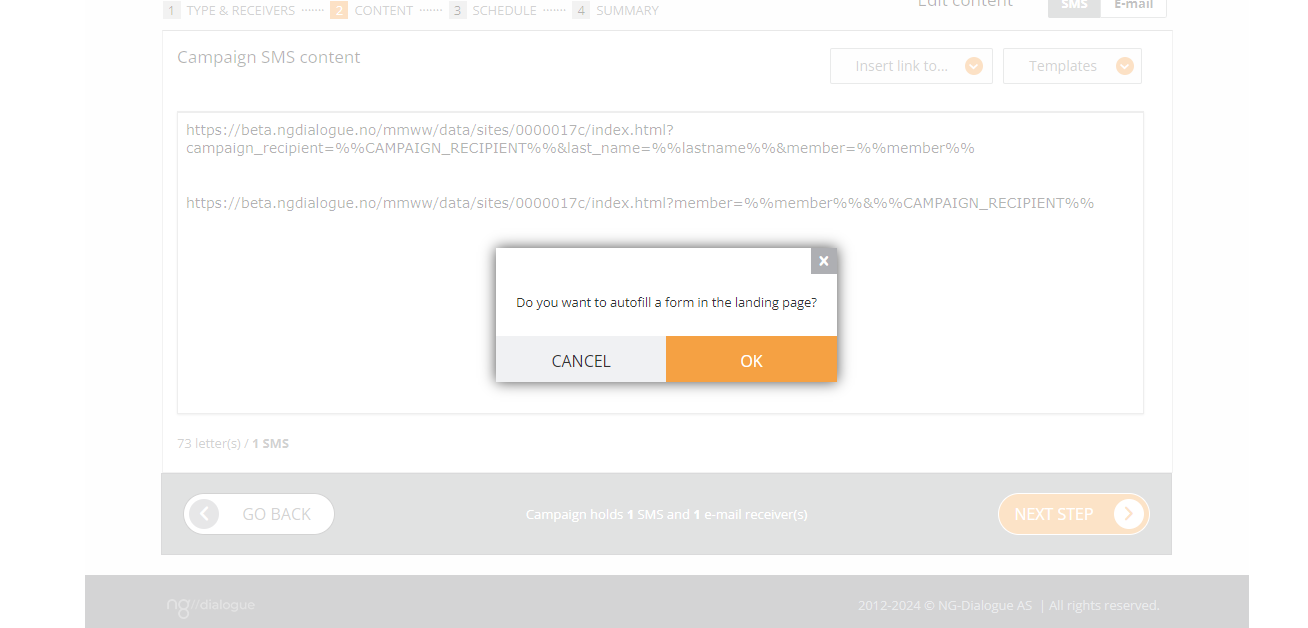
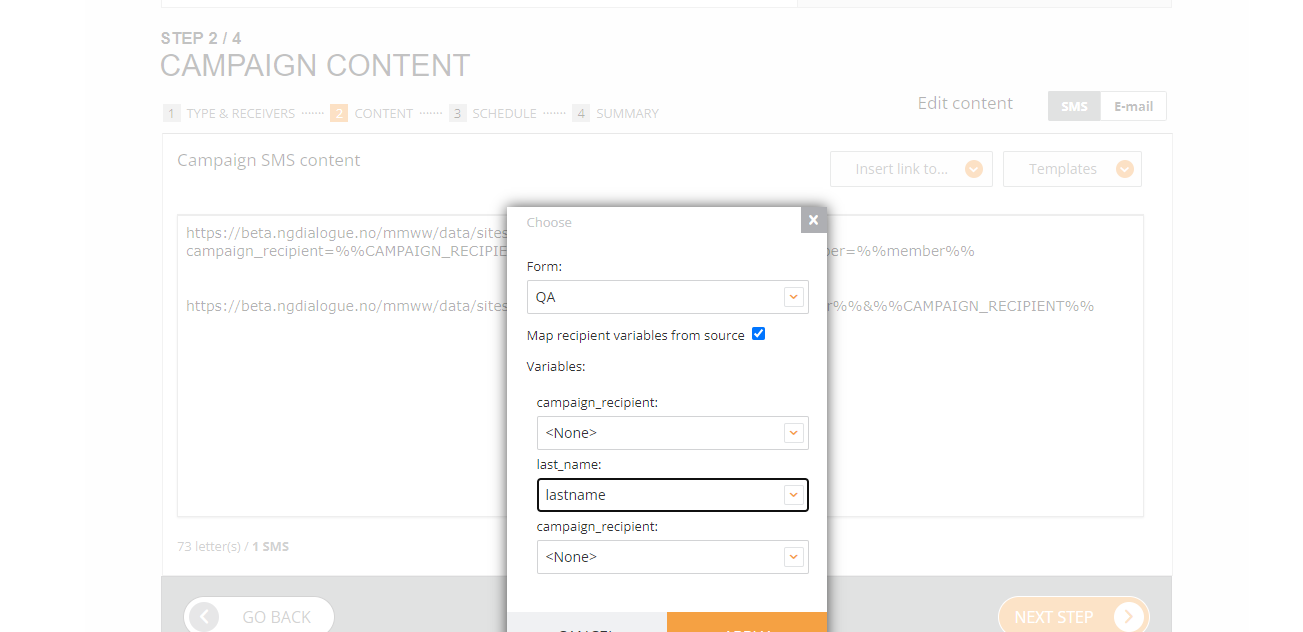
Insert landing page with NPS global form (the same datasource that was used for datasource in the mapping, otherwise it will not work) and add a member variable to the link
¶ 2. Codeword action (rarely used)
If the codeword is sent by the person whose data isn’t stored in the system, the user gets the link to the registration form (in this case NPS form can be sent as a response action of the registration form)
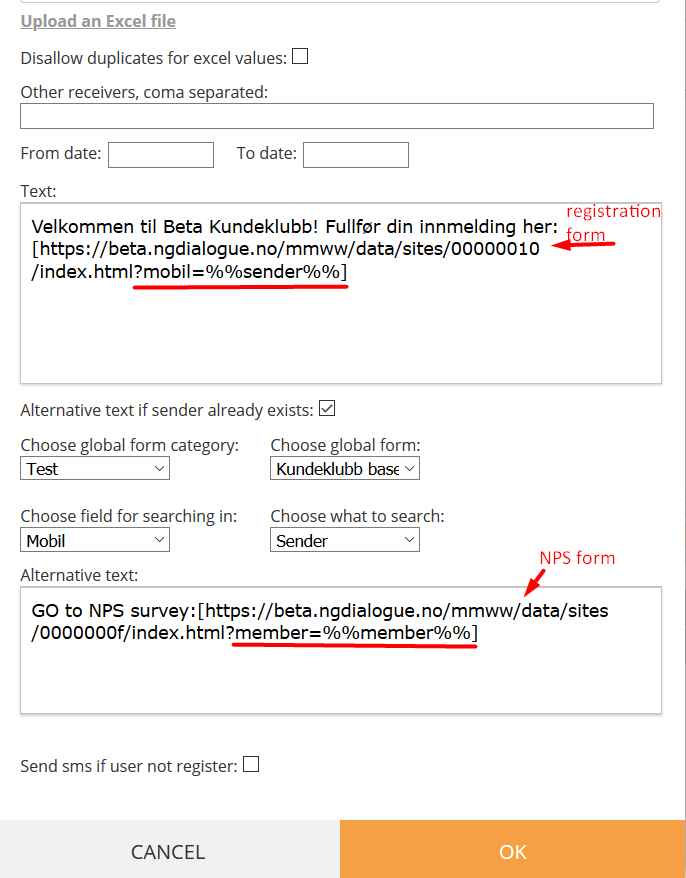
If the user exists in the database, after sending a set codeword, they get the direct link to the landing page with the NPS form.
The needed settings of the codeword are pictured in the screenshot.
¶ 3. Response action of Customer’s club registration form (rarely used)
Open the advanced options of the global form that stores registered users' data.
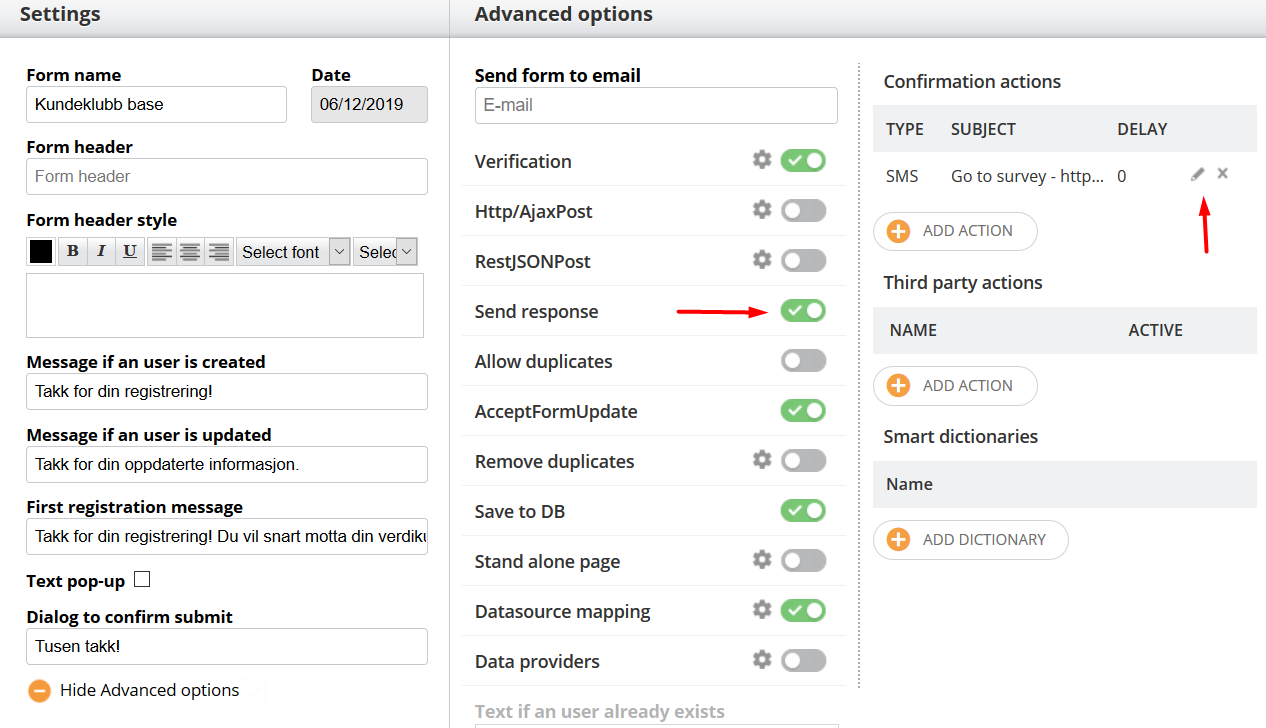
Set response action according to the arrows on the picture and paste text with a member link to the survey page in the following window.
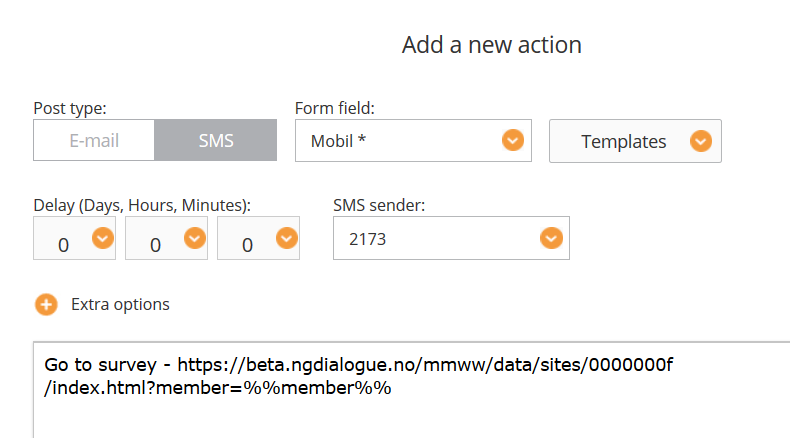
Now every new user gets the link to the survey after registration.
¶ 4. Campaign with another form with response action to the survey form (rarely used)
Any form can have a response action with a link to the survey as the Customer club registration form as described in the third paragraph and then it can be sent using the campaign.
5. Job
Choose a datasource that stores data of registered users
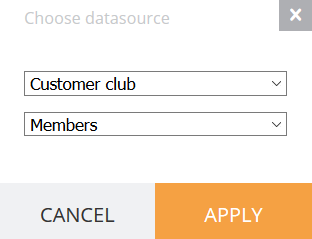
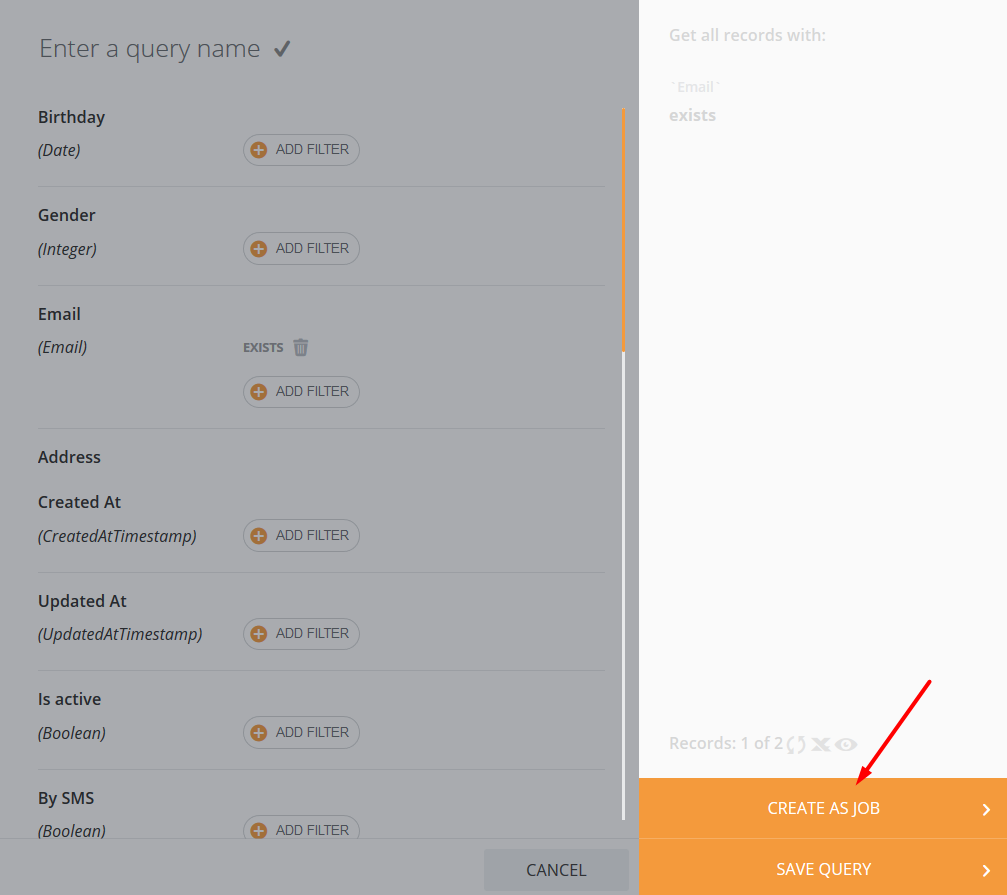
Create a query and apply it to the job
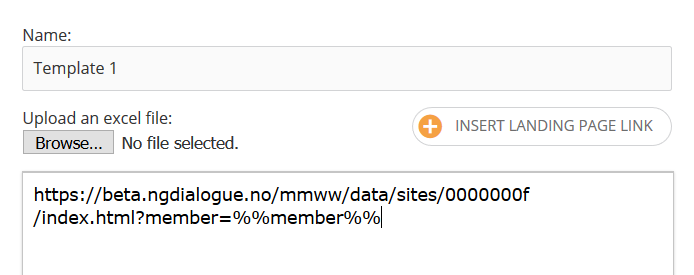
Choose a template and correct it if needed
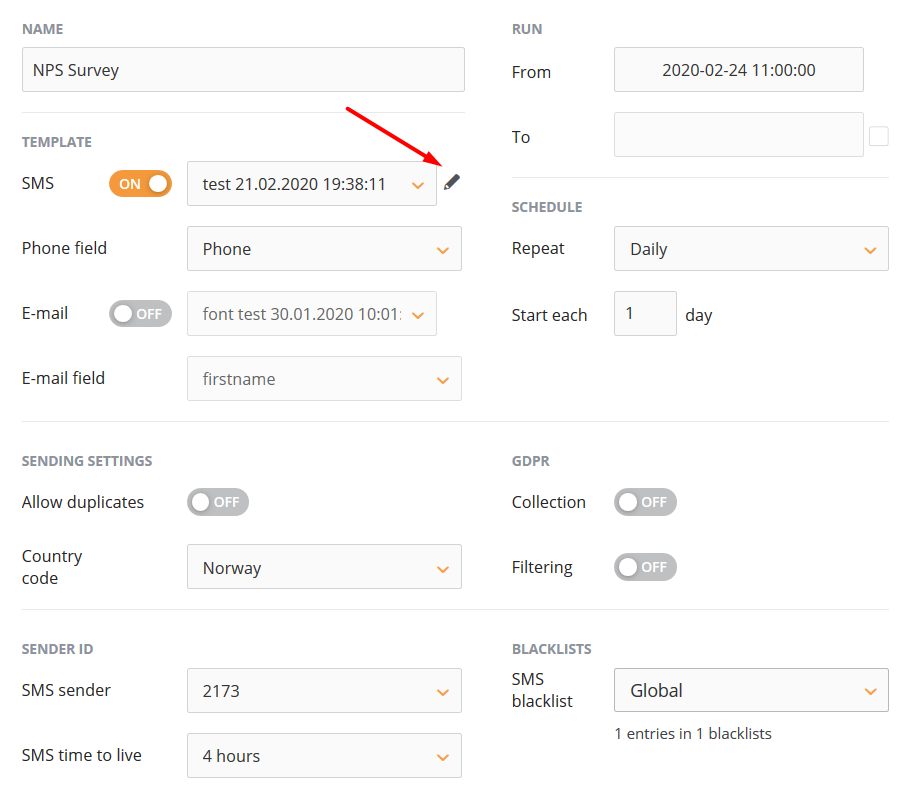
The template should contain the memberlink to the survey:
Verification is linked to the timestamp, and survey data can be considered as new if it is updated by the same user after 24 hours.
¶ If your survey is anonymous
As our datasource is anonymous, it does not have any members' info, so the campaign looks a little bit different from when we have a members datasource and a Survey (ex NPS datasource) datasource connected to it. We can use any datasource, form, or Excel file as a recipient source. We only need to map our form to the Anonymous ds that will store the responses.
After you have added questions to the Dashboard and form, placed the form on the landing page (check how to do it), you can send it out.
Upload recipients via Excel or a datasource, on Step 2, insert the landing page link:
The same can be done via Email Builder:
And send out. Answers will be anonymized:
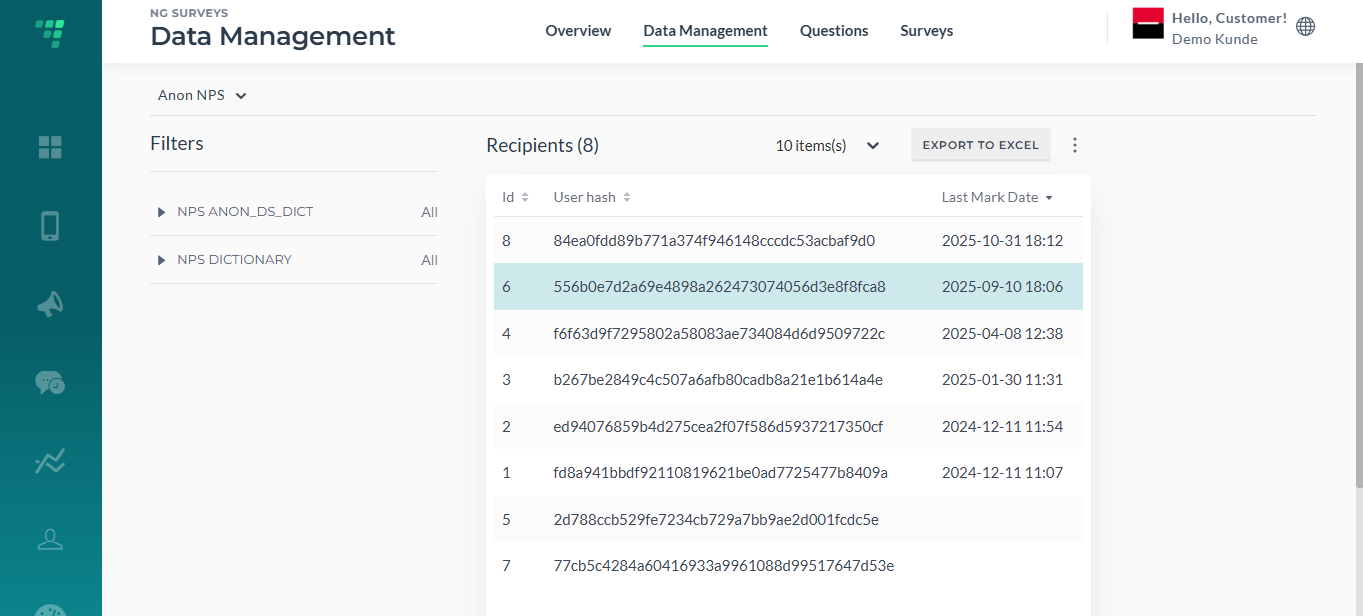
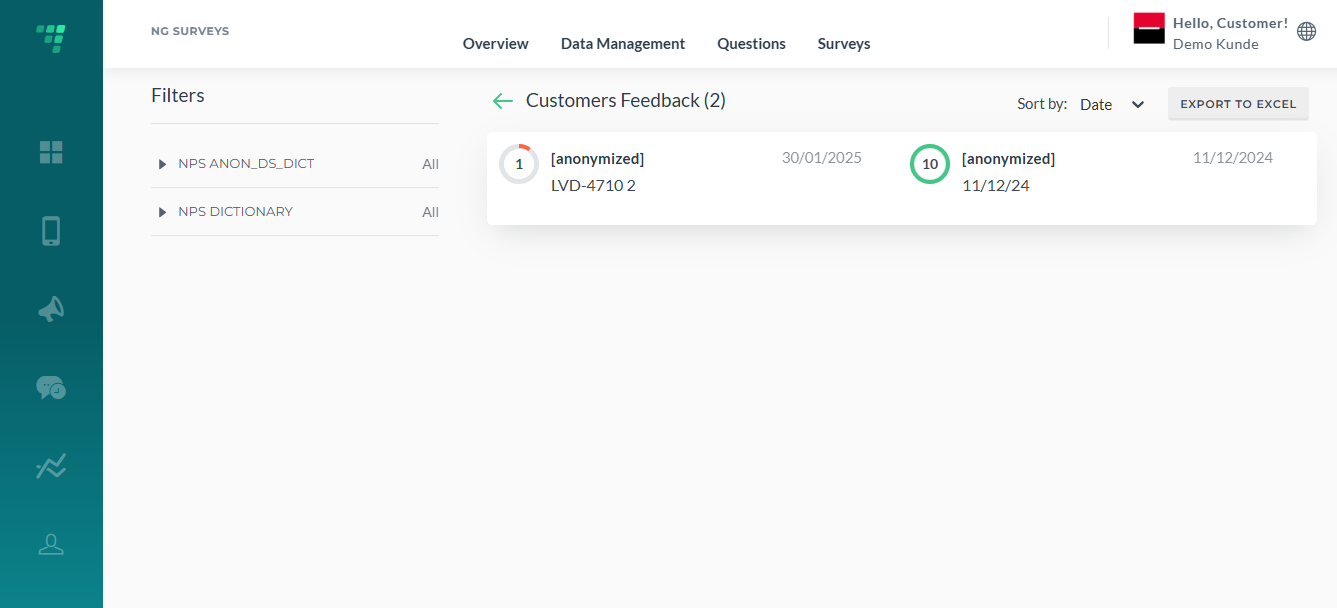
NB! The link https://globalbeta.infact.no/commonnpsresponseaction/?member=%%member%% is NOT a memberlink before it is processed by the system. Until it is done, the link is not active. After the campaign has been sent out, the link will be transformed into this (it will have all the details, but of course, for a recipient, it will be shortened), and only then will a user be able to see all questions and to post: