When you would like to update data of the datasource or, for example, to autofill fields with already known information, the forms you are using to send to clients need to be mapped to the datasource you are using to send these forms.
¶ The steps for it would be:
- Creating a global form and setting the mapping with the datasource;
- Creating a landing page or using premade one and placing the global form Navigation ;
- Creating a campaign and using the right datasource with the memberlink;
¶ Creating a global form and setting the mapping
¶ Most common case when we add Rating and Choice (Dictionary) questions from Dashboard
When you create a form, you enable the mapping in the settings (marked red on the screenshot) and selected needed datasource (members, Survey, Anonymous Survey, External NPS etc).
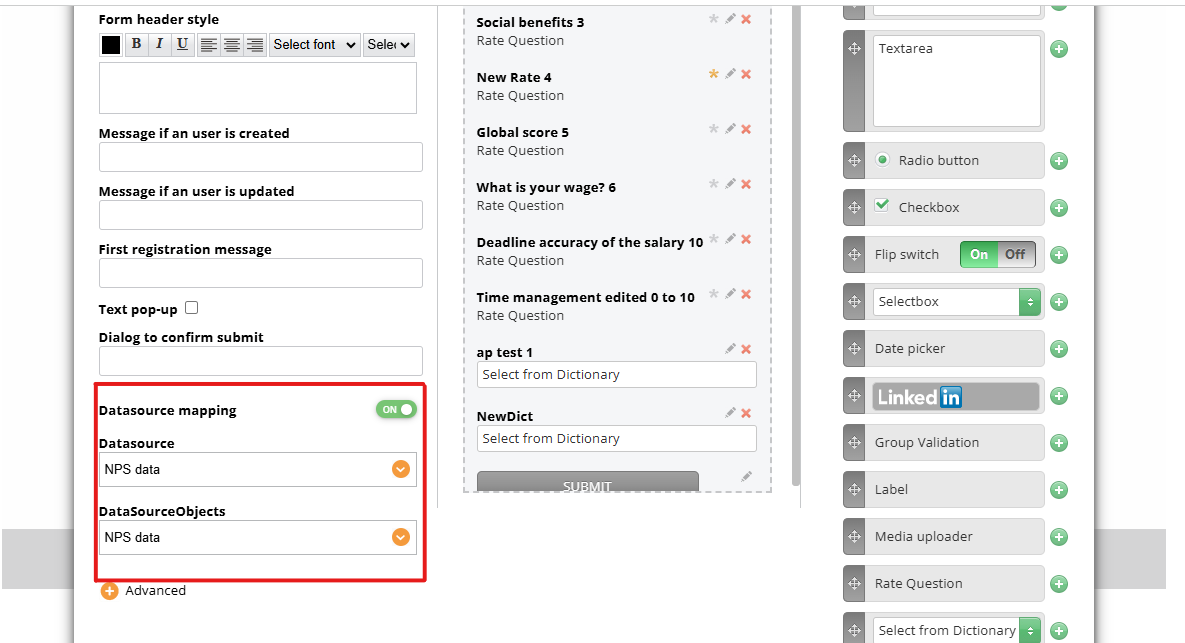
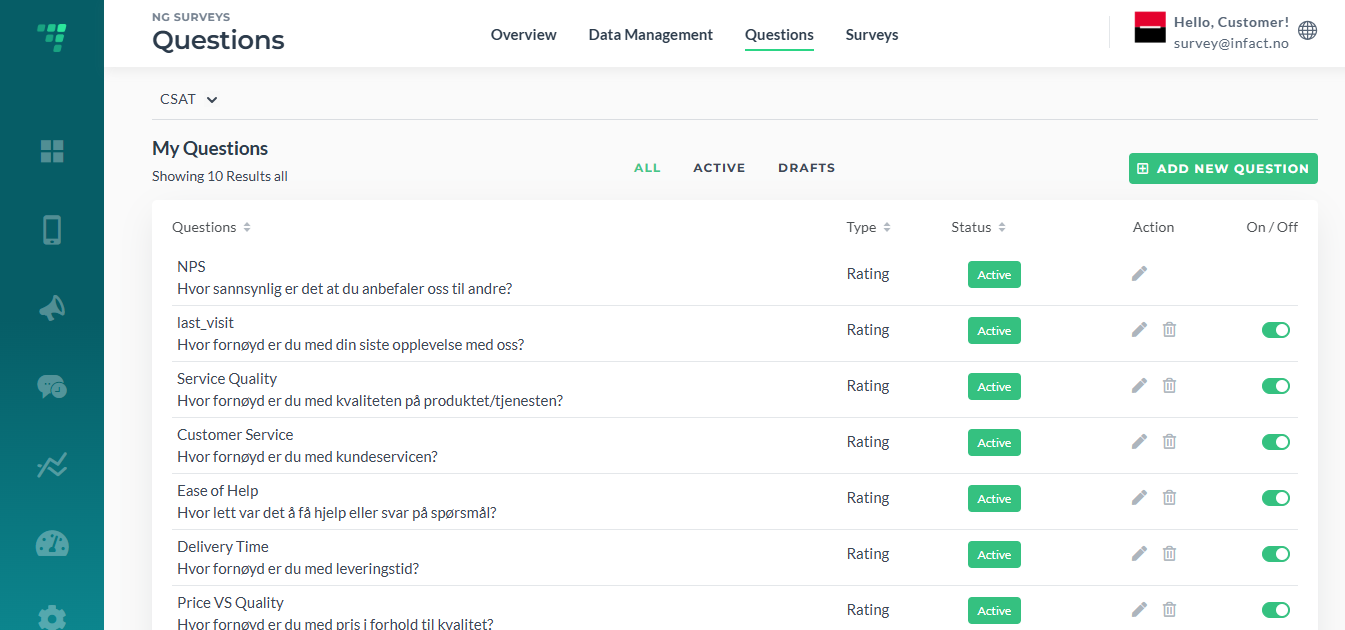
We can then save the form and reopen it to apply the changes. After that we can start adding the questions we need like Rate Question or Dictionary as explained here.
So that we populate the form with the questions added here previously:
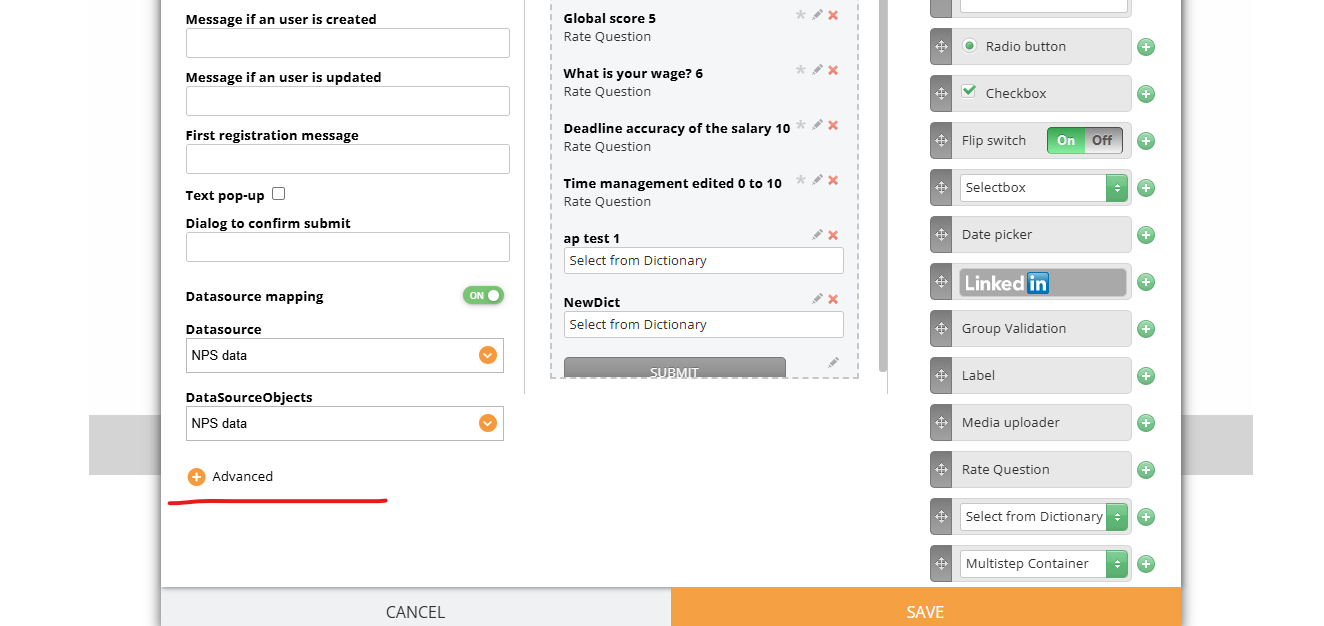
¶ If we need advanced mapping (custom cases, members ds when we need to map members data like first name, phone), we need to go to Advanced settings:
Let’s assume we already have a datasource. To know how to create a datasource, please follow this link Working with datasources.
Then we create a form as usually (adding the elements, naming the form ect.) and afterward we click on Advanced:
We need to click the gear element:
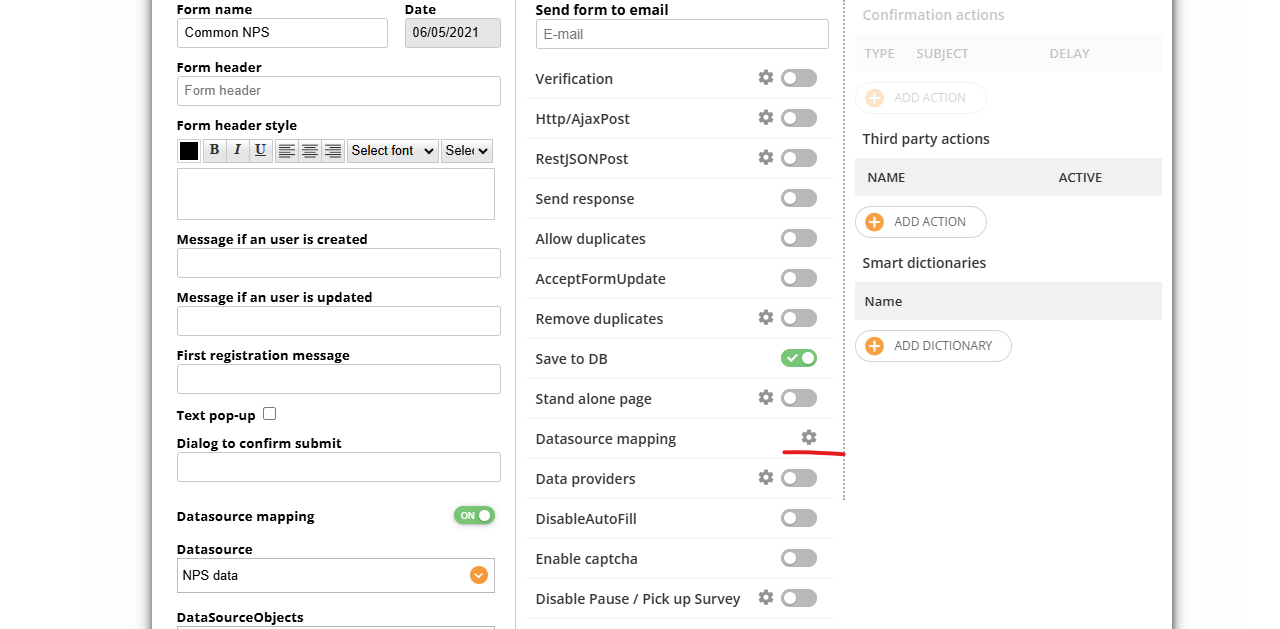
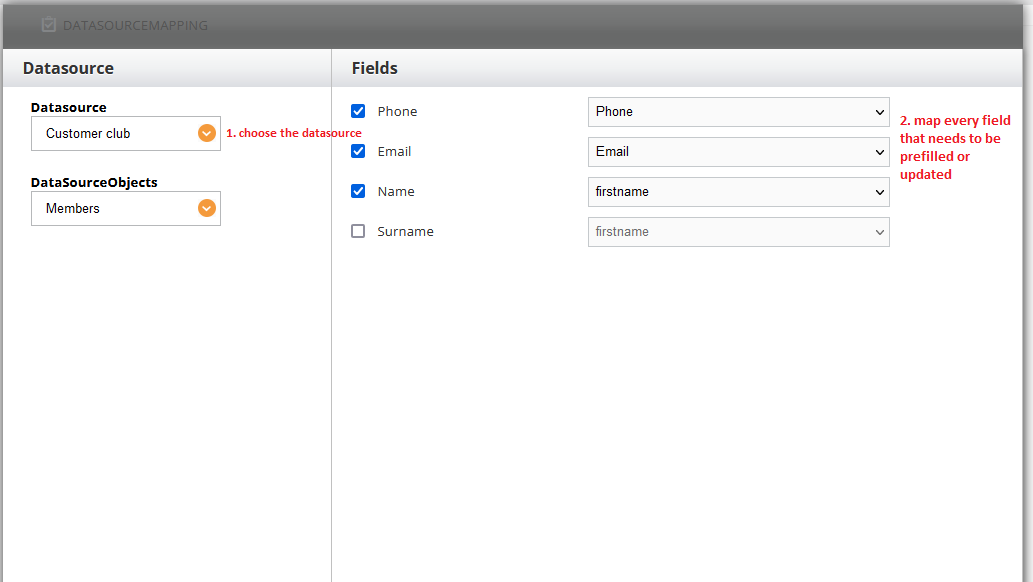
And click Save.
NB! If you rename the field, you will need to re-map it.
¶ Creating a campaign and using the right datasource with the memberlink
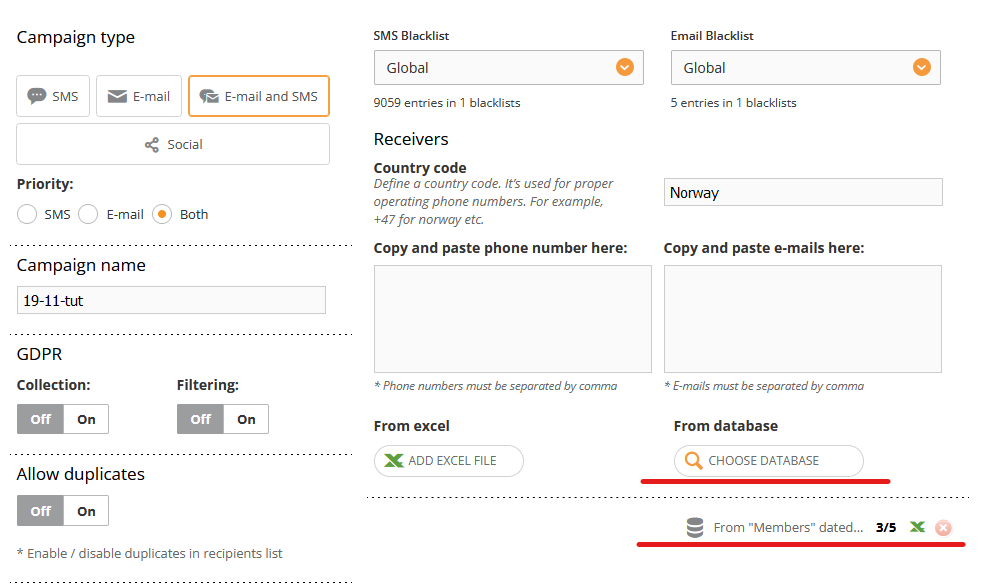
Then we need to insert the memberlink which connects the user (client) and its information in the database and works as a permission to use and edit info in the database.
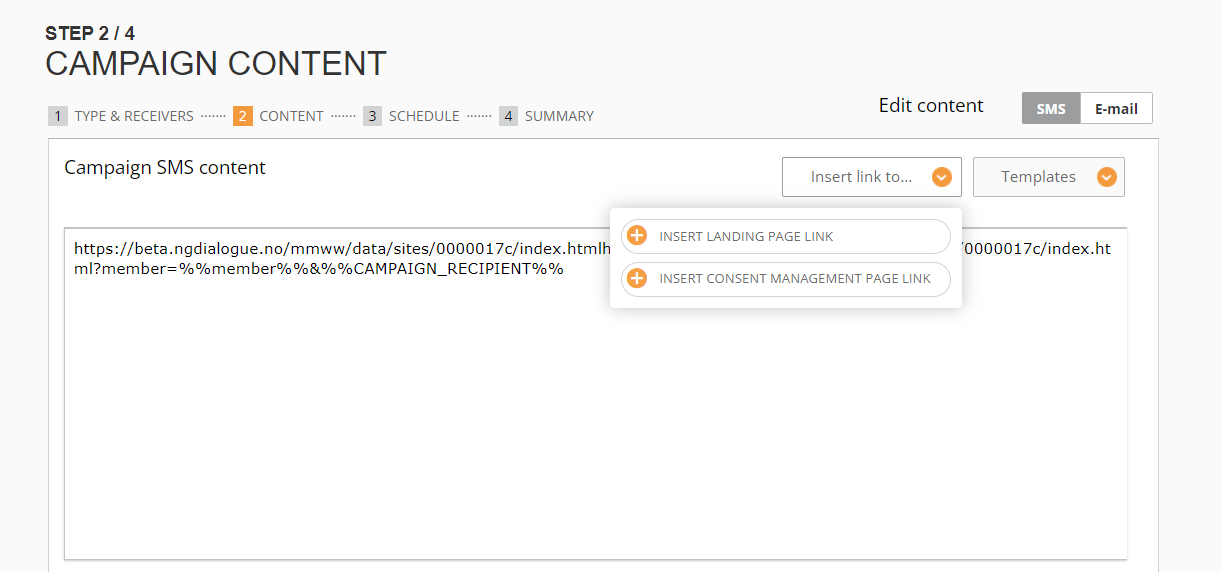
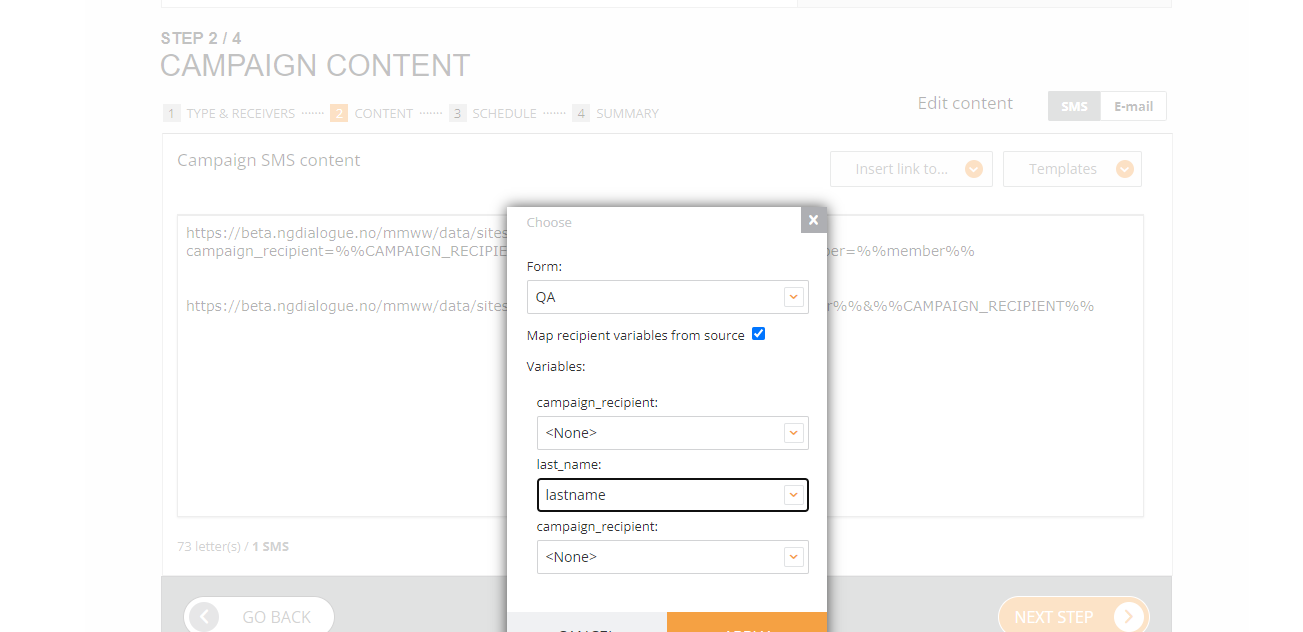
Also, you can insert the link directly via email builder:
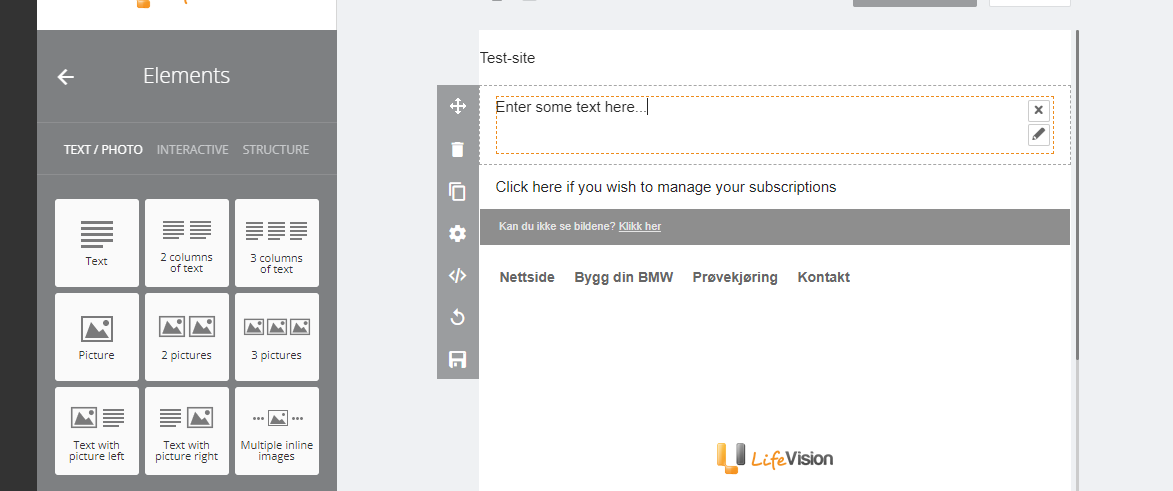
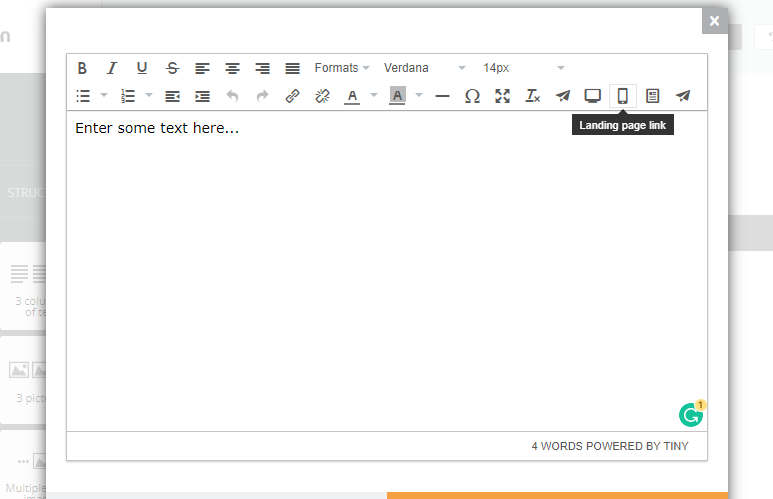
Then click Apply changes and Save changes.
Done!